9
NDI Encode Settings
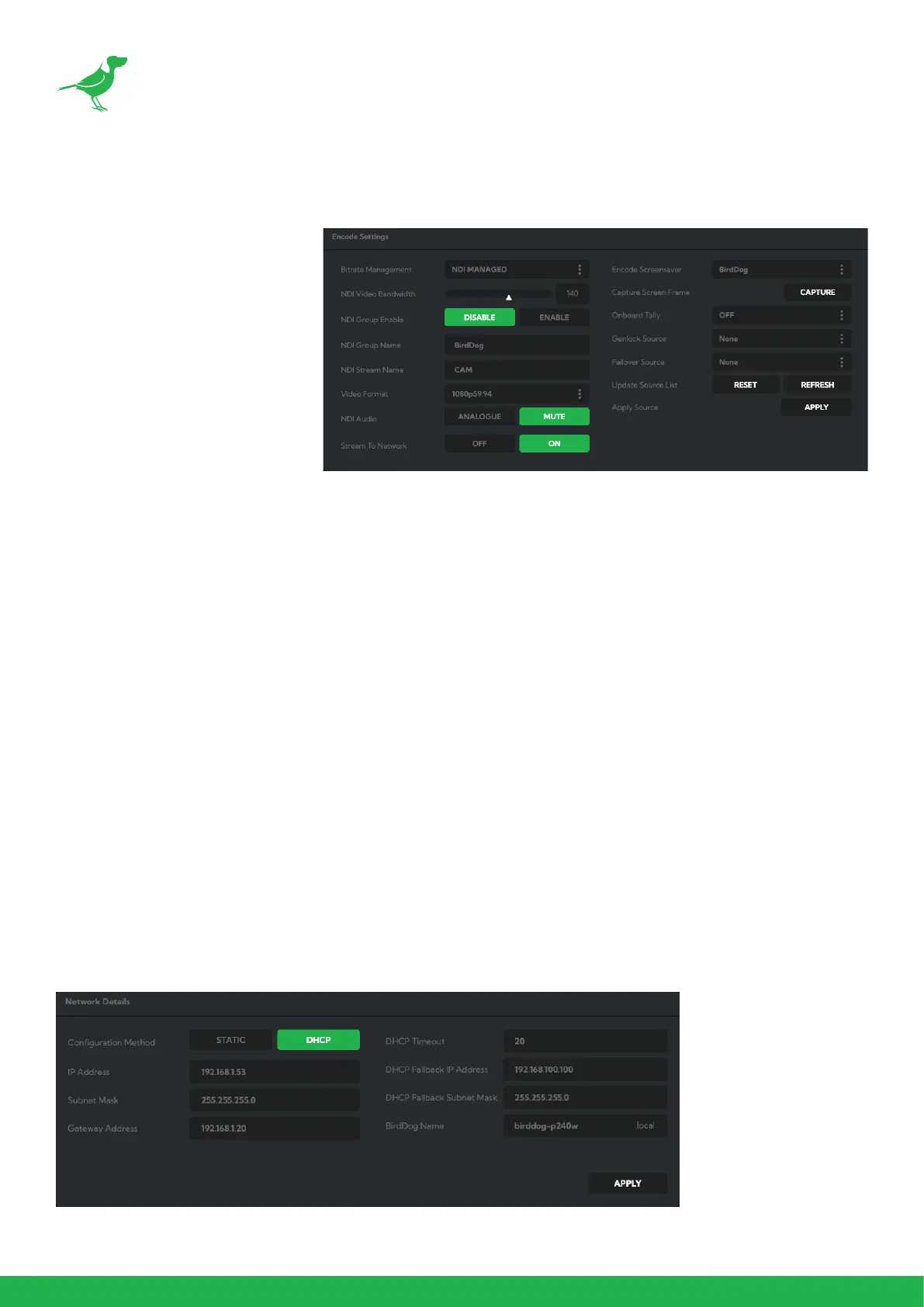
Bitrate Management
Because you’re sending NDI®
video over your computer
network, you may need to
be mindful of the amount of
bandwith your video will consume.
By setting Bitrate Management to
NDI MANAGED, the target bitrate
will be set in accordance with the
NDI® standard. This will achieve
an optimum balance between
bandwith consumption and video
quality. In this mode, the video
bitrate will be around 120-140
Mbps.
If you do opt for Manual management, you may select a bitrate within a range of 60-360 Mbps. Do this with care,
as the actual bitrate may be greater, straining the capacity of the network and the receiving device, and lower
settings may result in reduced image quality.
Video Format
Here you can set the frame rate of the camera to match that of your production. All cameras should be set to the
same frame rate. You can also set the desired level of chroma subsampling.
NDI Group
NDI® supports Grouping which allows you to hide the visibility of video sources to viewers that are not part of the
group. If disabled, the video source is public and viewable by any receiver on your network.
Stream Name
Give the output video stream of the camera a memorable name to make identication easier on other devices.
NDI Failover Source
If the selected HDMI source is interrupted for any reason, P240 can automatically switch to a pre-determined
alternative NDI® source. Select an available NDI® source for the failover function from the
Available NDI® sources
dropdown list. Pressing the Refresh button will add new sources to the list, whereas pressing Reset will populate the
list with only active NDI® sources. Click the Apply button to apply your failover source change.
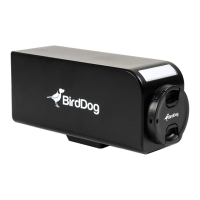
Network Conguration
For the nal part of this quick start guide, let’s set up the network conguration of your camera so it can work with
your wider network. Most computer networks provide for both automatic and manual conguration of network
devices and the P240 can accomodate both.


 To Next Page