31
Network
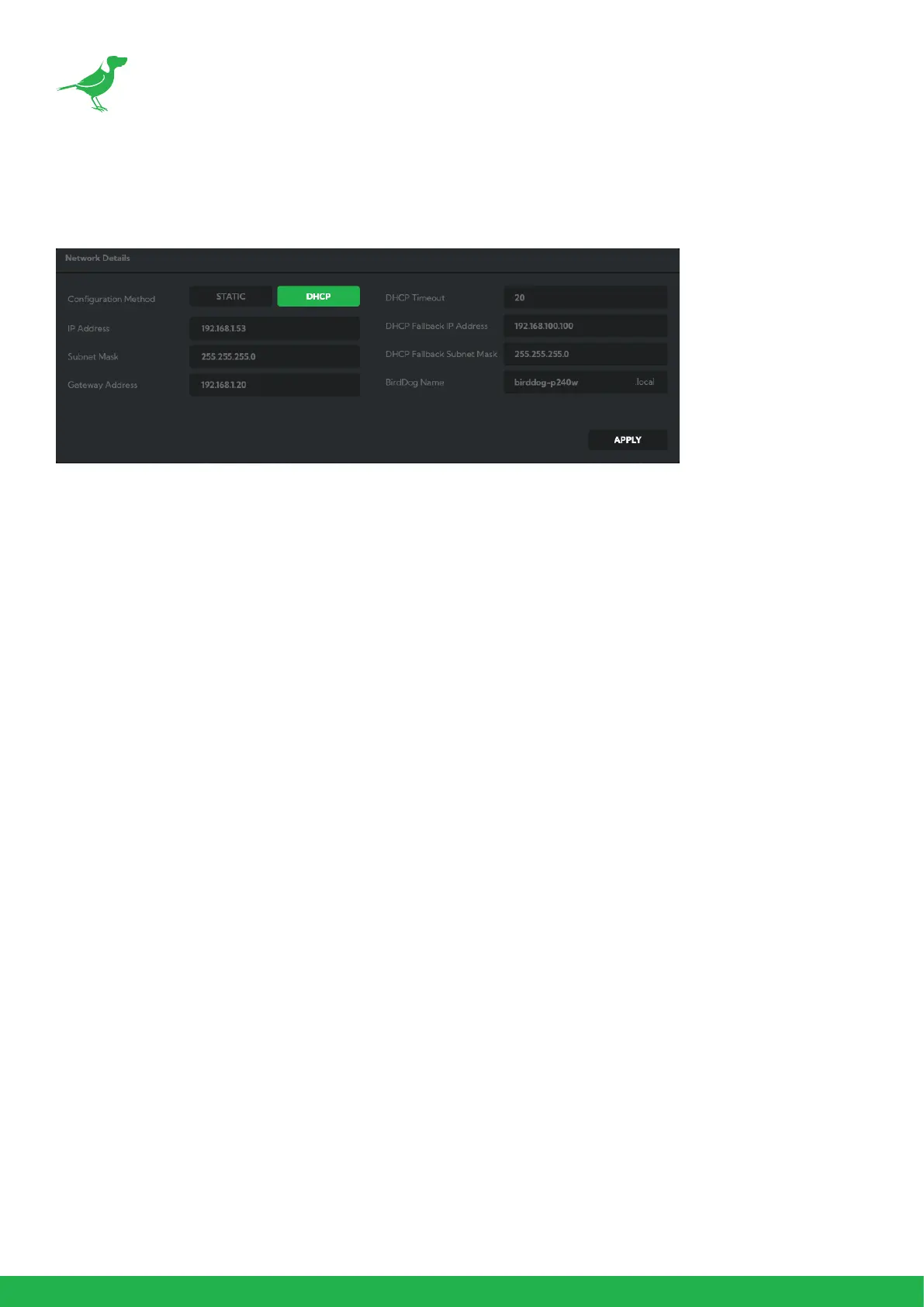
Network Details
Most computer networks provide for both automatic and manual conguration of network devices and the P240
can accomodate both.
Conguration Method
Here you can set the network conguration to either DHCP (default) or Static. DHCP simplies the management of
IP addresses on networks. No two hosts can have the same IP address, so assigning them manually can potentially
lead to errors. If your network is set up for DHCP, this is generally the best conguration to choose. If you do choose
to go with a Static IP address, you’ll need to add the IP Address, Subnet Mask and Gateway Address information
according to the requirements of your network.
DHCP Timeout, Fallback IP address, Fallback Subnet Mask
You can set the timeout period during which P240 will look for a DHCP IP address. After this period, the camera will
default to the designated fallback IP address.
This can be useful if you use your camera in other network environments. For example, if a DHCP server is available
in your normal oce or studio application, the camera will use the DHCP supplied IP address. If you then use the
camera in another application without a DHCP server, your camera will always default to the known fallover IP
address. NOTE: Do not set the fallback IP address the same as the camera IP address. It is recommended to keep
the fallback IP address.
BirdDog Name
You can give your camera a meaningful name to make identication easier when viewing NDI® sources on a
receiver such as a TriCaster, vMix or Studio Monitor. Be sure to make the name unique, as no two devices on the
network should have the same name. The name can be any combination of 'a-z, 0-9, and –‘.
After renaming your camera, navigate back to the Dashboard and click REBOOT DEVICE. The camera will re-
initialize and you’ll be good to go.
NDI Network Settings
P240 operates with the latest NDI® Libraries. There are several options to congure camera behaviour in an NDI®
network. Each conguration has its benets, however it is recommended to utilise the default TCP transmit method
unless you have reason to change.
Preferred Transmit Method
TCP
TCP is the default method of transmission for NDI®. It operates well within local networks with predictable latency
and limited jitter. BirdDog recommends that TCP be used for typical applications, and only using alternative
transports for specic reasons.



 To Next Page