36
Encoder Screensaver
Assign a captured frame, black frame, or BirdDog logo as a screensaver.
Capture Screensaver Frame
Click the Capture button to capture the current frame for use as a screensaver.
Onboard Tally
Enable the camera Tally lights.
Genlock Source
Select the NDI® genlock source from the dropdown list.
NDI Failover Source
NDI® features a failover function where you can designate an alternate camera or NDI® source for the receiver,
should this camera become disconnected or otherwise unavailable on the network. Click on the
Available NDI
Sources
eld to select your alternate source.
Update Source List
Pressing the Refresh button will add new sources to the list, whereas pressing the RESET button will populate the
list with only active NDI® sources. Click the APPLY button to apply your failover source change.
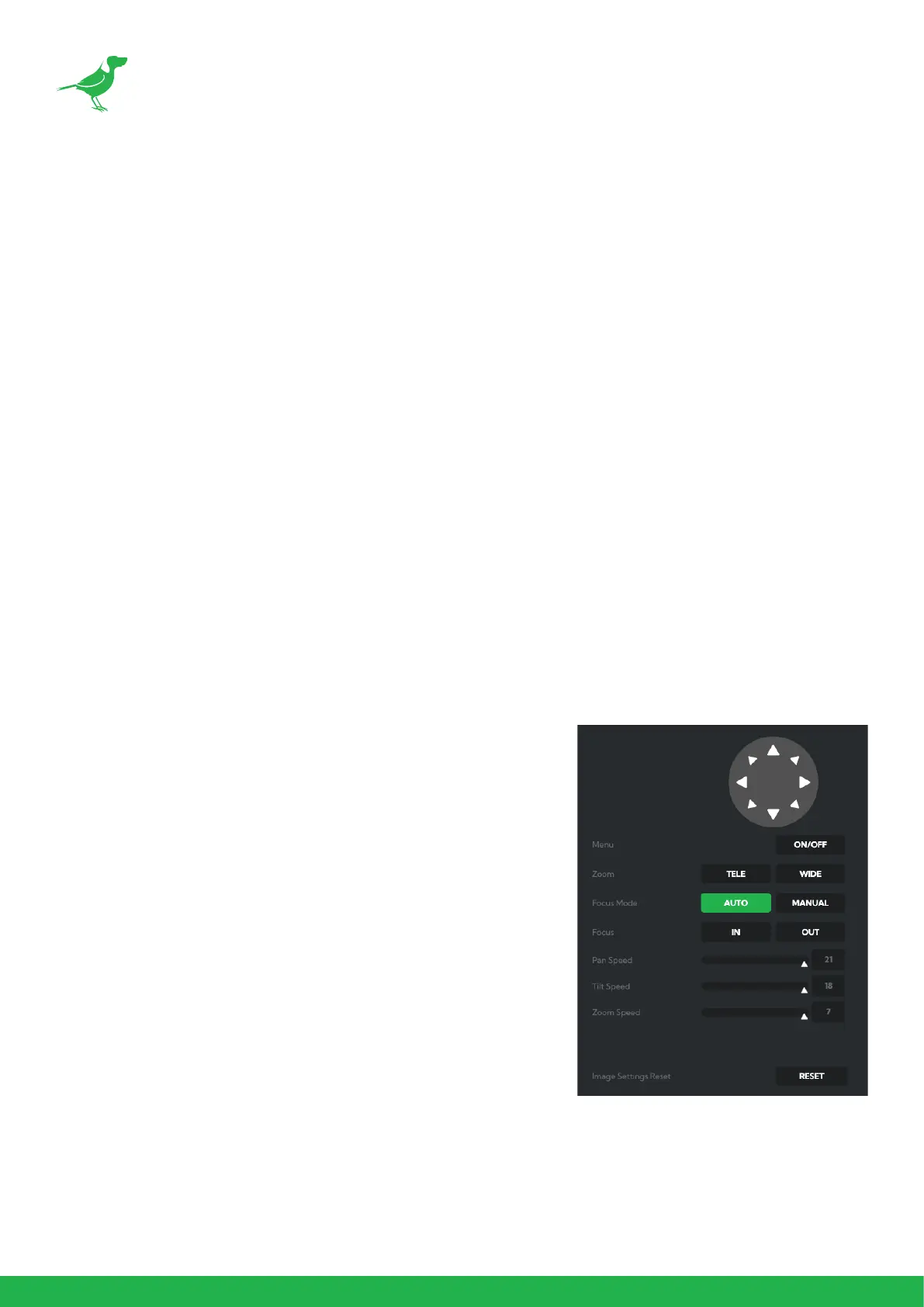
CamControl
Camera Control Tab
Menu On / O
To adjust cameras settings via the OSD (On Screen Display), click the
Menu ON/OFF button.
The OSD is visible on both the NDI® output and SDI/HDMI, and can also
be accessed via the included remote control. Since it uses the same
controls for menu navigation, PTZ control of the camera movement
will not be possible until the OSD menu is closed again.
Zoom
Click the TELE button to zoom in and the WIDE button to zoom out.
Focus Mode
Select between Auto and Manual focus modes.
Focus
Click the IN button to focus on nearer subjects and the OUT button to
focus on subjects further from the camera.
Pan / Tilt / Zoom Speed
When controlling P120 over NDI® you can individually set the maximum
speed of PTZ movements. Higher numbers produce faster and more
sensitive movements of the camera.
Image Settings Reset
Click this button to reset all image settings to their factory default.



 To Next Page