35
NDI Encode Settings
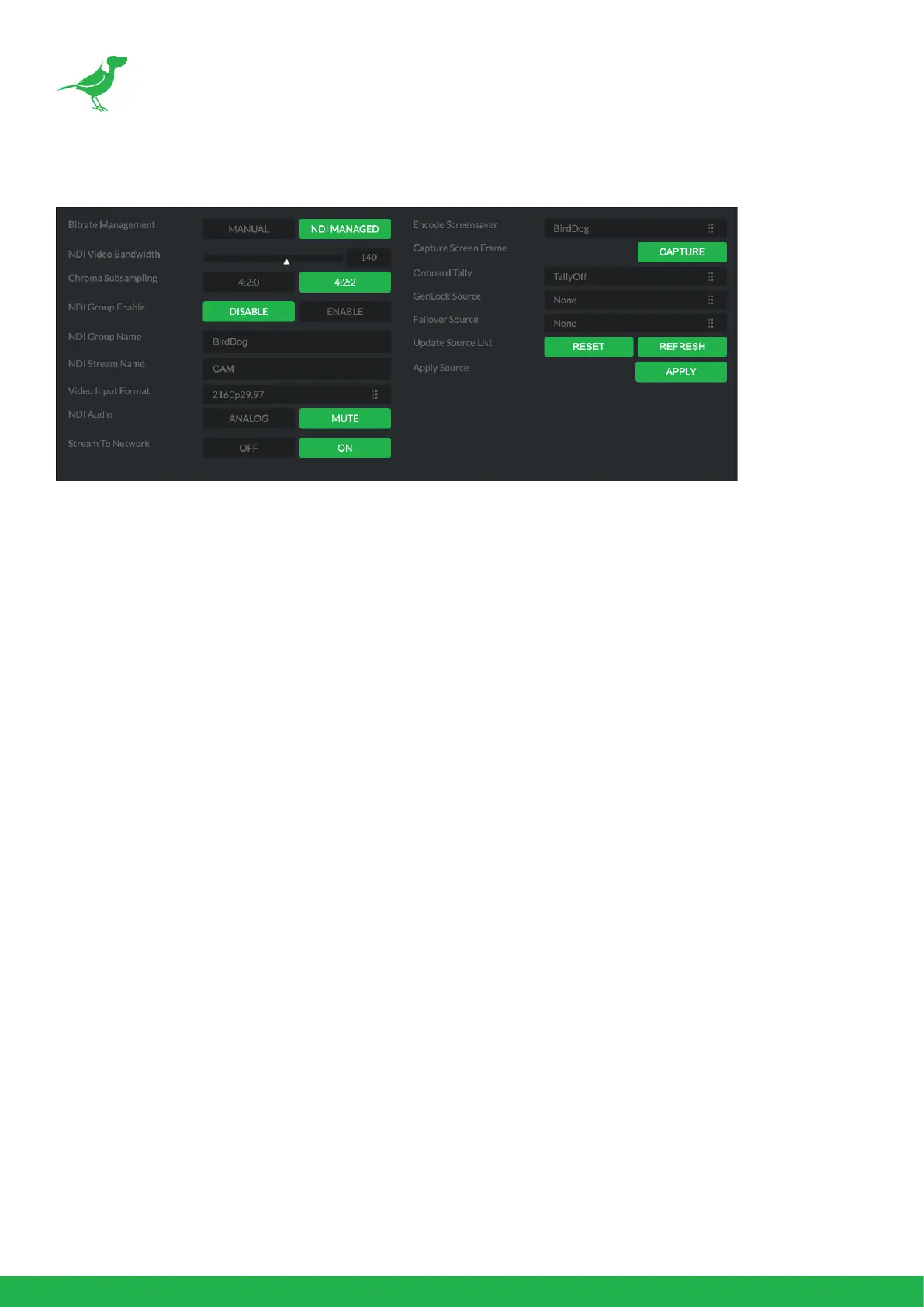
Bitrate Management
Birddog Devices allow you to set your target NDI® output bitrate. This allows you to select a compression ratio that
is more ecient for your networking infrastructure (lower bandwidth) or higher image quality for critical footage.
The scale allows you to select the range of 60 Mbps - 360 Mbps.
By setting Bitrate Management to NDI MANAGED, the target bitrate will be set in accordance with the NDI®
standard. By selecting MANUAL you are able to manually select a target bitrate. Select MANUAL with care, as you
will need to account for the capacity of the network and the receiving device.
Chroma Subsampling
Set the desired level of chroma subsampling.
NDI Groups
NDI® supports Grouping which allows you to hide the visibility of video sources to viewers that are not part of the
group. If disabled (default), the video source is public and viewable by any receiver on your network. Click on the
eld and type a group name. Receivers can then scan for, and select your group.
Stream Name
You can give the camera NDI® output stream a meaningful name to make identication easier on on any NDI®-
capable receiver, particularly on networks where there are a large amount of NDI® streams.
NDI Video Format
P240 is capable of outputting independent video formats for both NDI® and SDI/HDMI. This setting aects only
the NDI® video output. Please note that the video rate you select here must be of the same family as the SDI/HDMI
video output, for example 720p50 aligns with 1080i50/1080p50 but will not co-exist with any 29.97/30fps based
camera setting.
NDI Audio
Select MUTE to disable the NDI® audio. Select ANALOG to receive audio from the audio inputs.
Stream to Network
You can choose to disable the NDI output stream.


 To Next Page