27
Operating Multiple Cameras with the Infrared Remote Controller
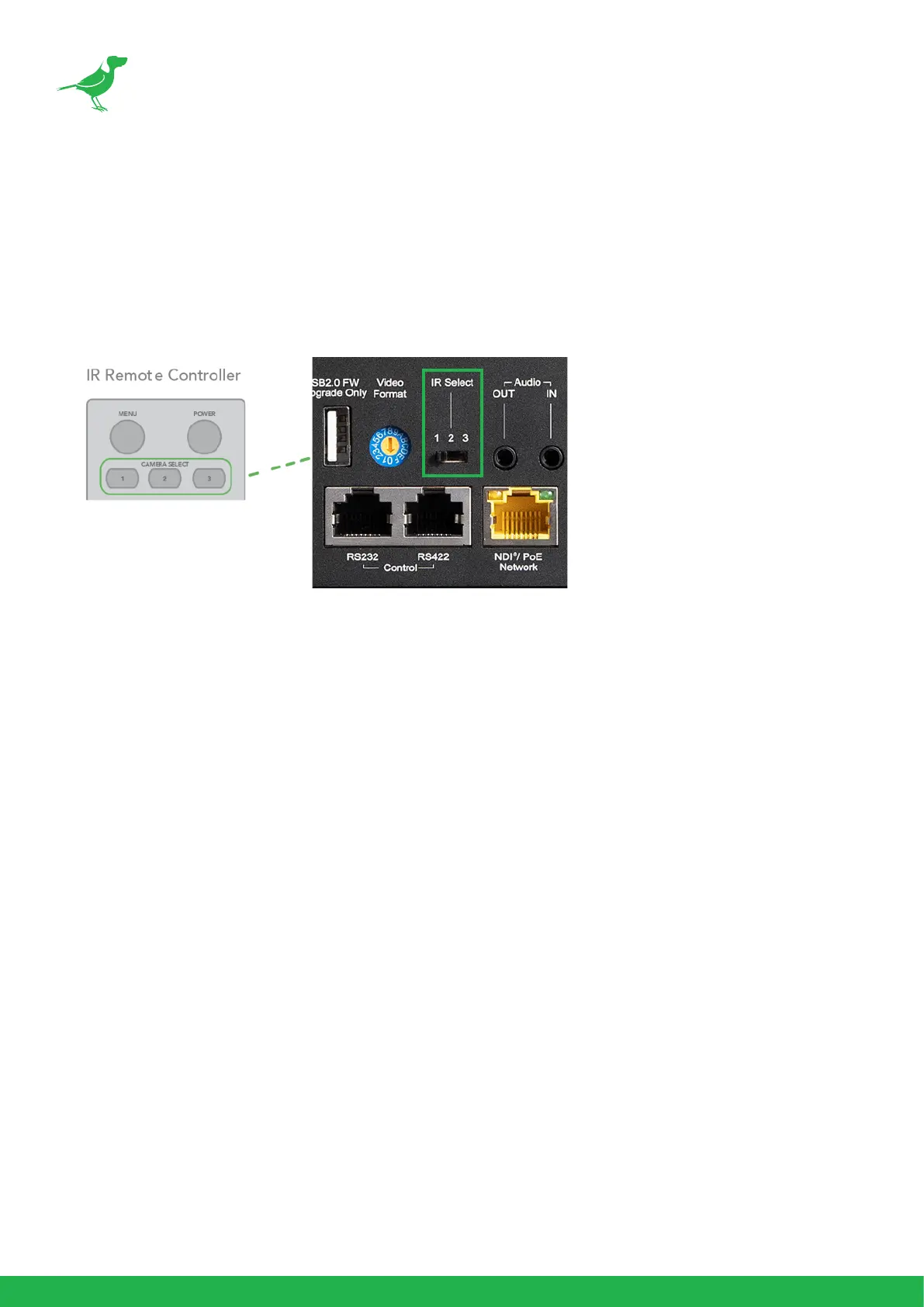
1. Assign a number to the camera (1, 2 or 3) using the switch on the rear of the camera.
2. Press the CAMERA SELECT button on the infrared remote controller that corresponds to the number set in
step 1.
3. The remote can now control the camera(s) specied by the selected number. Each time the infrared remote
controller is used, the chosen CAMERA SELECT button illuminates.


 To Next Page