45
NDI® Camera Control
The easiest way to control your camera is via the BirdDog PTZ Keyboard!
BirdDog PTZ Keyboard supports NDI®, NDI®|HX, Visca over IP, RS422, and RS232. By harnessing BirdDog’s next
generation NDI® and IP technology, it’s never been easier to discover, connect, and control your PTZ cameras.
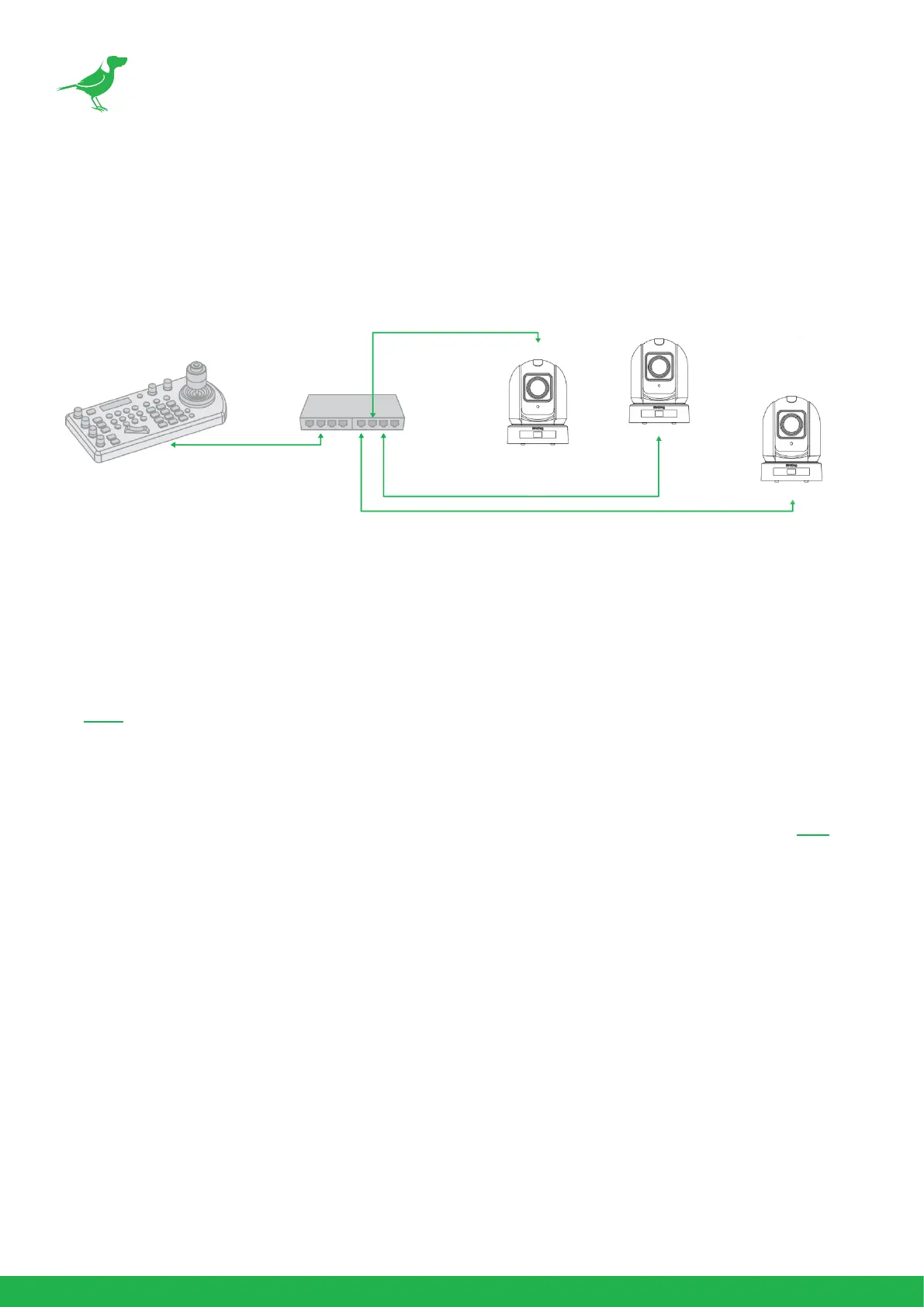
IP Connection
IP Port to Network Switch
1. Connect the camera NDI Ethernet port to a port in a Ethernet switch on your network. The switch must provide
PoE+ if you are not using the power adaptor.
2. Connect the PTZ Keyboard’s IP port to a port on the Ethernet switch (or other connected switch on the same
network subnet).
3. Login to the web interface (BirdUI) of the camera and PTZ Keyboard to congure the appropriate settings.
Remote Controller
You can use the supplied remote controller to control your camera. For instructions on use, please refer here.



 To Next Page