50
To Set Hop Frequency
The range of the hop frequency depends on the carrier frequency currently selected. Press Hop
Freq to highlight the parameter and use the numeric keyboard or knob to input the desired
value.
• Sine: 1 uHz to max output depending on model.
• Square: 1 uHz to max output depending on model.
• Ramp: 1 uHz to 500 kHz
• Arb: 1 uHz to 6 MHz
ASK Modulation
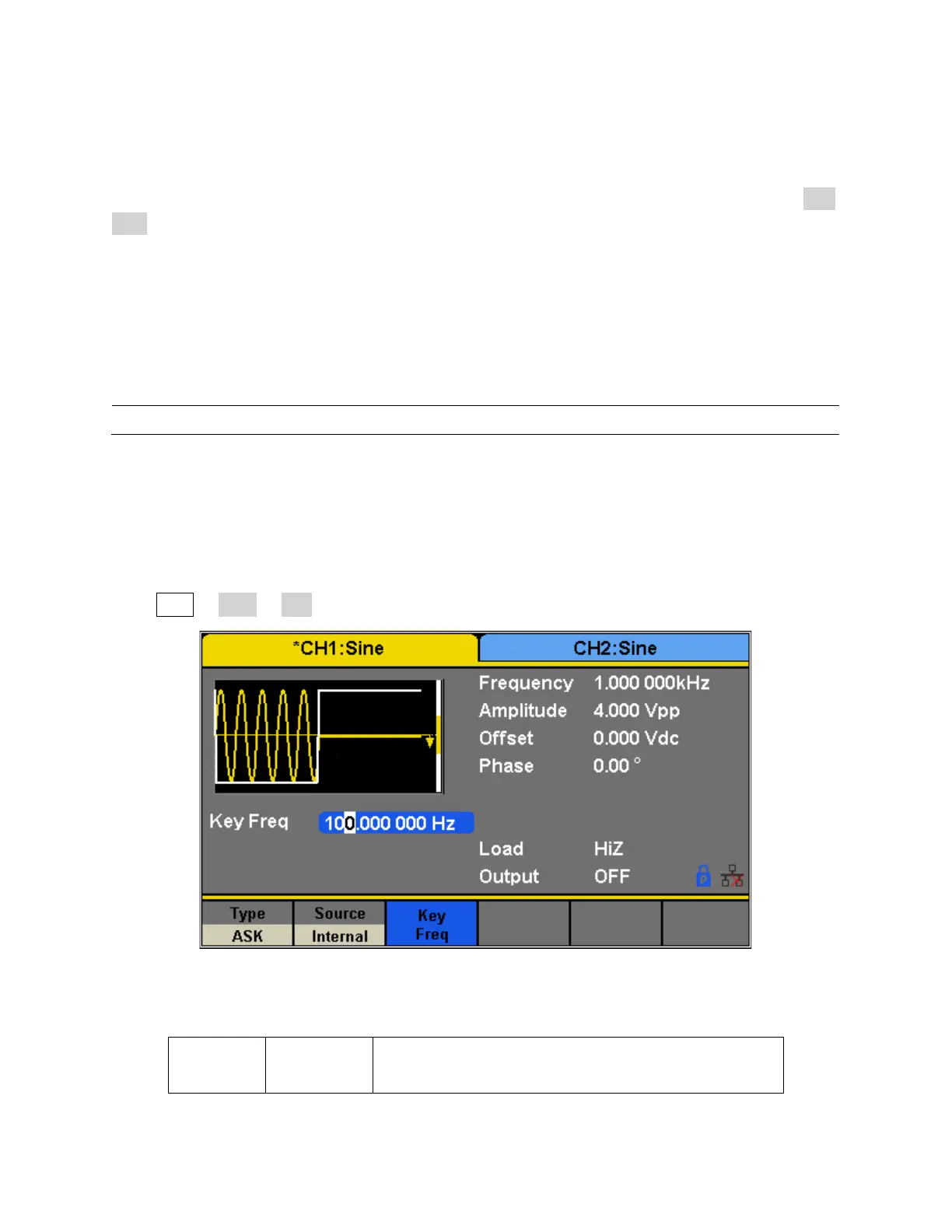
When using ASK (Amplitude Shift Keying), the carrier frequency and key frequency will need to
be set. The key frequency is the shift rate of the modulated waveform amplitude.
Press Mod → Type → ASK; the parameters of ASK modulation are shown in Figure 33.


 To Next Page