58
Sweep Type
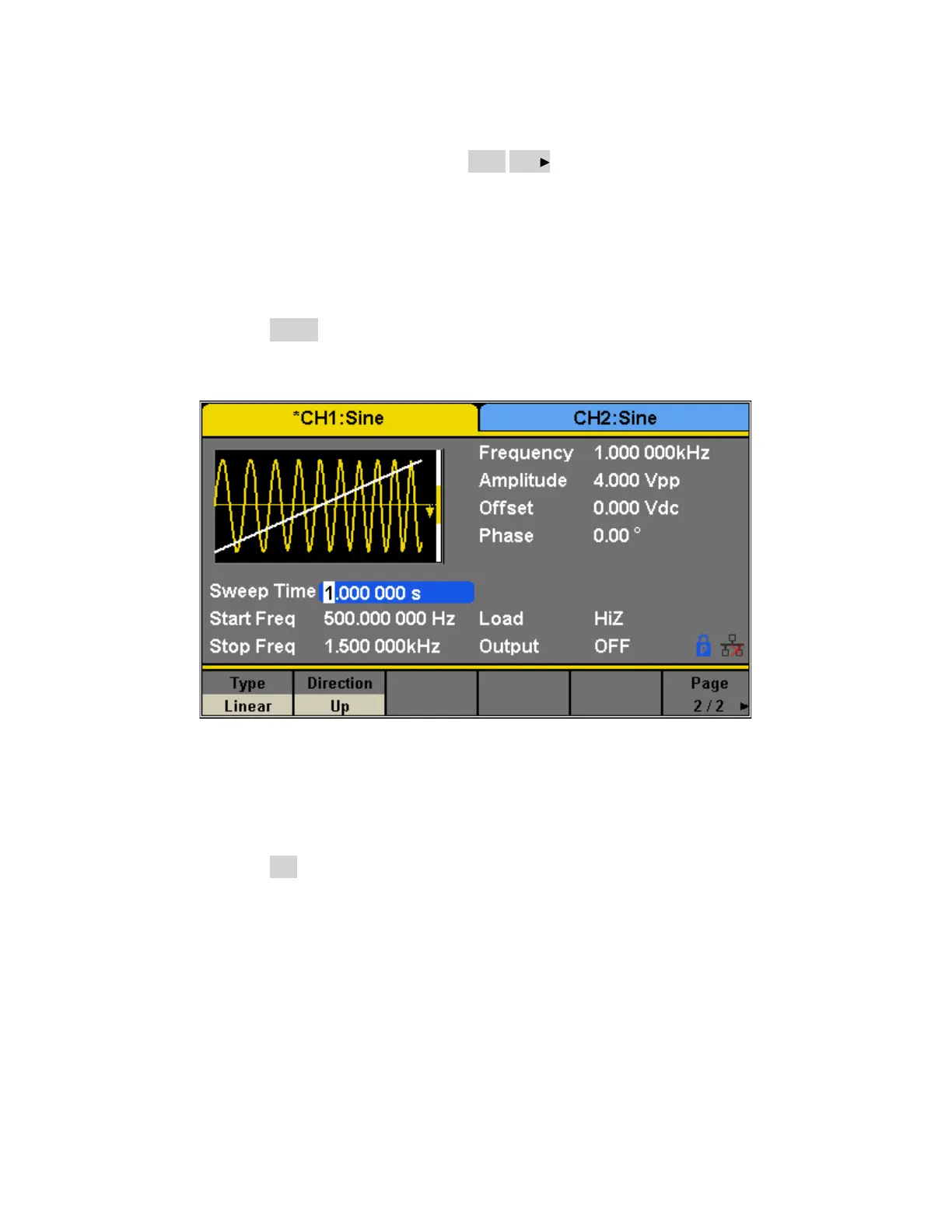
10. In the Sweep Function menu, press the Page 1/2 . softkey to access the second page of
Sweep Options. “Linear” and “Log” sweep types are supported. The default type is
“Linear”.
A. LINEAR SWEEP
In linear sweep, the output frequency of the instrument varies linearly with the sweep
time.
o Press the Linear softkey. A straight line is displayed on the waveform indicating that
the output frequency will vary linearly.
B. LOG SWEEP
In log sweep, the output frequency of the instrument varies proportionally to the
logarithm of the sweep time.
o Press the Log softkey.
An exponential curve is displayed on the waveform indicating that the output
frequency changes logarithmically.


 To Next Page