65
4 Utility Functions
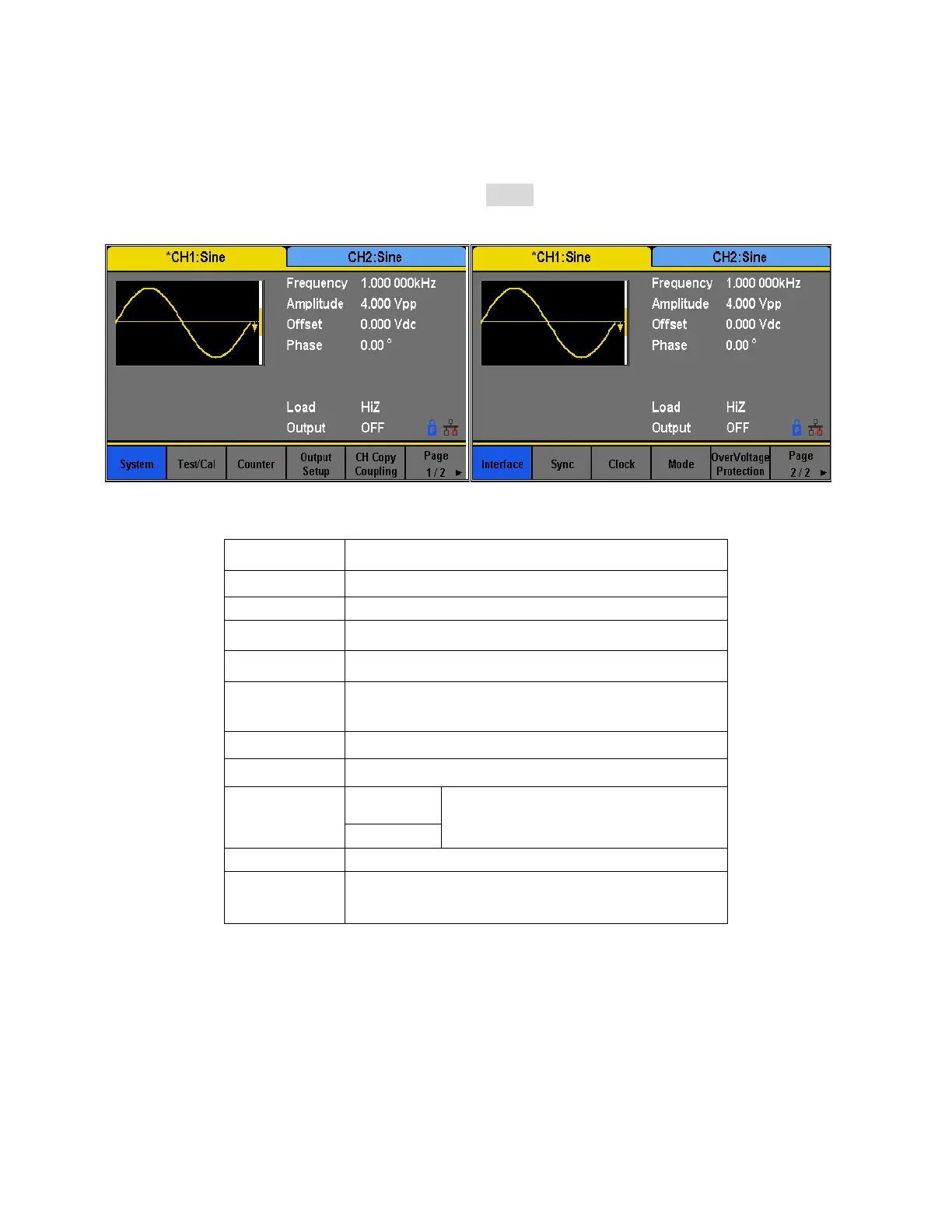
The utility menu can be accessed by pressing the Utility button from the front panel. This
section describes all the configurable settings of this menu.
Set the system configuration.
Test and calibrate the instrument.
Frequency counter settings.
Set the output parameters of CH1 and CH2.
Set the track, channel coupling or channel copy
function.
Set the parameters of remote interfaces.
Choose the system clock source.
Choose Phase-locked or independent mode.
Turn on/off the overvoltage protection
function.


 To Next Page