63
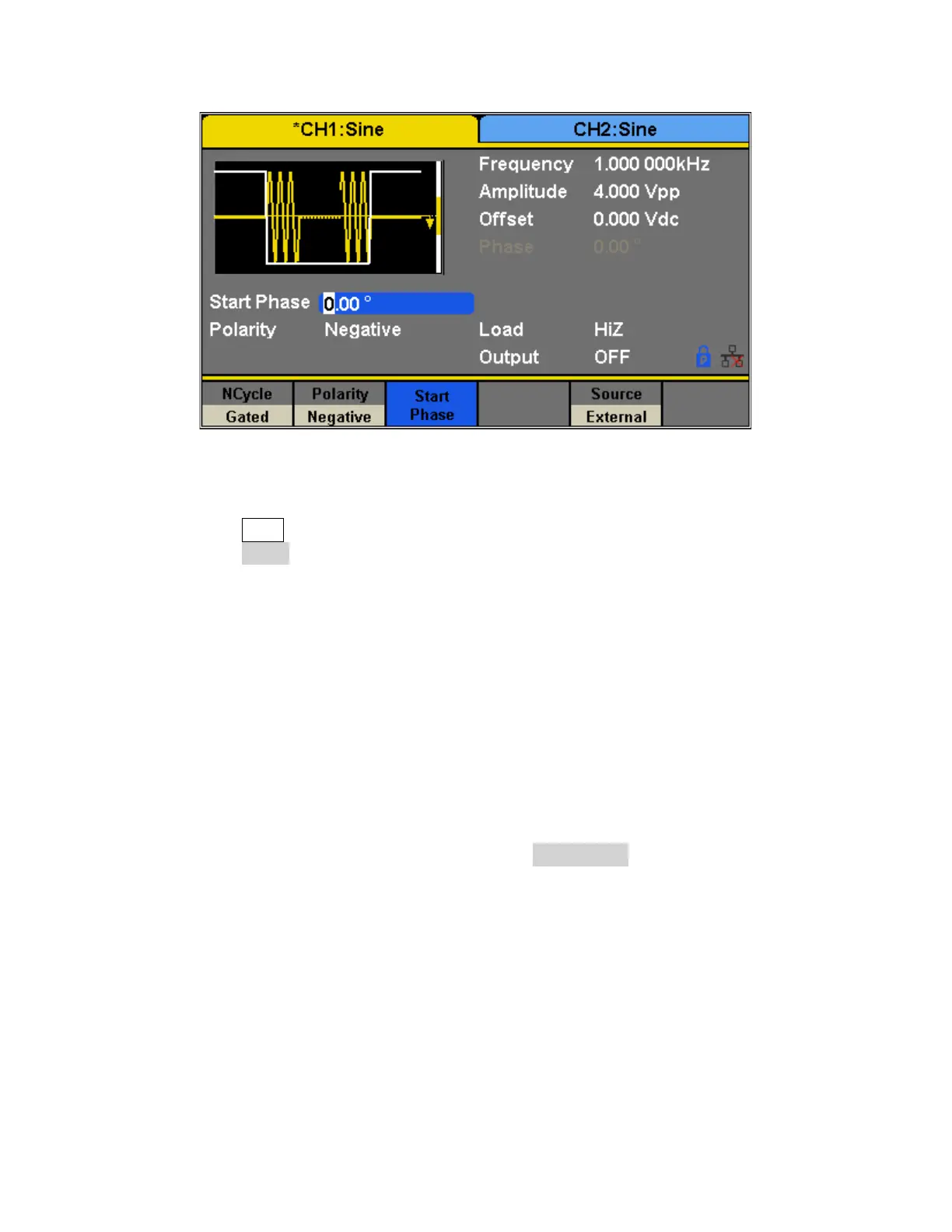
To configure Burst Gated, follow the steps below:
1. Press the Burst button.
2. Press the Gated softkey.
3. Select a Polarity for the gate. This determines whether the gate will go from low to high
(positive gate) or from high to low (negative gate).
Common Settings for NCycle and Gated Burst:
Start Phase
Define the start point in a waveform. The phase varies from 0° to 360° and the default is 0°. For
an Arbitrary Waveform, 0° is the first waveform point.
Burst Period
Burst Period is only available when the trigger source is internal. It is defined as the time from
the start of a burst to the start of the next one. Choose Burst Period and use the numeric
keyboard or knob to input the desired value.
• Burst Period ≥ 0.99 μs + carrier period × burst number
• If the current burst period set is too short, the generator will increase this value
automatically to allow outputting the specified number of cycles.
Trig Delay
Set the time delay between the trigger input and the start of the N-Cycle burst.


 To Next Page