74
Key Test
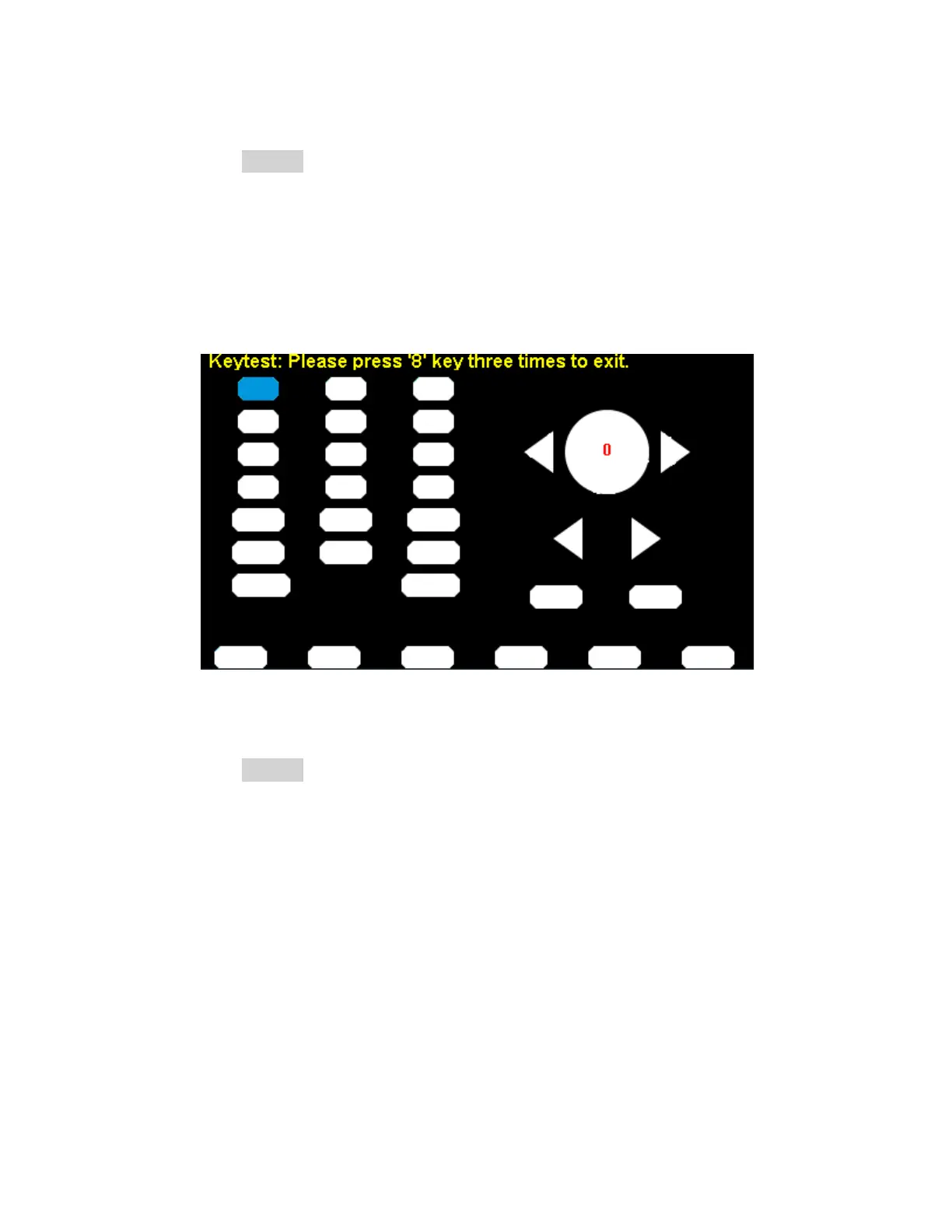
a. Press the KeyTest softkey to enter the key test interface.
The on-screen white rectangle shapes represent the front panel keys. The circle
between two arrows represents the knob.
b. Test all keys by pressing them and knob by rotating it. Also verify that all the backlight
keys illuminate correctly.
The items tested will change to blue.
LED Test
a. Press the LEDTest sotkey to enter the LED test interface.
The on-screen white rectangle shapes represent the front panel keys. The prompt
message, “Please press ‘7’ Key to continue, press ‘8’ Key to exit.” is displayed.
b. Press the ‘7’ key continuously for testing the key backlights.
The items tested will change to blue.


 To Next Page