Page 63
724-746-5500 | blackbox.com
Chapter 2: Overview
2.6.7 Firmware Status Extender
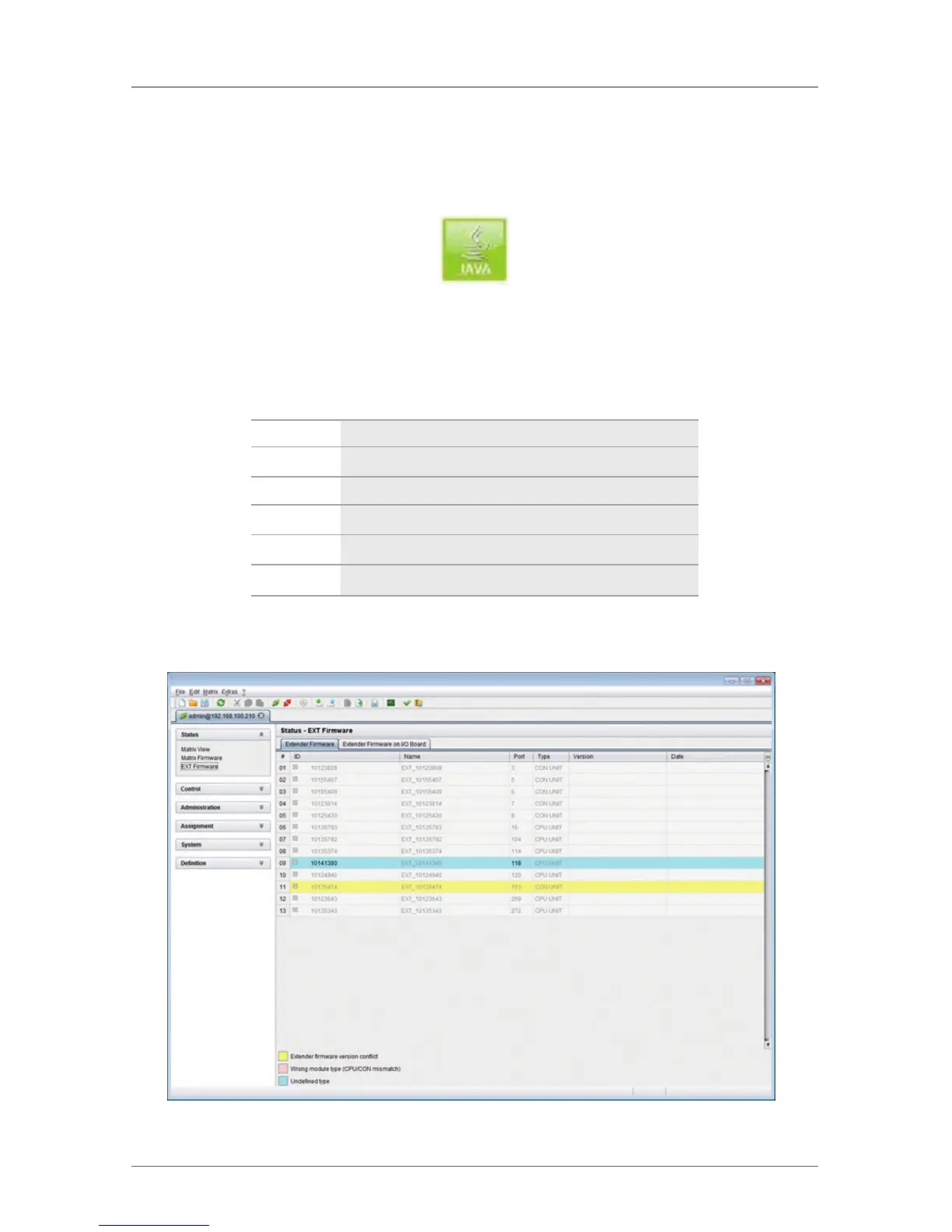
The current firmware status of the connected extenders is shown in this menu.
To access the menu, use the Java tool.
Figure 2-50. Java Tool icon.
The following information is shown in this menu:
Table 2-50. Menu status—firmware status extender.
Field Description
Name Description of the firmware
Type Description of the extender module
Ports Number of ports
Cur. Version Complete description of the current firmware version
Cur. Date Date of the current firmware version
Select “Status >EXT Firmware” in the task area.
Figure 2-51. Menu status—EXT firmware.



 To Next Page