9
Operations & Maintenance Manual: Introduction
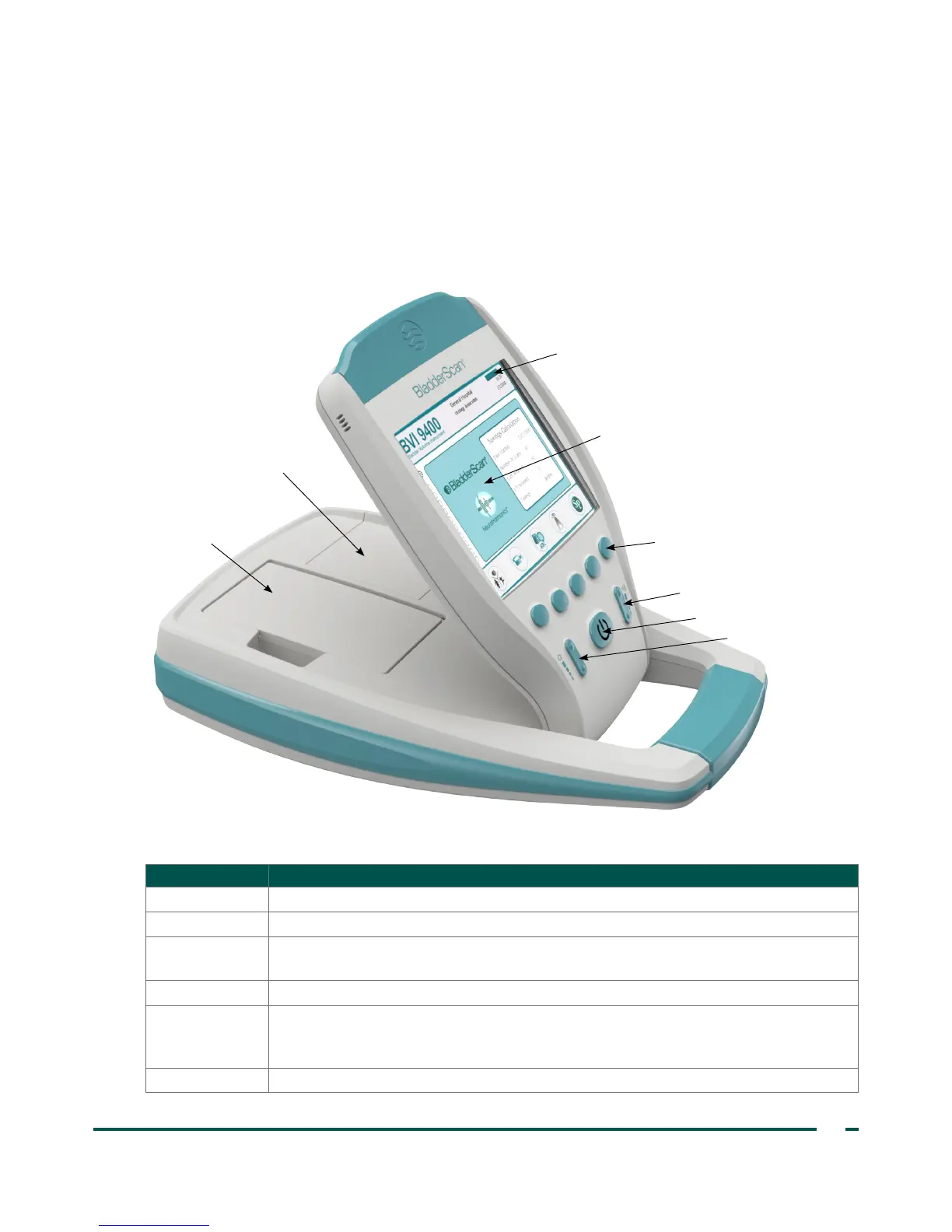
CONSOLE COMPONENTS
The console provides most operating controls for the scanning process by means of five variable function
buttons. The measured bladder volume and target‑shaped aiming icons are clearly shown on the main
display. The console also provides controls for adjusting brightness and volume, turning the power on/off,
interfacing with a ScanPoint
®
host computer (optional), and adjusting user settings and preferences. The
console also houses the battery and the printer.
Figure 3. Console Components
Battery status indicator
Main display
Battery
Brightness button
Power button
Printer
Volume button
Five variable
function buttons
Table 2. Console Components
PART NAME PURPOSE
Main display Displays the bladder volume measurement, patient type, settings, and instrument status.
Power on/off Toggles main power on/off.
Volume
Adjusts volume up/down on voice annotation playback, start up sound, and “scan
complete” tone.
Brightness Adjusts display brightness dimmer/brighter.
Five variable
function buttons
Provides access to all instrument functions for scanning, recording annotations, printing,
connecting to ScanPoint (optional), accessing the onboard tutorial, and setting user
preferences.
Printer Prints exam and self‑test result.



 To Next Page