10
BATTERY CHARGER/WIRELESS HUB COMPONENTS
The BladderScan BVI9400 is powered by a lithium‑ion battery. The battery charger provided with the
BVI9400 can charge two lithium‑ion batteries while simultaneously functioning as the wireless hub linking
the BVI9400 to the ScanPoint
®
host computer. A battery icon on the instrument display is always present,
indicating battery status. The user can change the battery whenever necessary. Removing a discharged
battery and replacing it with a fresh battery will not erase any saved exams or user settings.
To provide power to the batteries, the battery charger/wireless hub must be plugged into a wall outlet
using the power cord provided. Use only the battery charger provided with the BVI9400. Any other battery
charger may damage the battery. The battery charger automatically detects whether a lithium‑ion battery is
being charged.
To provide wireless communication between the BVI9400 and the ScanPoint host computer, plug the
battery charger/wireless hub USB connector into a USB port on the ScanPoint host computer and ensure
that the battery charger/wireless hub is also plugged into a wall outlet. The battery charger/wireless hub
maintains an operating distance of up to 120 feet (36 meters) between the ScanPoint computer and the
BVI9400, regardless of barriers such as walls, ceilings, or windows.
Note: Use of ScanPoint with QuickPrint software is optional.
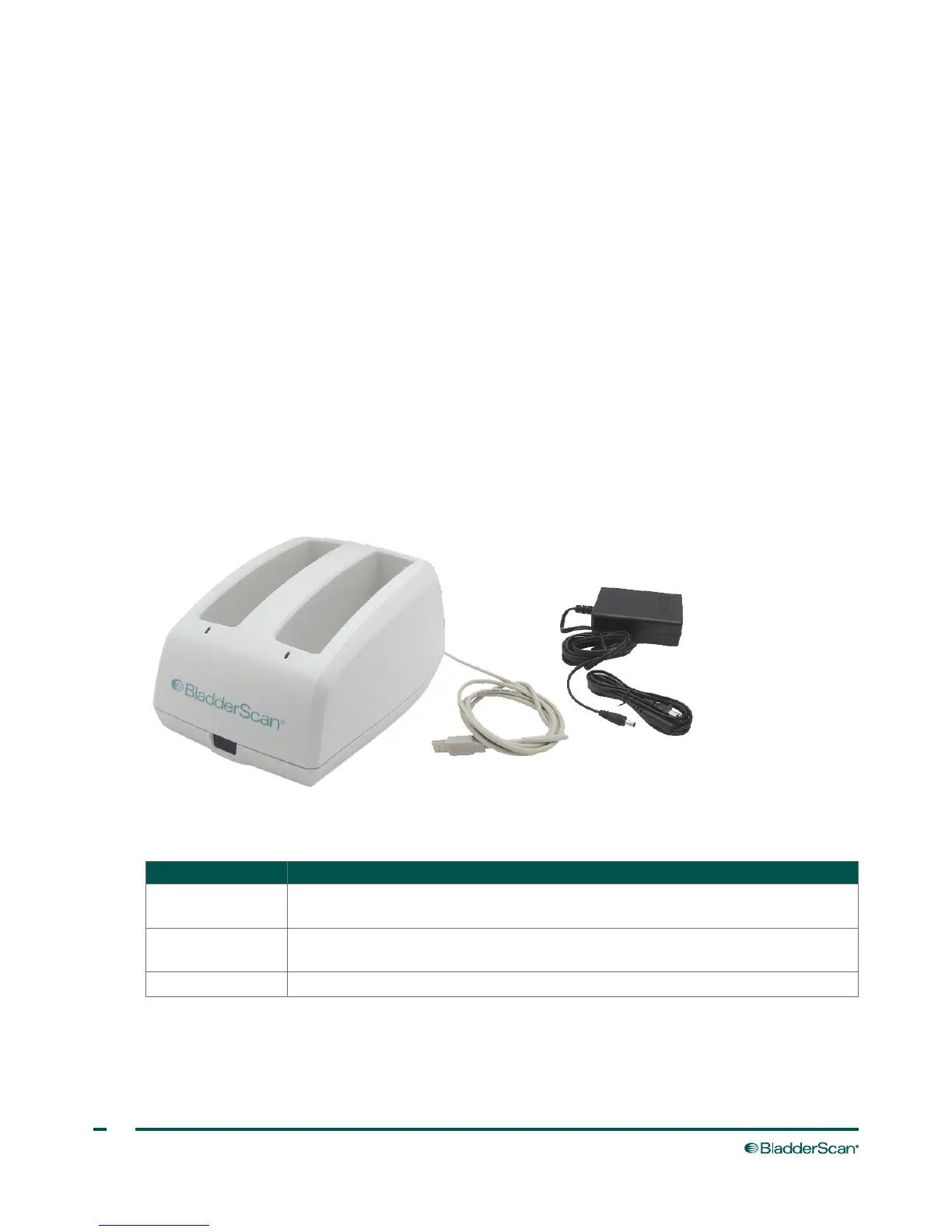
Figure 4. Battery Charger/Wireless Hub
Table 3. Battery Charger/Wireless Hub Components
PART NAME PURPOSE
Battery charger/
wireless hub
Charges the lithium‑ion batteries and receives and sends information to/from a
BVI9400 instrument within communication range.
Power adapter and
power cord
Connects the battery charger/wireless hub to the wall outlet.
USBcable Connects the battery charger/wireless hub to the ScanPoint host computer.



 To Next Page