47
Operations & Maintenance Manual: Using the Device
PROCEdURE 2. MEASURE BLAddER VOLUME
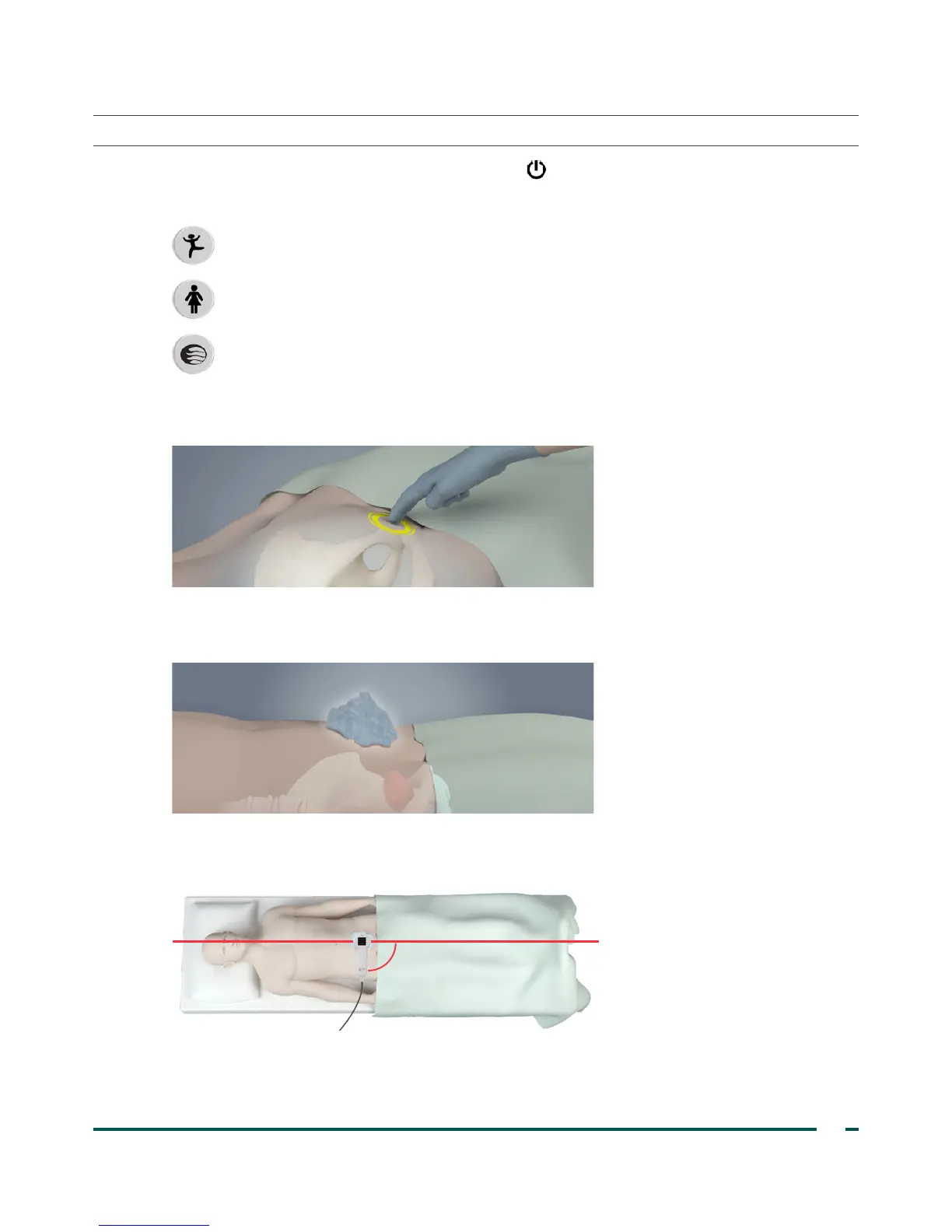
1. Turn on the instrument by pressing the Power button .
2. Select the exam mode.
Select to scan a patient less than 122cm (48in) tall and weighing less than 27kg (60lbs).
Select to scan a female patient who has not had a hysterectomy.
Select to scan all other patients
3. With the patient lying in a supine position and with the abdominal muscles relaxed, palpate the patient’s
pubic bone.
4. Place an ample quantity of ultrasound gel, with as few air bubbles as possible, midline on the patient’s
abdomen, approximately 3cm (1in) above the pubic bone.
5. Standing at the patient’s right side, gently press the probe onto the lower abdomen through the gel. The
instrument’s handle should be oriented at 90 degrees to the sagittal plane of the patient.
Sagittal plane
90
o



 To Next Page