56
PROCEdURE 2. UPdATE THE SOFTWARE
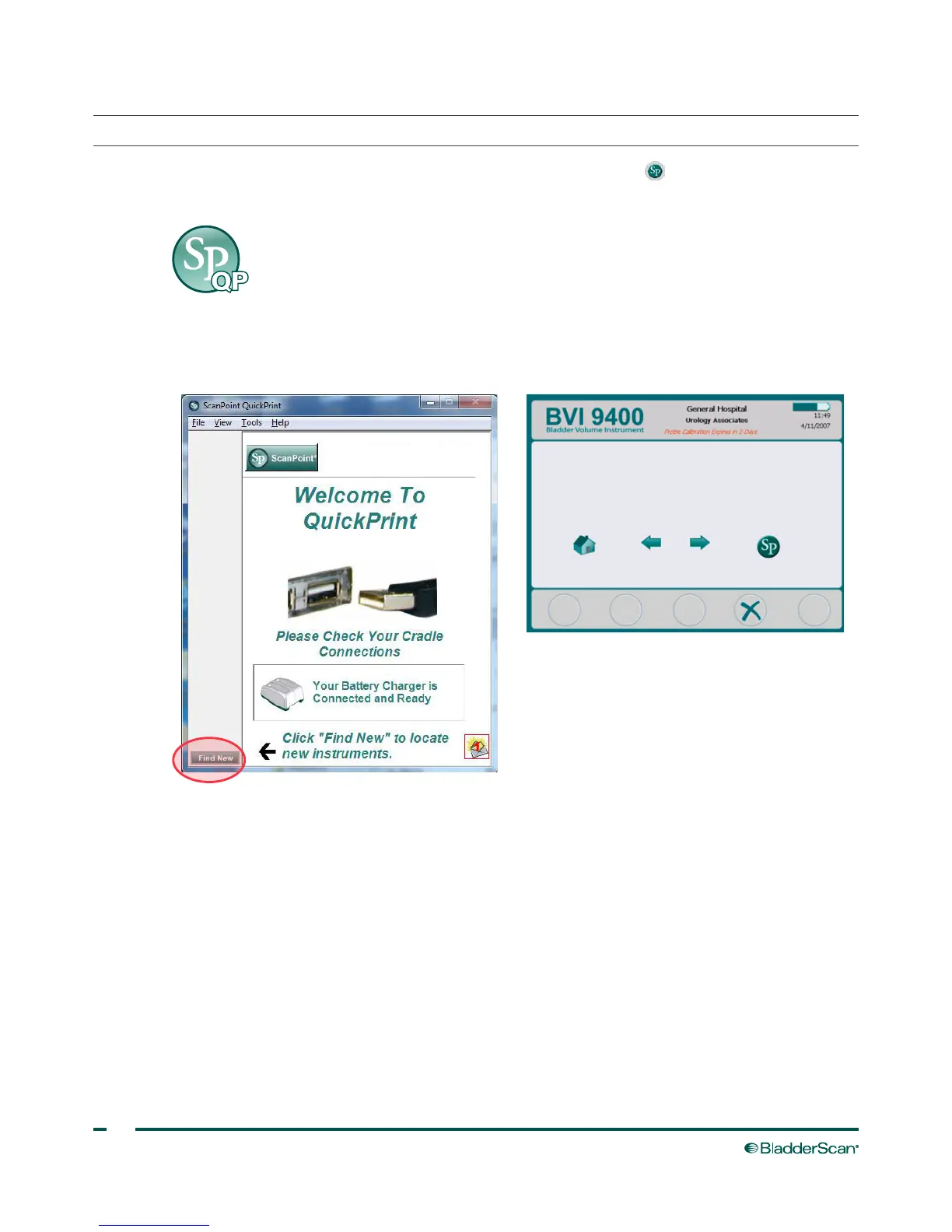
1. On the instrument, from the Home screen, press the ScanPoint button .
2. On the computer, double‑click the ScanPoint with QuickPrint icon. ScanPoint
®
opens.
3. On the computer, in the ScanPoint QuickPrint window, click Find New. QuickPrint establishes a
connection with the instrument, and an icon for the device appears in the left pane. On the console, two
arrows appear, confirming that the console is connected to ScanPoint.



 To Next Page