43
Operations & Maintenance Manual: SettingUp
PERMANENTLY ATTACH THE POST TO THE WHEELEd BASE (OPTIONAL)
5. Place the wheeled cart base on a level floor.
6. Open the two tubes of Loctite
®
680 supplied with the cart by snapping off the tips of the tubes.
7. Apply the Loctite 680 all around the tapered portion of the post. Use all of the contents of both tubes.
Complete coverage around the tapered portion is not necessary as the Loctite will spread upon insertion
into the base.
8. Slide the post into the hole in the base with a twisting motion and press down firmly.
9. Wipe off any excess Loctite with a paper towel, and then discard the towel.
10. Allow the post and base to sit undisturbed for 3 hours.
ATTACH THE UNIVERSAL ACCESSORY BASKET (OPTIONAL)
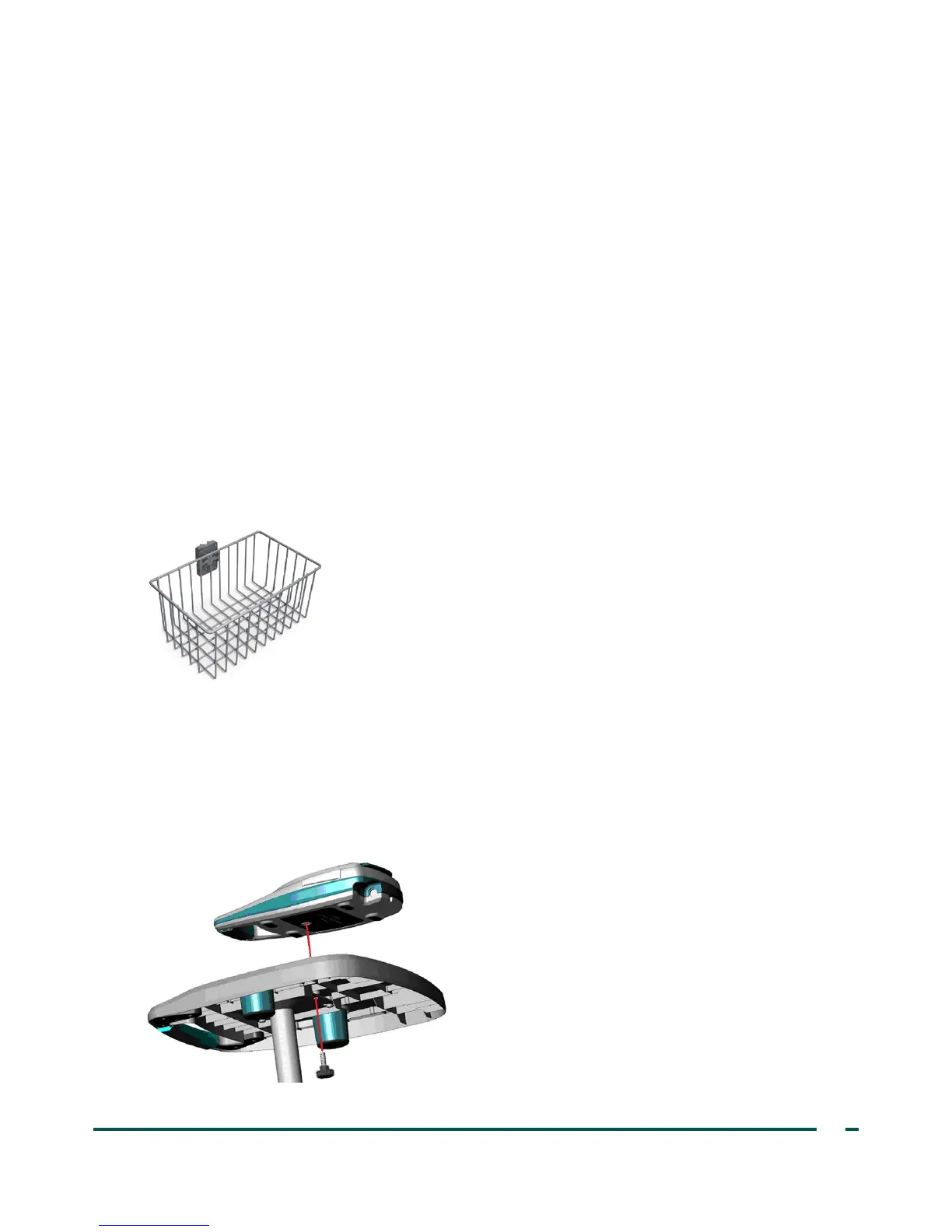
A universal accessory basket is available for the medical cart to provide additional storage capacity.
11. Follow the manufacturer’s instructions for attaching the accessory basket to the pole.
Figure 12. Universal Accessory Basket
ATTACH THE INSTRUMENT TO THE MEdICAL CART (OPTIONAL)
12. On the bottom of the tray, insert the fluted knob through the center mounting hole.
13. Screw the fluted knob into the bottom of the console to secure it on the tray.
Figure 13. Attach the BVI9400 to the Medical Cart



 To Next Page