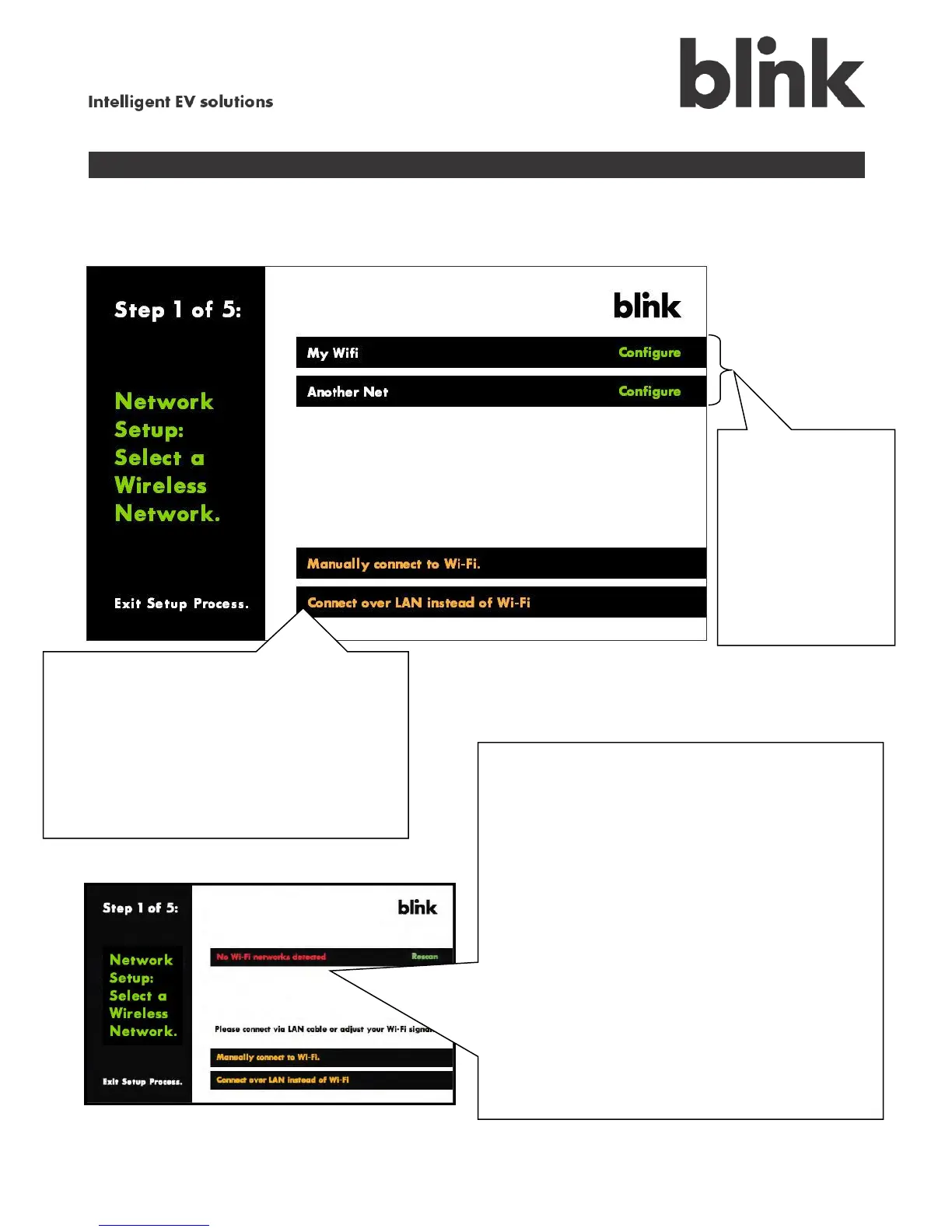
A. Select your home network type
If you do not see your network, touch
either:
Manually connect to Wi-Fi.
See section E, Set up Wi-Fi manually.
or
Connect over LAN instead of Wi-Fi.
See section B, Enter your password.
If this No Wi-Fi Networks Detected message
appears, the charging system currently cannot
connect to a wireless network.
Confirm that your wireless network is
operating properly; if not, correct the problem,
touch Rescan, then touch Configure to the
right of the network name when it appears.
If your wireless network is set to “not
broadcast” or “hidden SSID”, touch Manually
Connect to Wi-Fi. See section E, Set up Wi-
Fi manually.
If neither of these solutions work, your
wireless network is probably out of range. To
solve this, you can move your wireless router
closer or add a wireless repeater to your
network.



 To Next Page