38 OM0001_L2_R_WM_USAv2.1
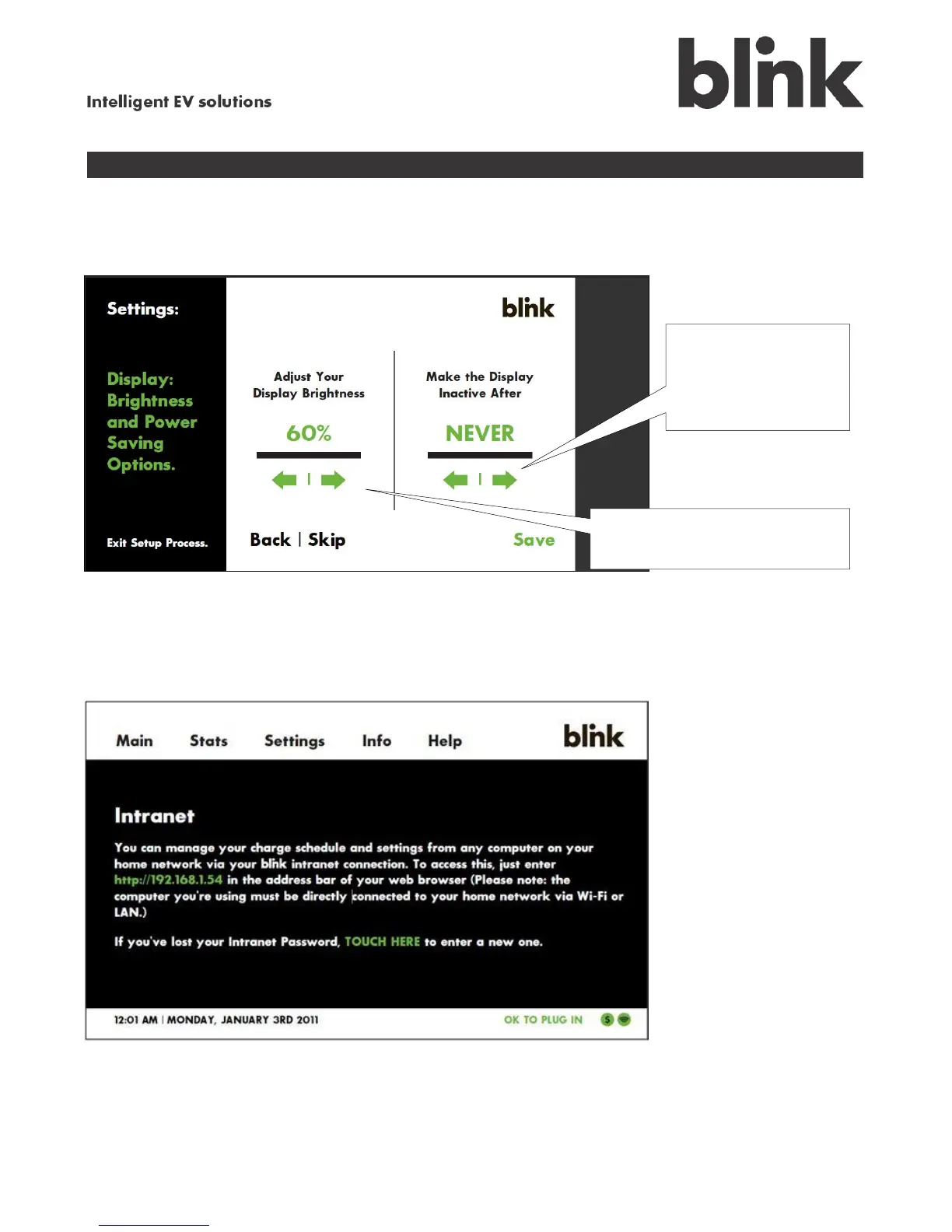
Adjust your display view
Touch the Display option on the Settings menu to modify the display screen’s brightness and power-
saving options.
View information about the Blink intranet
Touch the Intranet option on the Settings menu to display the following screen. This screen provides
information about connecting to the Blink intranet from your home network. The default intranet
password is “blinkadmin”.
Use the right and left
arrows to adjust the
screen-saving value
(0 seconds to Never)
Touch the arrows to adjust the
display screen’s brightness.



 To Next Page