OM0001_L2_R_WM_USAv2.1 5
A closer look at…
Your Blink connector
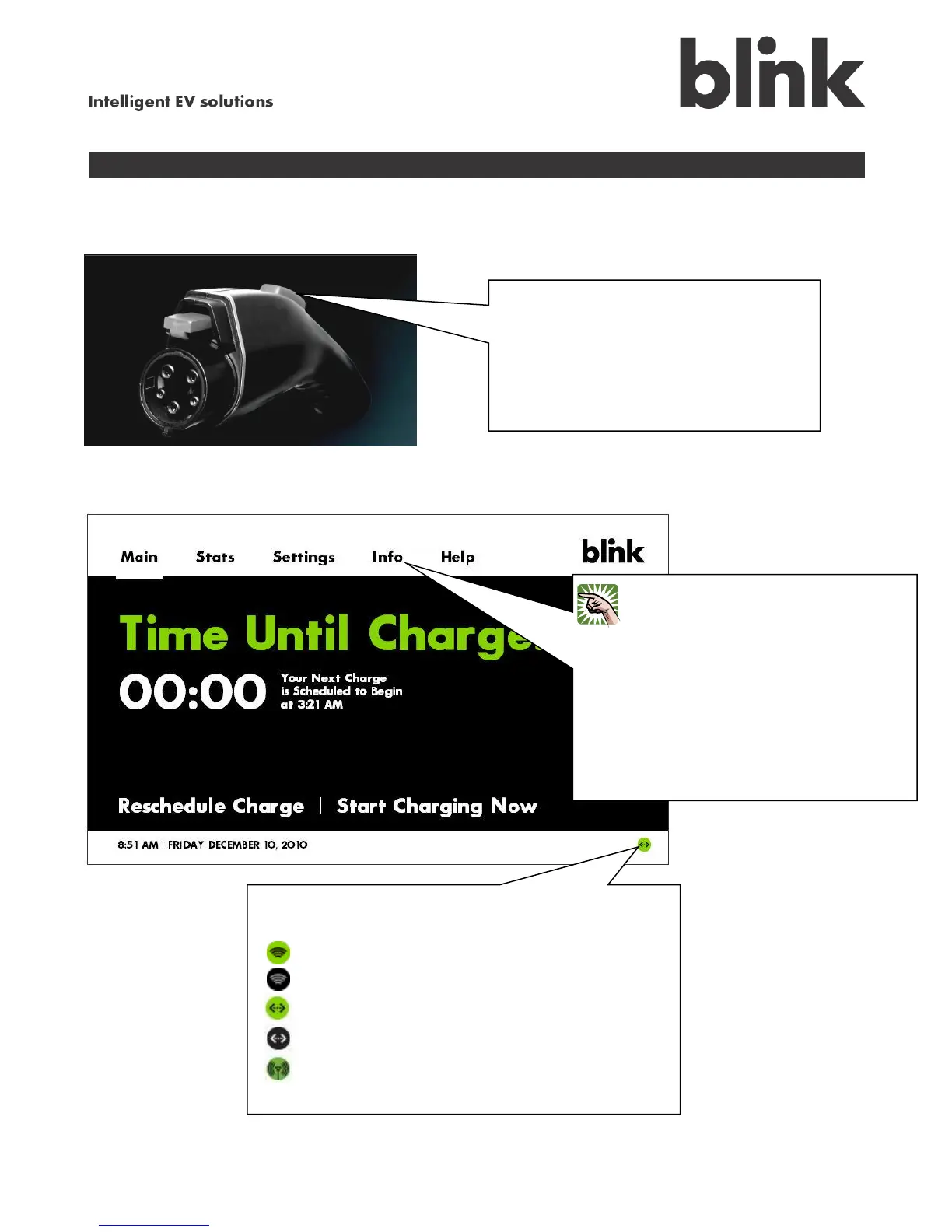
Your Blink touch screen
Every time you firmly plug the Blink
connector into your car’s inlet, you can
hear it “click” as it locks into place. To
unlock it, just press this button. It also
sits firmly in the connector holster on the
Blink cord reel, to keep it from falling on
the ground.
Go ahead and touch it! It’s just like
clicking a computer mouse. Touch
Stats to see your charging history,
Settings to change how and when
your Blink does things, , Help when
you’re stuck, and Main to get back
here. Or you can Reschedule
Charge or Start Charging Now.
This icon shows whether your Blink unit is connected
to the Internet via your home network:
Green signal – Wi-Fi network connected
Black signal – Wi-Fi network not connected
Green arrows – LAN connected
Black arrows – LAN not connected
Green signal – CDMA connected



 To Next Page