OM0001_L2_R_WM_USAv2.1 33
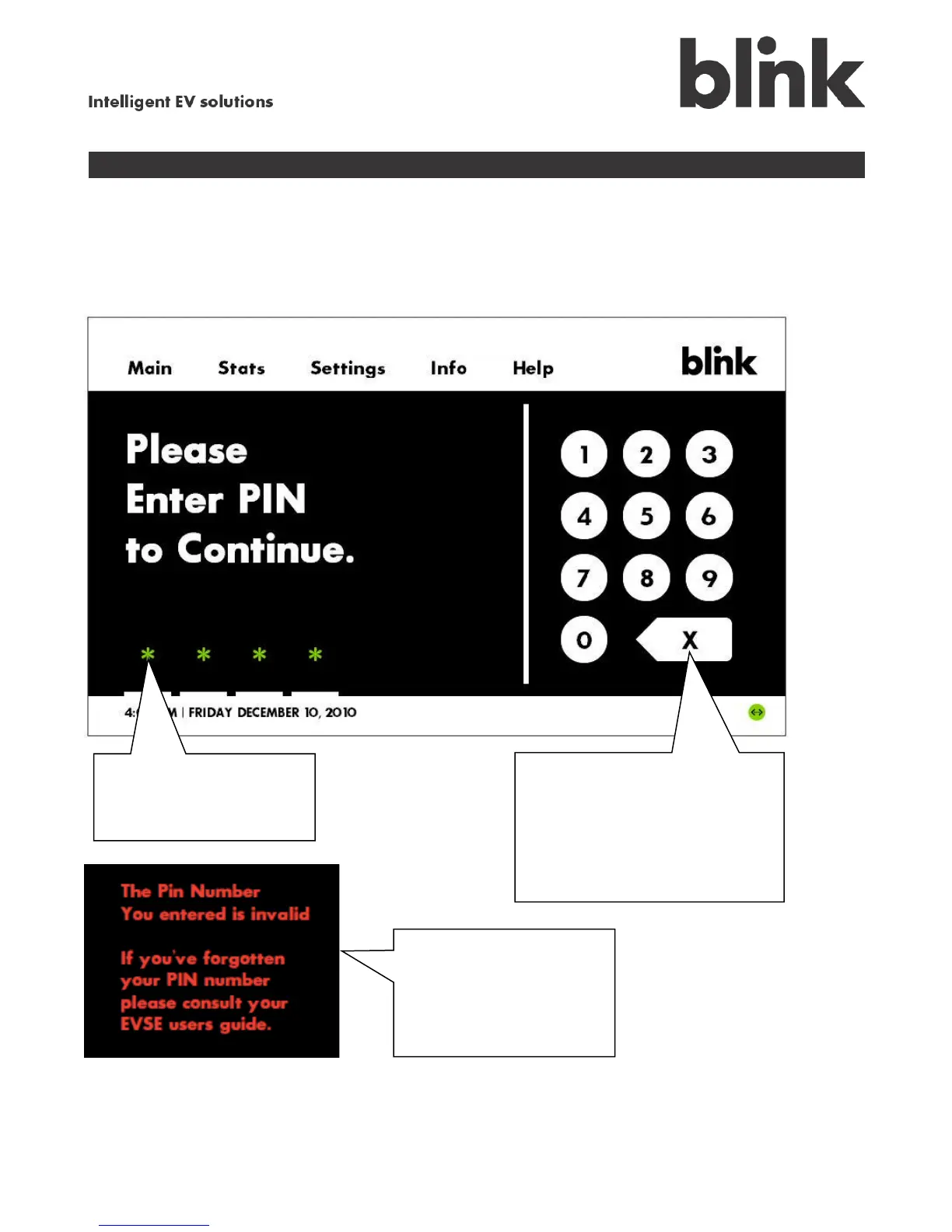
Enter your Blink PIN
If you created a PIN during setup, your Blink will prompt you to enter it each time you try to change one
of the saved settings, including the charge schedule, billing rates, time and date, and network setup.
An asterisk ( * ) appears
to show where to enter
each digit of your PIN.
This error message
appears when you enter
an incorrect PIN.
Touch the X backspace
and reenter your PIN.
If you forget your PIN, touch
and hold the X for at least five
seconds. When the Create a
PIN screen appears, enter a
new PIN and touch Continue,
or press Skip to continue
without a PIN.



 To Next Page