20 OM0001_L2_R_WM_USAv2.1
Step 3 (continued)
B. Set up a multiple-rate plan
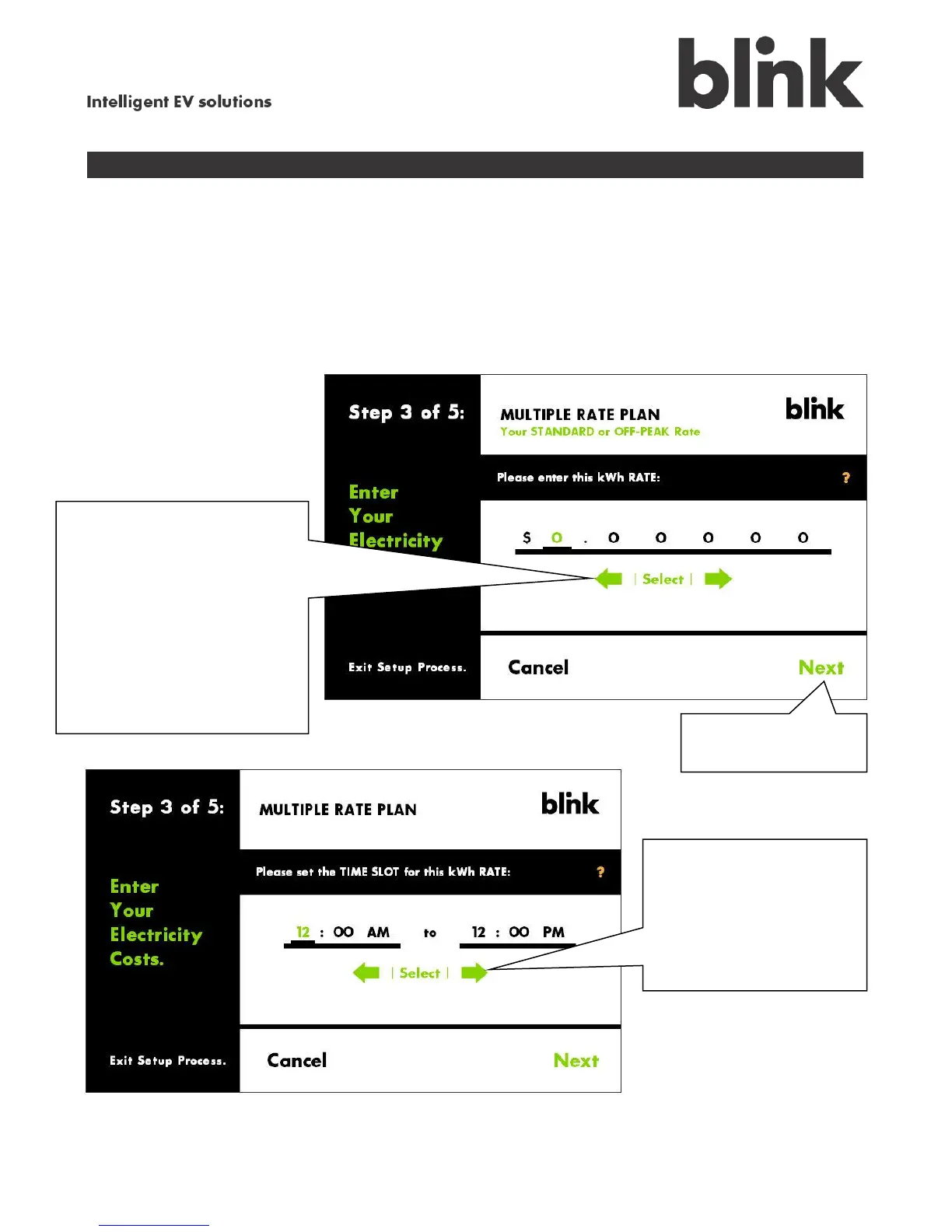
For a multiple-rate plan, you will need to enter at least two billing rates for your electricity:
Standard or Off-Peak Rate – this is the lower rate; you will enter this first
Peak Rate – higher rate, charged at those times when electricity demand is highest
Use the green arrows to
enter the standard (off-peak)
rate your utility charges for
one kWh. Starting with the
first digit (the dollars place),
scroll to the correct amount
(usually 0), then touch Select
or the next digit. Continue
until you have entered every
digit.
Next, touch the
arrows and Select to
enter the start and stop
times for the Standard/
Off-Peak rate then touch
Next.



 To Next Page