26 OM0001_L2_R_WM_USAv2.1
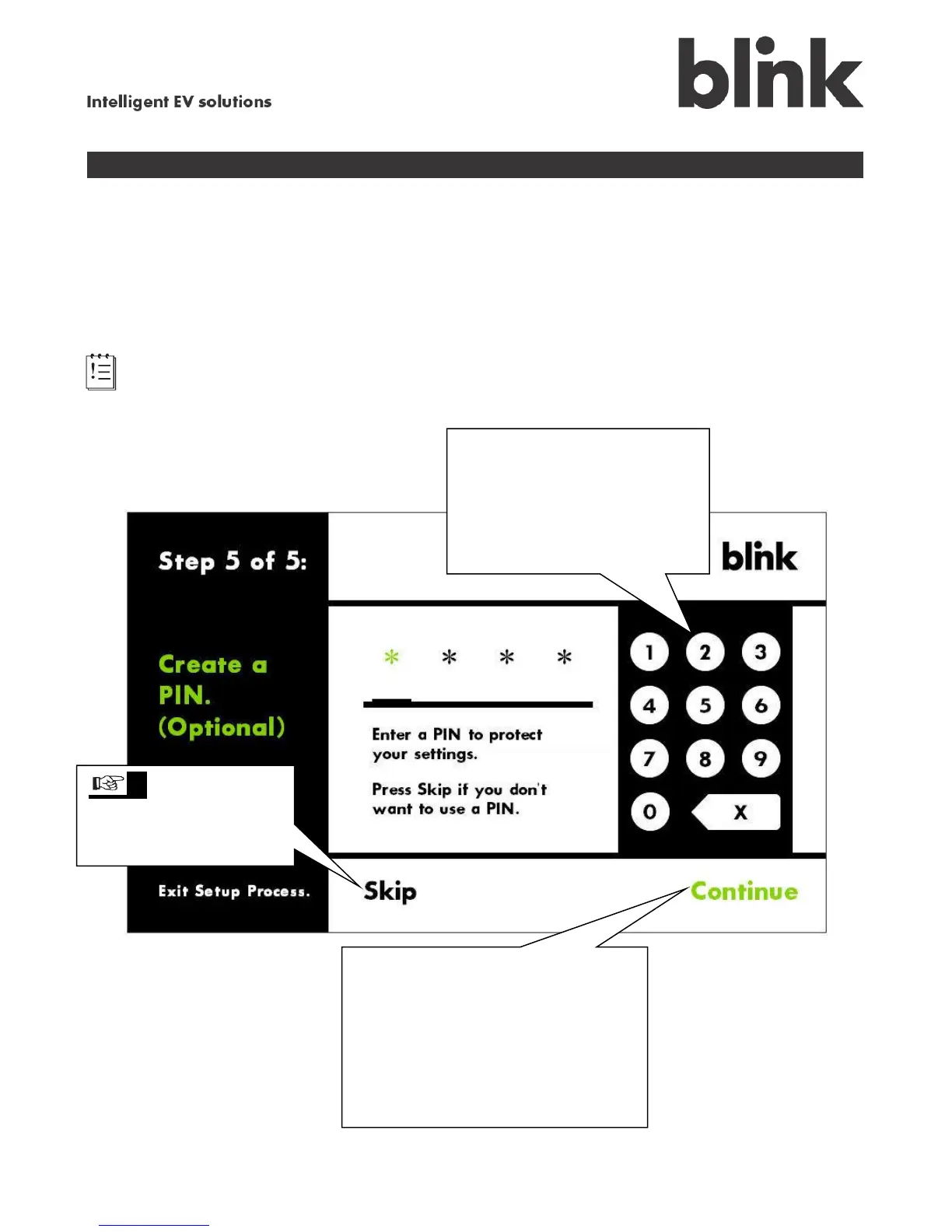
Step 5 — Creating a PIN (optional)
You do not have to create a Personal Identification Number (PIN) to operate the Blink charging system.
However, we recommend that you create a PIN because it protects your Blink system’s settings, such
as the charge schedule or billing rates, from unauthorized changes.
We strongly recommend creating a PIN if small children will be in your home or if your Blink charging
system is in an easily accessible location, such as a carport.
Note: The PIN only protects the Blink system’s settings from being altered. The PIN does not
prevent unwanted charge sessions from occurring.
To create a PIN, use the
keypad to enter the desired
4-digit number.
Touch X to backspace, if
necessary.
tip If you do not
want to create a PIN,
touch Skip to exit the
Setup process.
After you enter your PIN, touch
Continue, then enter your PIN again
to confirm it.
Touch Continue again to exit
the Setup process and begin using
your Blink charging system.



 To Next Page