28 OM0001_L2_R_WM_USAv2.1
When your vehicle is plugged in
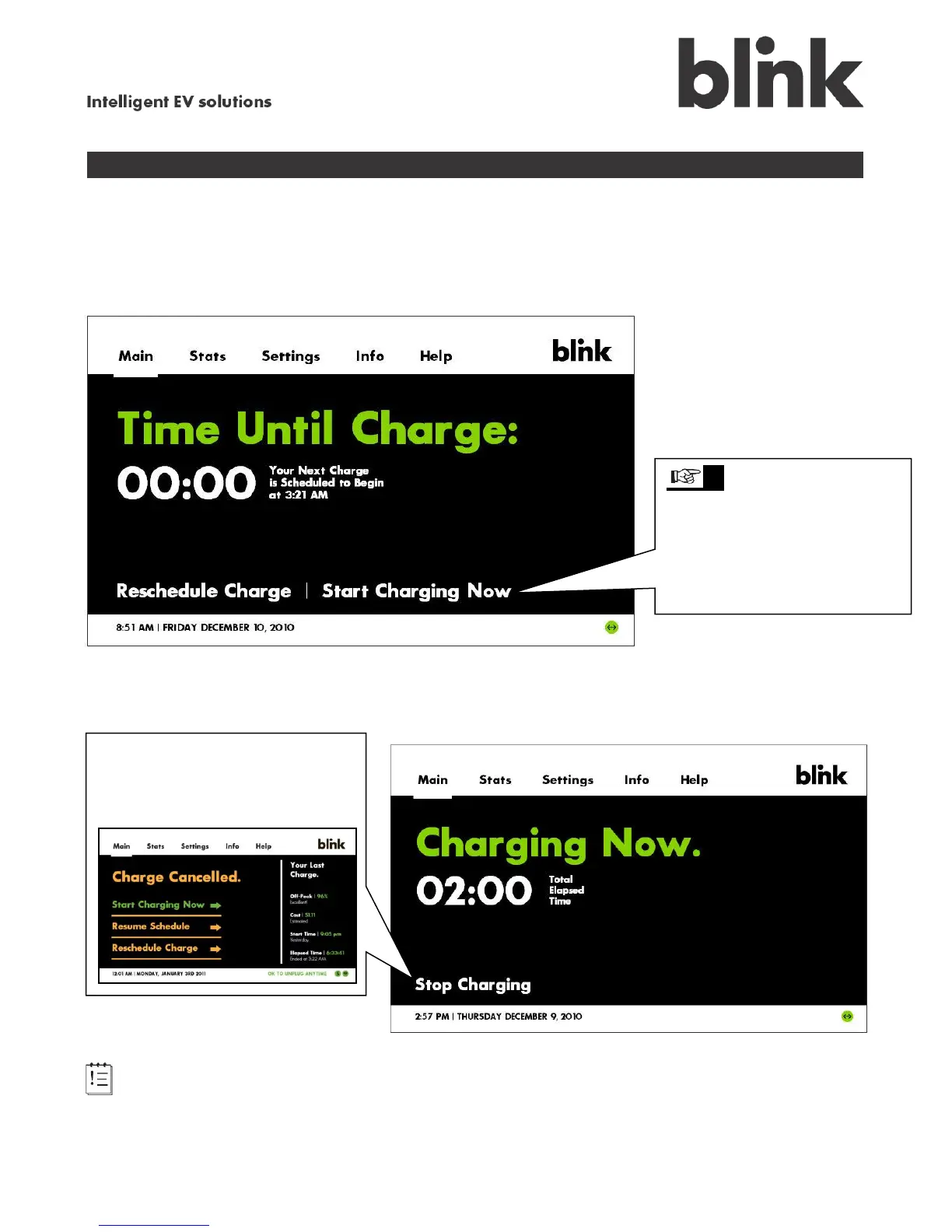
Vehicle is waiting to charge
If your vehicle is plugged in, you have a charge schedule set up in your Blink charging system, and
charging has not started yet, the following screen appears.
Vehicle is charging
Note: The Total Elapsed Time indicates the cumulative time that the vehicle has been plugged
into your Blink unit. To determine whether your vehicle has a full charge, check its onboard charge
status.
tip At any time, you can
touch either Start Charging
Now or to Reschedule
Charge. This won’t change
your normal charge schedule
– it is a one-time event.
Once charging begins, you can
touch Stop Charging and
disconnect the vehicle for use,
if necessary.



 To Next Page