EasyManua.ls Logo

Blink WE-30C - Change Your Blink PIN; Update Your Network Setup

Blink WE-30C
63 pages
Print Icon
To Next Page IconTo Next Page
To Previous Page IconTo Previous Page
Loading...
36 OM0001_L2_R_WM_USAv2.1
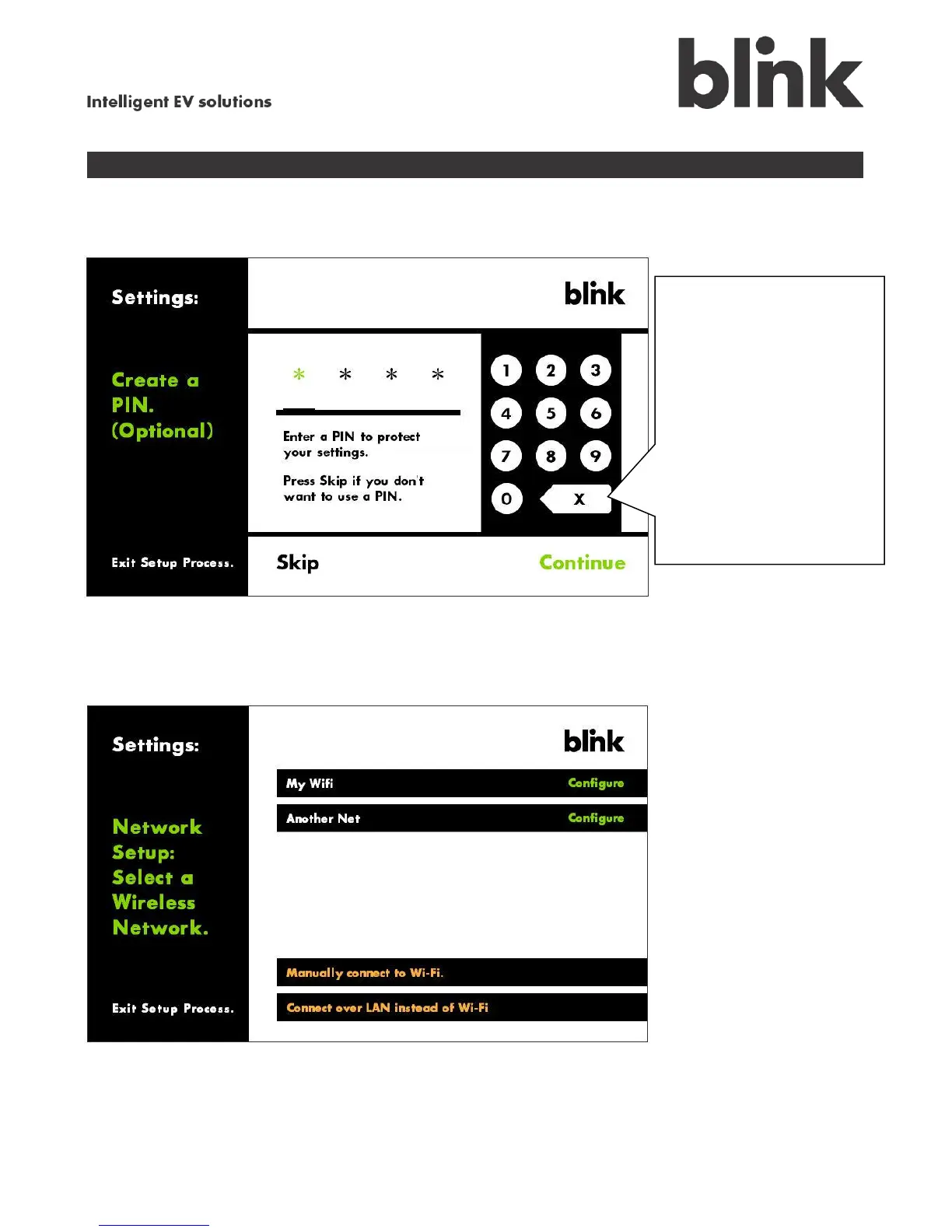
Change your Blink PIN
Touch the Change PIN option on the Settings menu to display the following screen.
Update your network setup
Touch the Network Setup option on the Settings menu to display the following screen. This update
process is identical to the original setup process. See Step 1 for more information.
If you did not enter a
PIN during setup: Use
the keypad to enter a
4-digit PIN, touch
Continue, re-enter
your PIN, then touch
Continue again.
If you need to delete
your PIN:
Touch Skip. At that
point you will be able
to create a new PIN if
you want.

Table of Contents

Related product manuals