12 OM0001_L2_R_WM_USAv2.1
Step 1 (continued)
B. Enter your password
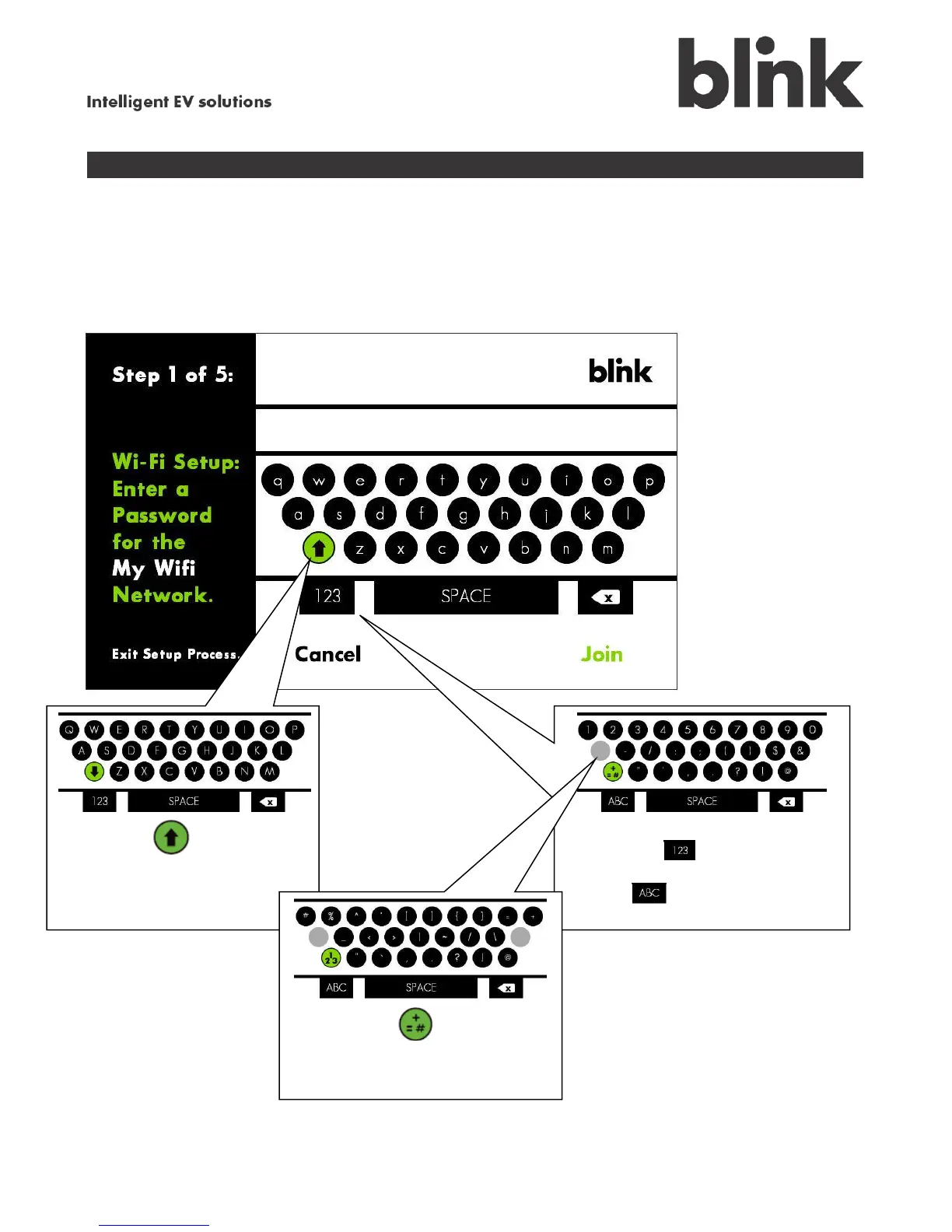
If the network you selected has been secured with a password, the keypad screen appears. This on-
screen keyboard works much like the keypad on a cell phone, in that the main keypad shows only
lowercase letters, and you toggle to other keypad screens for uppercase letters, numbers, or symbols.
Touch the icon to toggle
between lowercase and
uppercase letters.
Touch the icon to switch to
numbers and selected symbols,
and the icon to switch back to
letters.
Touch the icon to view
additional symbols.



 To Next Page