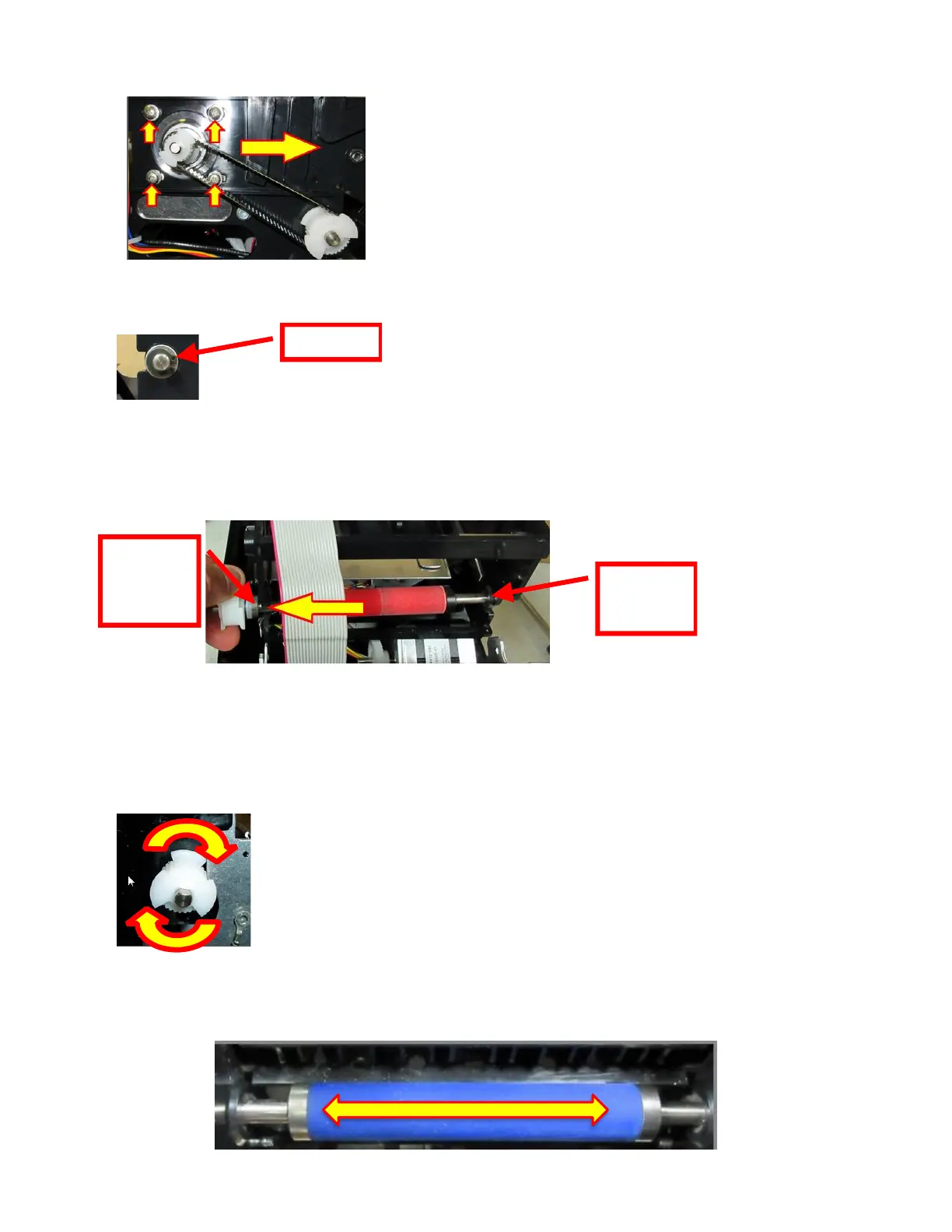
7. Loosen the four Phillips head screws that hold the stepper motor in plate. Move the stepper
motor forward to enable the drive belt to be removed.
8. Remove the grip ring from the platen shaft.
9. The platen may be removed by grabbing onto white pulley and sliding it out towards that side.
On the pulley side you will want to make sure the bushing comes out of the print cage. The
bushing on the other side should be left alone.
10. Install the new replacement platen in place. Install the grip ring back onto the shaft.
11. Make sure the platen is manually able to spin freely. If it not able to spin freely then the grip
ring may be binding too tight and need to be adjusted a little. You also want to make sure the
pulley is not rubbing against the cutter assembly.
12. There should also be very little side to side free play too. Adjust the location of the grip ring if
needed.



 To Next Page