Part III: Advanced Commands
ADD/CHANGE USER (COMMAND + 5 + 6)
D1260 Owner’s Manual
50410C © 2003 Bosch Security Systems
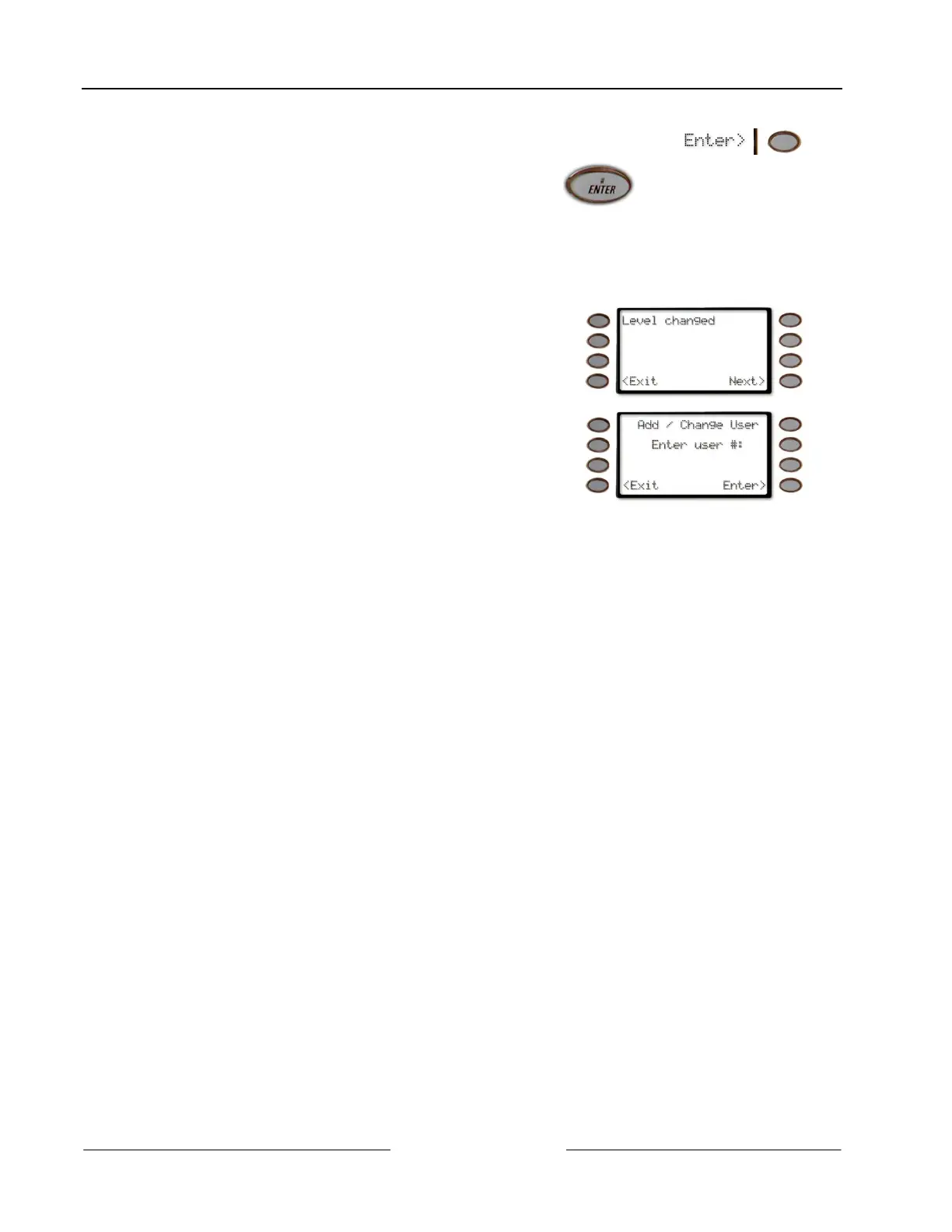
To change the Authority Level, Enter a new authority
level (from 1 to 14), if desired, and press either the
Enter> soft key or the ENTER button.
Before determining the Authority Level for a user,
please consult your security company to assist you in
selecting the correct authority level.
Press the <Exit soft key to exit out of this menu and return to the Level changed. display.
6. Repeat Step 5 for each area through Area 8.
7. Once the user’s authority level has been verified for
Area 8, the display changes to Level changed.
If the Next> soft key is pressed, the display changes to
Add/Change Sub-User ID (for D9412/D7412 panels)
or Add/Change Passcode (for D9112/D7212 panels).
If the <Exit soft key is pressed, the display changes to
Add / Change User Enter User #:



 To Next Page