D9068 | Operation and Installation Guide | 4.0 System Operation
.
Bosch Security Systems, Inc. | 3/13 | F01U071094-07
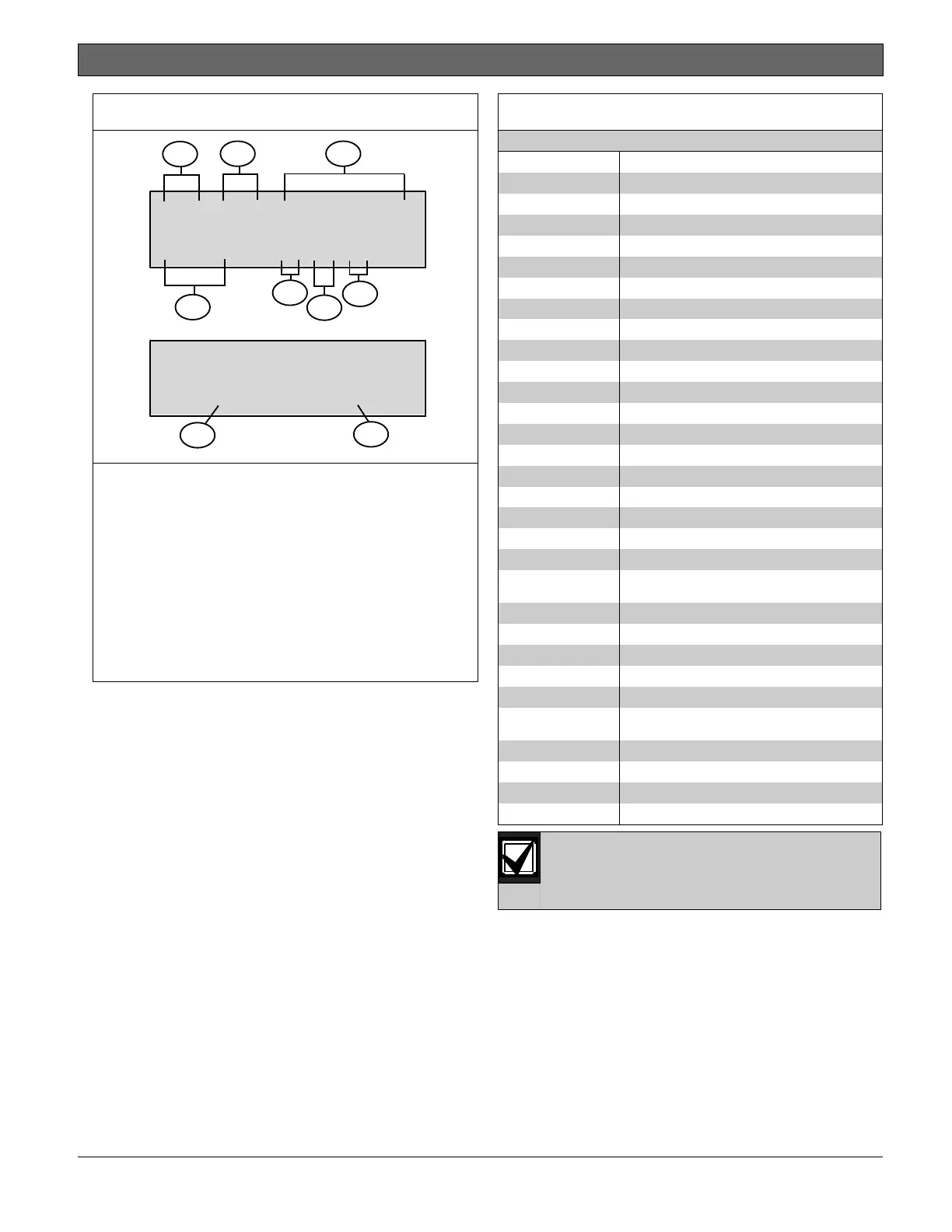
Figure 24: Event History Example
037/037 KEYPD:IN
02:51 010100
037/037 KEYPD:IN
NXT-DRL/PRV-DIS
1
2 3
4
5
6
7
9
8
1 - Total of stored events
2 - Event number
3 - Event name
4 - Time
5 - Month
6 - Day
7 - Year
8 - Press [Drill] to advance to next
event.
9 - Press [Disable] to show previous
event.
Navigate the history buffer by pressing
the following keys:
[Disable] moves to older events in the
history buffer.
[Drill] moves to newer events in the
history buffer.
[* Clear] finishes the History Mode
and returns to the Main Menu.
Table 11 lists the event history
abbreviations.
Table 11: Event History Abbreviations
Panel communication failure
Automatic CPU reset
(watchdog)
Panel communication restore
Events received from an analog
FACP over the serial connection
are not stored in the history
buffer.



 To Next Page