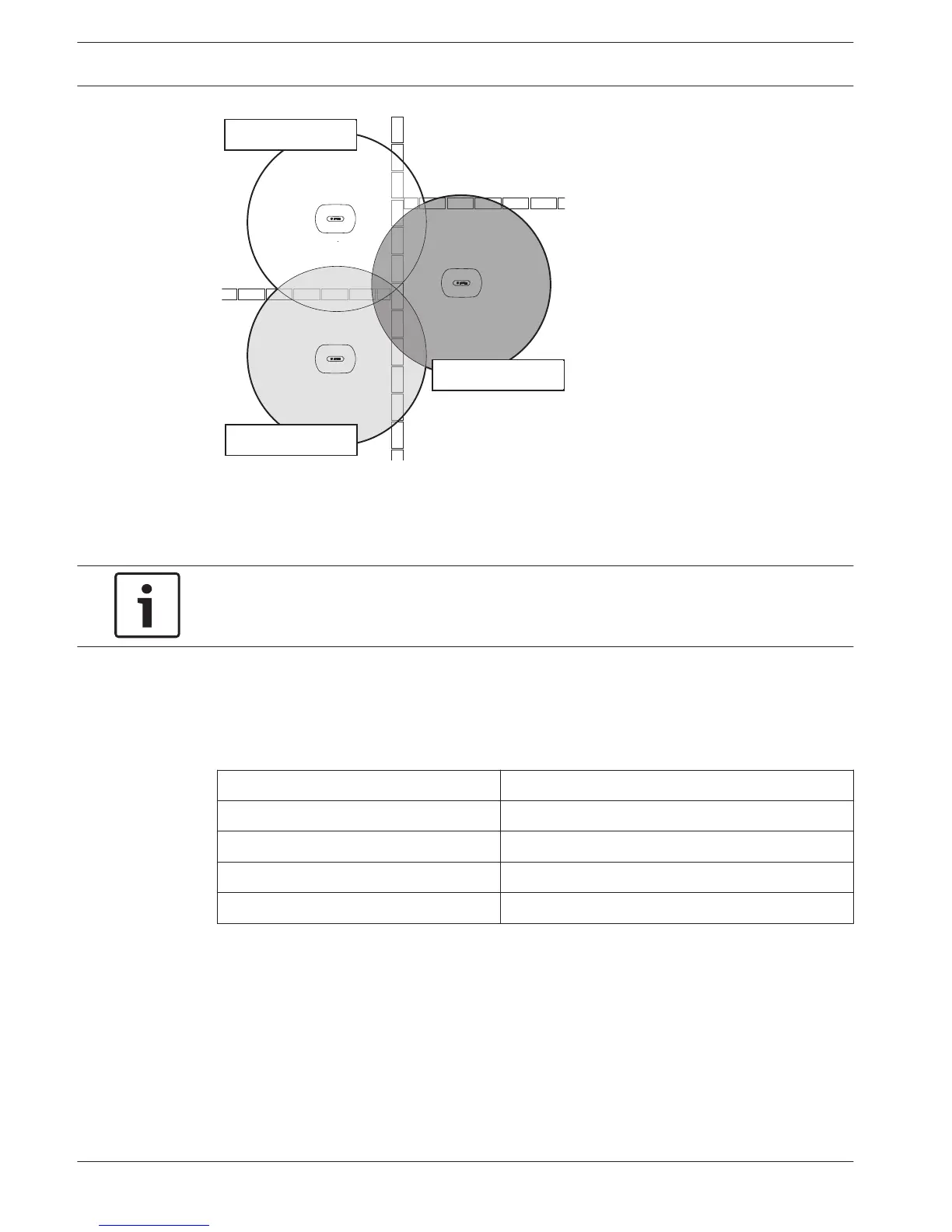
Figure 7.13: Carriers for adjacent systems
You can change the carrier after you did the initialization of the system (refer to Initialization,
page 178).
Notice!
When you change the carrier during a discussion or conference, you can cause a short audio
disruption.
Power value
The wireless access point has a typical maximum coverage area of 30 m by 30 m. To
determine the exact coverage area the coverage test kit can be used. The maximum coverage
area of the wireless access point is dependent upon its power. Set the power of the wireless
access point with the 4Kd WAP menu item.
Value Typical Coverage Area (m)
High 30 x 30
Medium 20 x 20
Low 10 x 10
Off 0
Table 7.23: Power values
You can change the power value after you did the initialization of the system (refer to
Initialization, page 178). When you decrease the power value, some wireless devices can show
that they cannot find the wireless network.
206 en | Configuration Conference System
2013.11 | V2.0 | DCN-NG_OM_V4.x Operation Manual Bosch Security Systems B.V.












 To Next Page