PRS-4DEX4 Digital Audio Expander
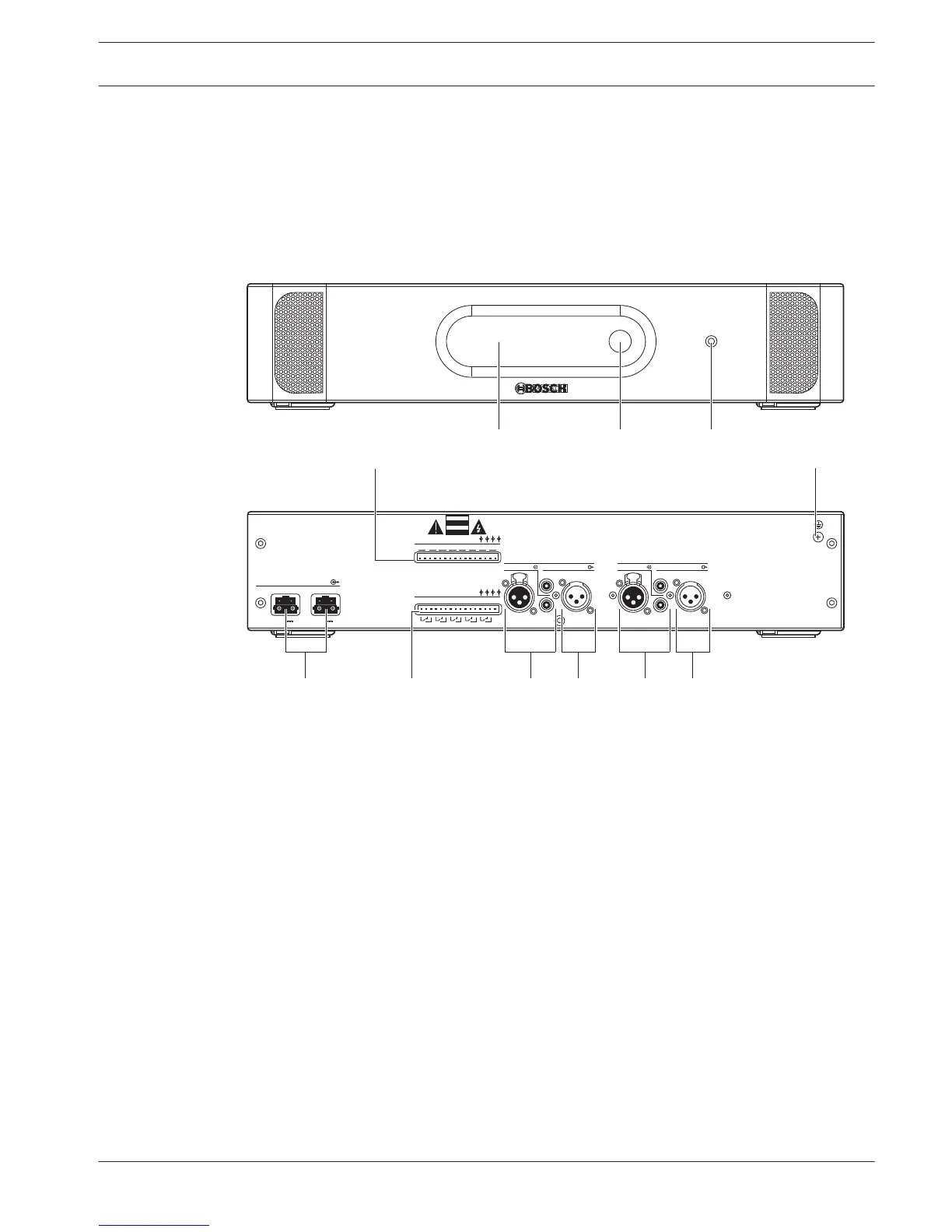
Use the PRS-4DEX4 Digital Audio Expander if the system needs digital audio inputs or outputs.
Typically, the digital audio expander is used to:
– Connect external recording devices to the system.
– Send audio signals to external devices.
– Connect systems.
Figure 3.10: Front and rear views
1. Display - Shows the configuration menu.
2. Knob - Operates the configuration menu.
3. Headphones socket - Headphones connection.
4. Control inputs - Connects the audio expander to external devices. Through the control
inputs, external devices can control the audio inputs and the audio outputs of the audio
expander.
5. Ground screw - Connects the digital audio expander to ground.
6. Optical network sockets - Connects the audio expander to the optical network.
7. Control outputs - Sends the condition of the audio expander to external devices.
8. Audio inputs - Connects the audio expander to external digital audio sources.
9. Audio outputs - Connects the audio expander to external digital audio devices.
The following sections give more information about the mentioned subject:
– Connection: PRS-4DEX4 Digital Audio Expander, page 120.
– Configuration: PRS-4DEX4 Digital Audio Expander, page 194.
– Operation: PRS-4DEX4 Digital Audio Expander, page 239.
– Technical Data: PRS-4DEX4 Digital Audio Expander, page 278.
3.3
Conference System System Overview | en 23
Bosch Security Systems B.V. Operation Manual 2013.11 | V2.0 | DCN-NG_OM_V4.x















 To Next Page