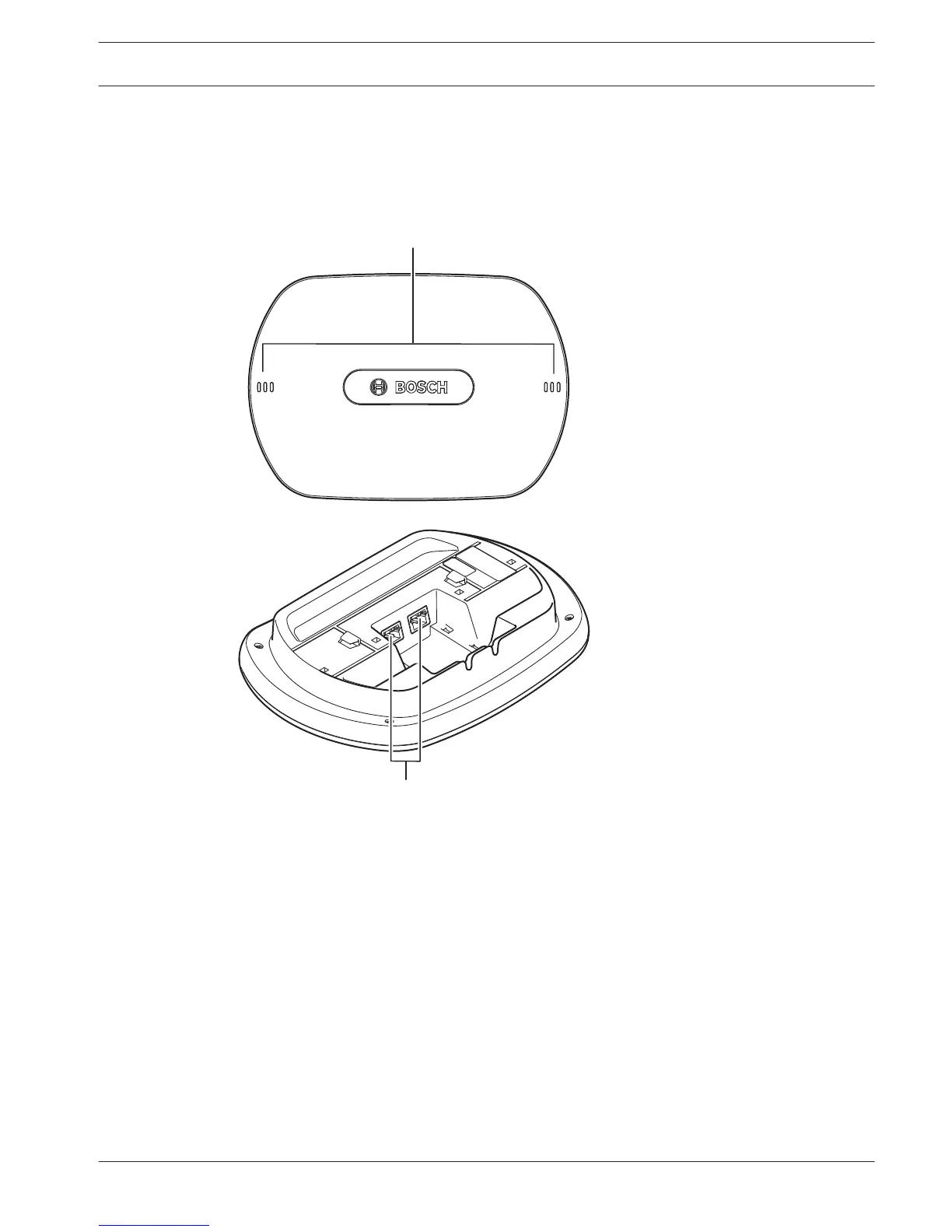
DCN-WAP Wireless Access Point
The wireless access point:
– Sends signals from the central control unit to the wireless devices.
– Receives signals from the wireless devices and sends them to the central control unit.
Figure 3.12: Top and bottom views
The wireless access point contains:
1. Status LEDs - Gives information about the condition of the wireless network and the
wireless access point.
2. Optical network sockets - Connects the wireless access point to the optical network.
The following sections give more information about the mentioned subject:
– Installation: DCN-WAP Wireless Access Point, page 92.
– Connection: DCN-WAP Wireless Access Point, page 123.
– Configuration: DCN-WAP Wireless Access Point, page 205.
– Operation: DCN-WAP Wireless Access Point, page 244.
– Troubleshooting: DCN-WAP Wireless Access Point, page 267.
– Technical Data: DCN-WAP Wireless Access Point, page 279.
3.5
Conference System System Overview | en 25
Bosch Security Systems B.V. Operation Manual 2013.11 | V2.0 | DCN-NG_OM_V4.x















 To Next Page