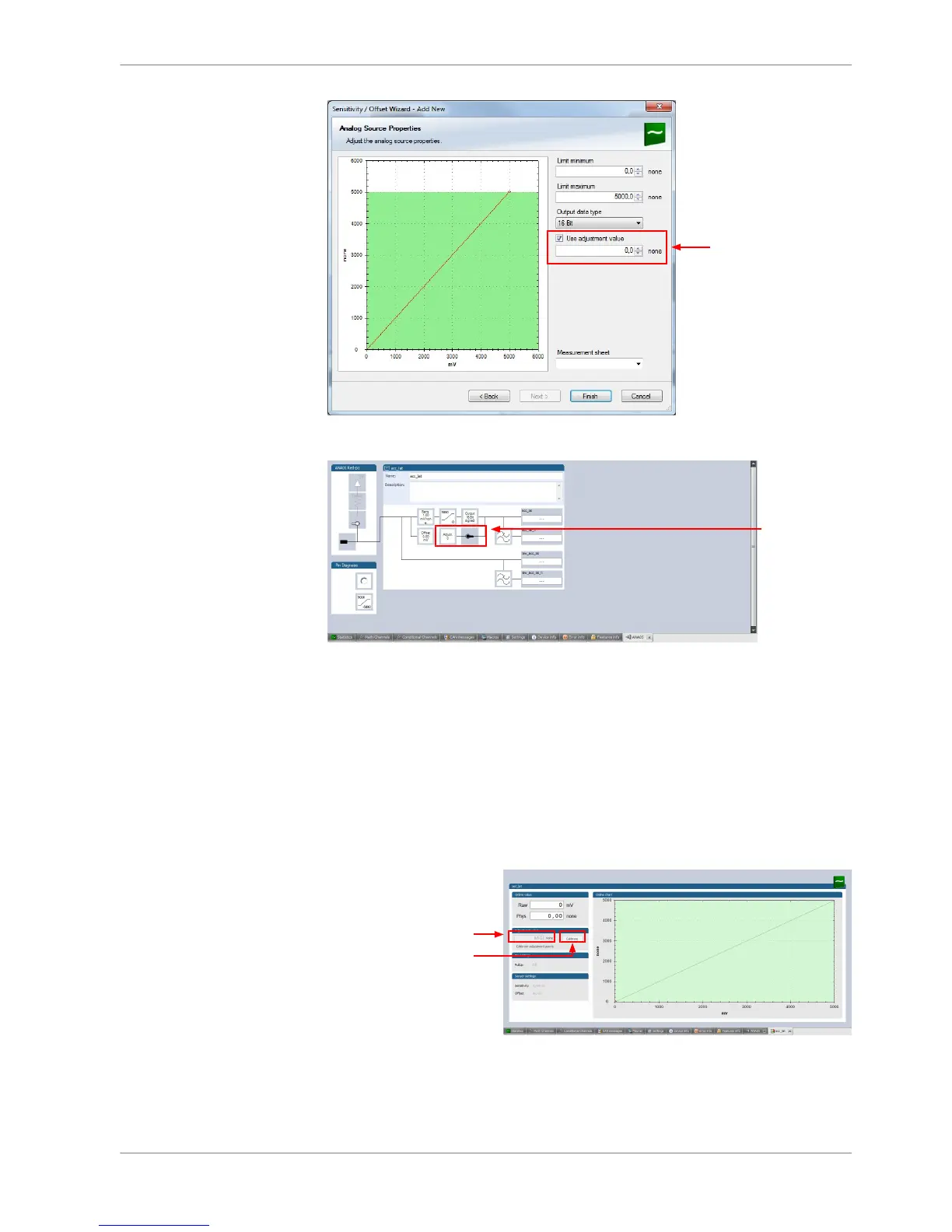
Check box to enable online
offset calibration and enter
desired physical target value
Performing the online offset calibration
DDU 8 has to be connected to RaceCon to calibrate the sensor’s offset.
1. Apply the desired physical condition to the sensor (e.g. 1 G to an acceleration
sensor).
2. Open the measurement channel’s online page by double‐clicking on the
measurement channel name in the Data Area.
3. Enter the physical target value (e.g. 1 G) and press the ‘Calibrate’ button.














 To Next Page