Display Configuration
▪ DDU 8 features: 640 x 480 full color TFT display + 10 color LEDs
▪ Display and LEDs are fully configurable
▪ ECU channels, analog channels, and CAN channels can be displayed
▪ Display elements: large numeric, medium numeric, bar graph style, alarm
messages, static elements, image element
▪ DDU 8 supports up to 12 display pages, 6 brightness settings for display and
LEDs
Display page setup
Organizing display pages
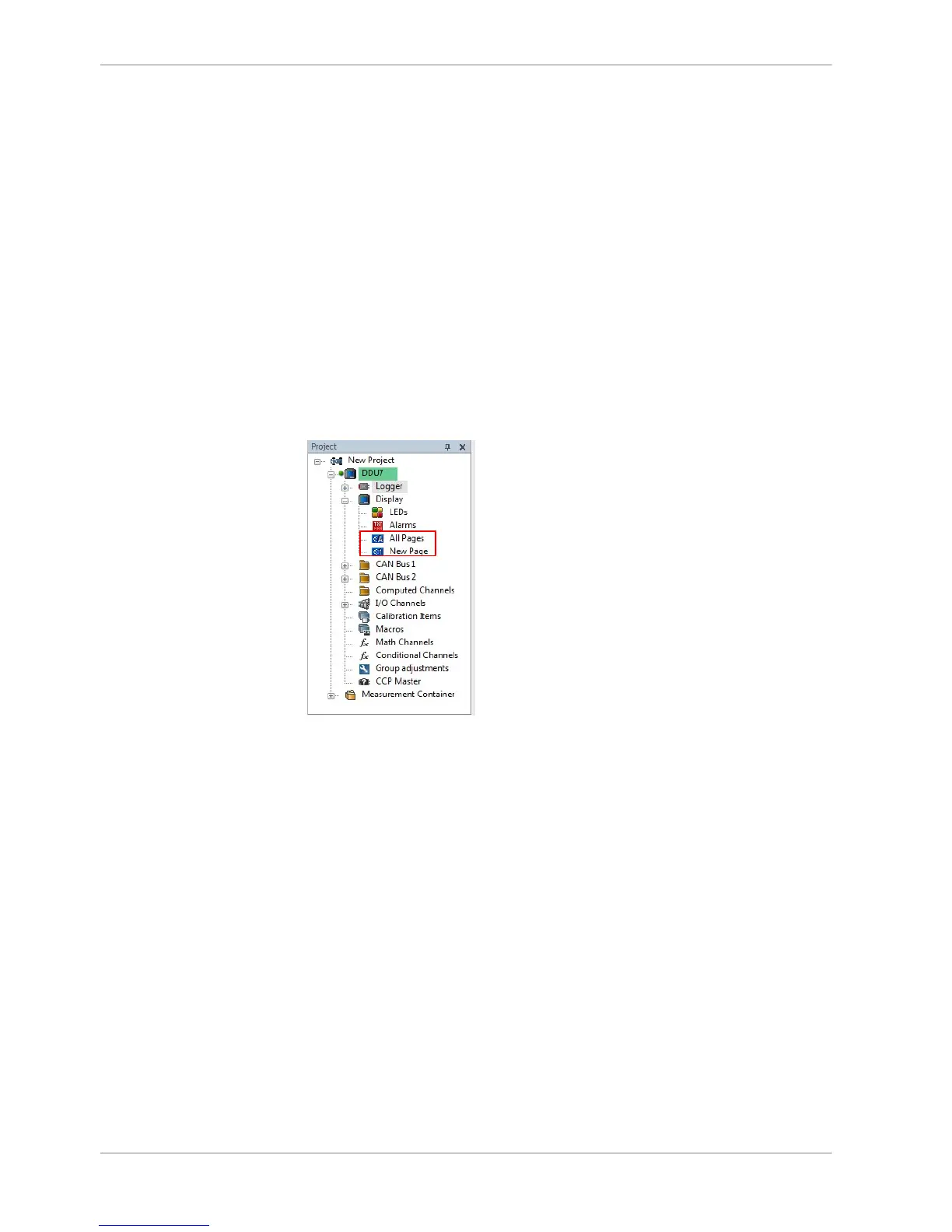
▪ All Pages: Display elements placed on this page are displayed on all pages.
Recommended for ‘Alarm’ display elements.
▪ Single Page: Display elements placed on this page are displayed only on this
page.
The priority of display elements placed on ‘All Pages’ is higher than the priority
of display elements placed on single pages.
Example: An Alarm placed on ‘All Pages’ is displayed on all display pages and is
always in front of other display elements.
Adding a new display page
Right‐click on ‘Display’ and click ‘Add Page’ in the menu.
8
8.1
8.1.1
8.1.2
8 | Display Configuration
22 / 136 DDU S2 PLUS Manual Bosch Motorsport














 To Next Page