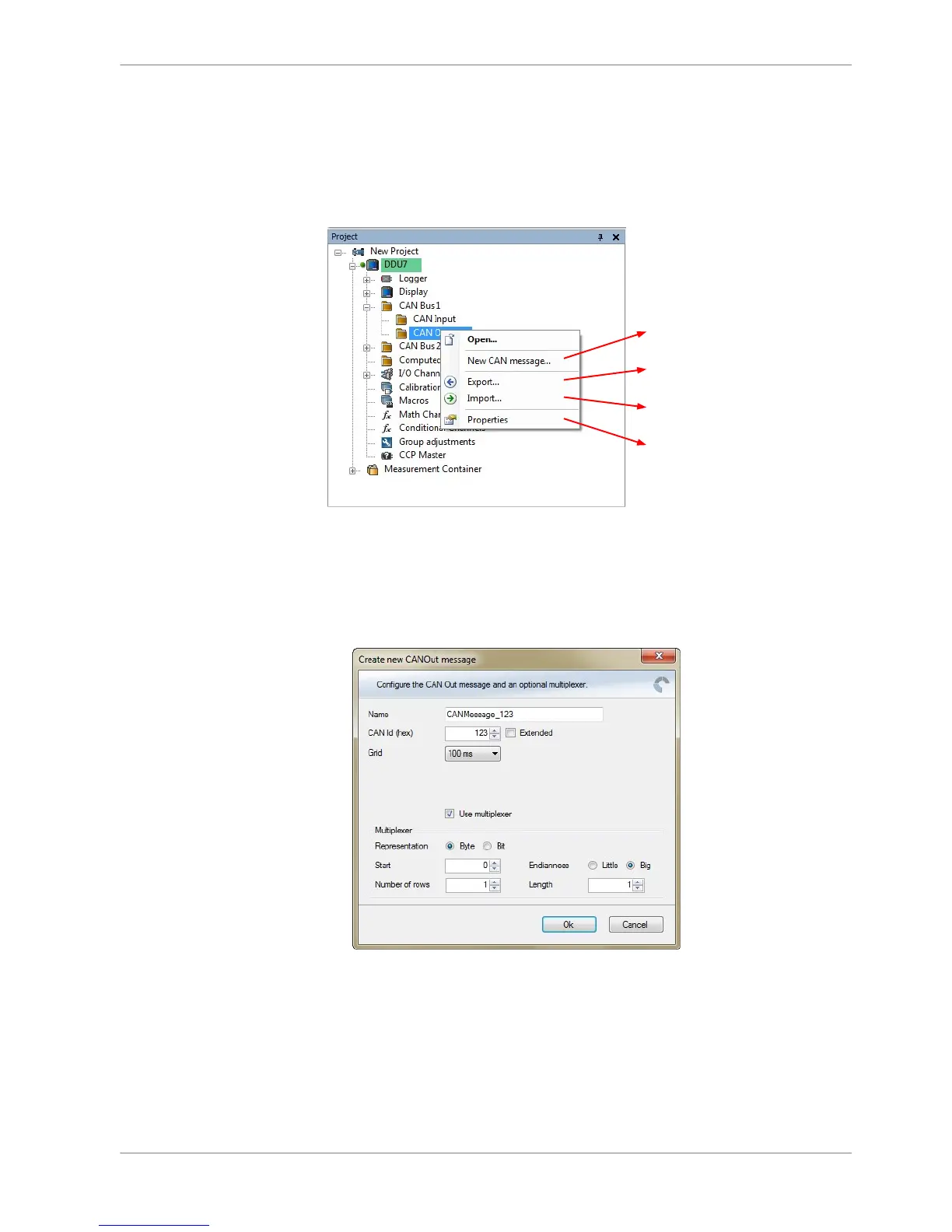
Create new CAN output message
Export RaceCon CAN output configuration
to file
Import RaceCon CAN out configuration
from file
Display CAN bus properties (Baudrate)
Create new CAN output message channel
1. Right‐click on CAN Output of desired bus (CAN1, CAN2 or CAN3).
2. Select ‘New CAN Message’ from menu. The ‘Create new CAN Out message’
window opens.
3. Enter name of message, CAN‐Id and Grid (output interval).
4. Optionally, specify a multiplexer.
9.3
9.3.1
9.3.2
CAN Bus | 9
Bosch Motorsport DDU S2 PLUS Manual 75 / 136














 To Next Page