▪ Linear phase – no signal distortion
▪ Latency compensation – no filter delay in recorded data
Configuring inputs
Configuring a predefined Bosch sensor with the
'Bosch Sensor Wizard'
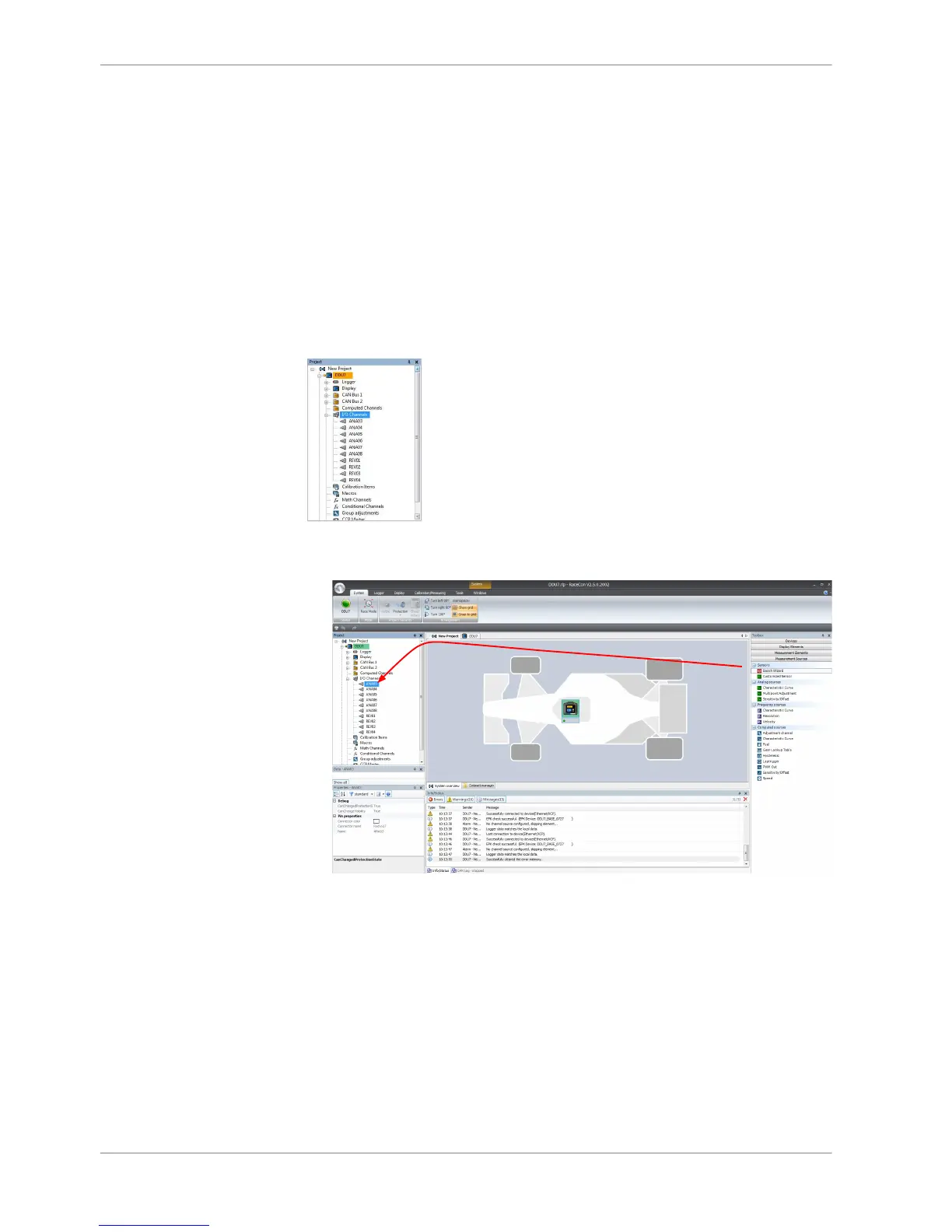
1. Click on ‘Measurement Sources’ in the Toolbox.
2. Expand the list of ‘I/O Channels’ by clicking on ‘+’ in the DDU 8 Project Tree.
3. Drag the ‘Bosch Sensor Wizard’ from the Toolbox and drop it on the desired
analog input channel in the DDU 8 Project Tree.
The ‘Bosch Sensor Wizard’ opens.
10.3
10.3.1
10 | Analog and Frequency Inputs
80 / 136 DDU S2 PLUS Manual Bosch Motorsport














 To Next Page