Starting up
Before starting
Install the software required DDU 8 operation. It is developed for Windows
2000/XP/Vista/7.
Following software versions are used in this manual:
▪ DDU 8 setup, configuration and calibration: RaceCon later than 2.5.0.400.
Set up the 100 Mbit Ethernet connection to the DDU 8.
▪ The Ethernet port has ‘cable auto crossover’ functionality
Minimum wiring loom of the Life connector (red):
Pin Description
Pin 1+2+3 12 V supply voltage
Pin 4+5 GND supply voltage
Pin 6 Ethernet Tx+
Pin 7 Ethernet Tx‐
Pin 8 Ethernet Rx+
Pin 9 Ethernet Rx‐
Pin 10 Ethernet Screen
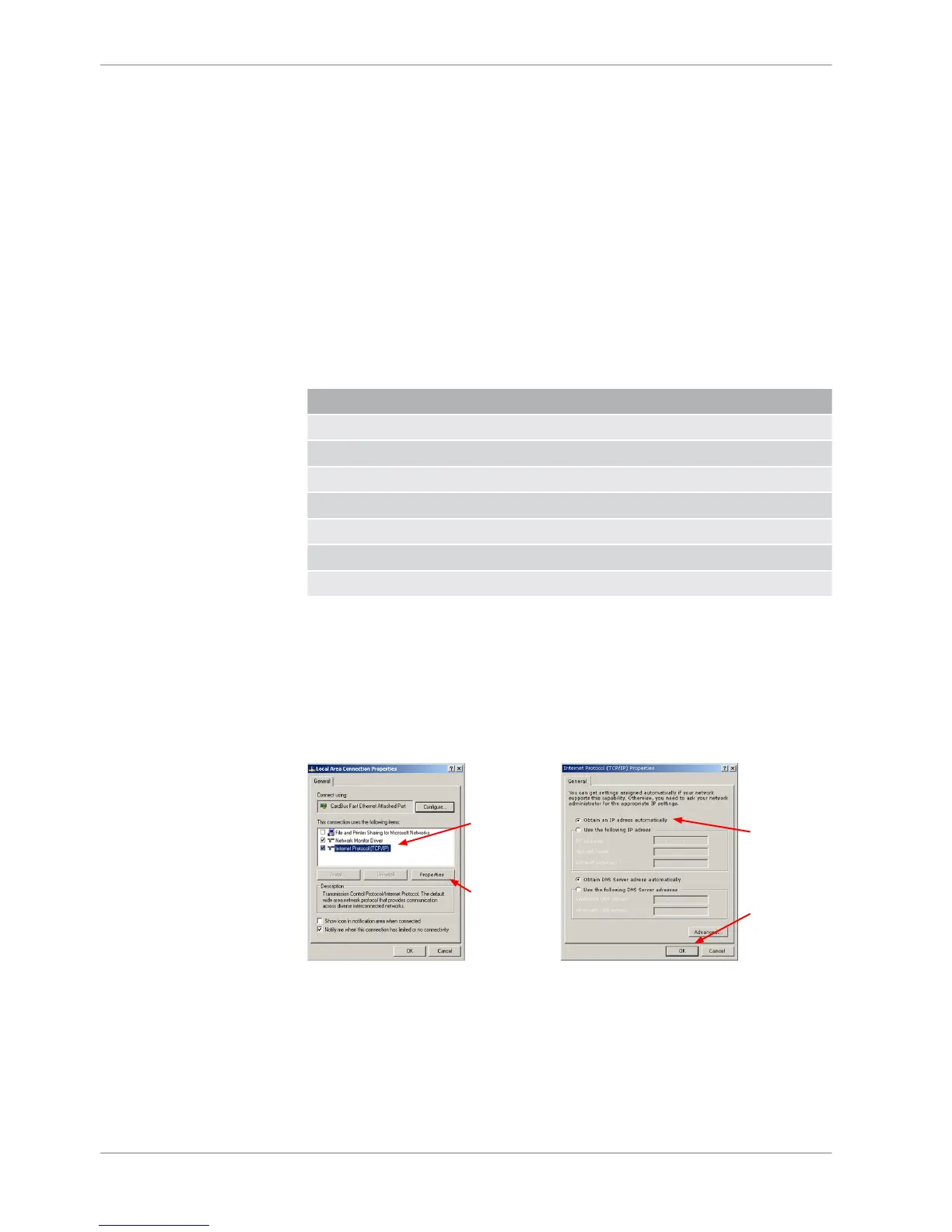
Setting up the network interface
The DDU 8 contains a DHCP server, network addresses can be assigned automat‐
ically to the configuration PC. The IP address of DDU 8 is 10.10.0.208.
1. Switch off the PC’s firewall.
2. Set up the PC’s network interface as shown in the screenshots.
Starting the unit
The DDU 8 powers up by turning on the ignition of the car. At startup the DDU 8
will display a Bosch logo.
7
7.1
7.1.1
7.1.2
7 | Starting up
14 / 136 DDU S2 PLUS Manual Bosch Motorsport














 To Next Page