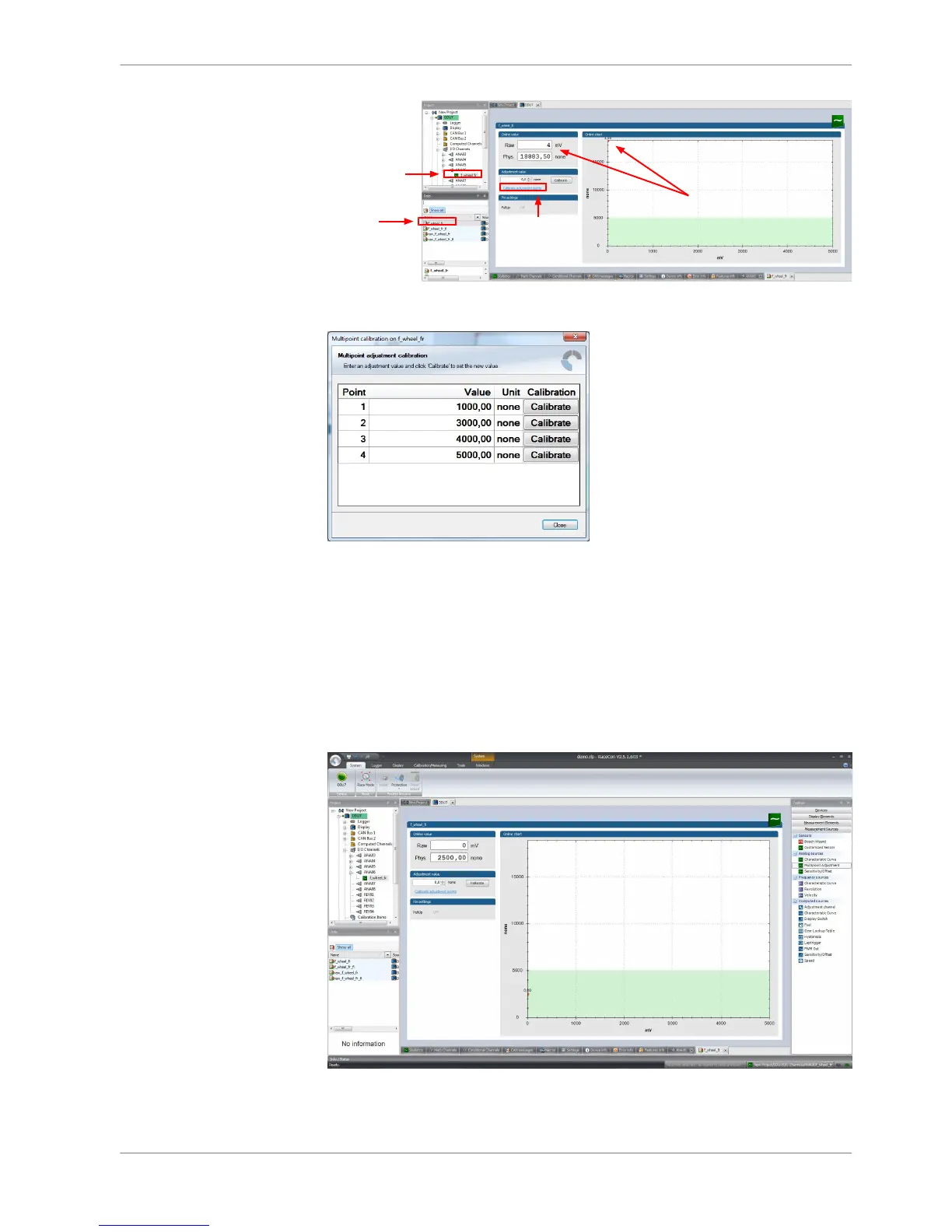
5. Click on ‘Calibrate adjustment points’ to open calibration window.
6. Apply the desired physical condition to the sensor (e.g. by applying a force
on the wheel).
7. Enter the physical value in the value column of the desired calibration point
(e.g. 745 N).
8. Press the ‘Calibrate’ button of the desired calibration point.
9. Repeat for all curve points.
10. Click ‘Close’ when done.
The calibration curve is displayed in the online view.
Online Measurement | 11
Bosch Motorsport DDU S2 PLUS Manual 111 / 136














 To Next Page