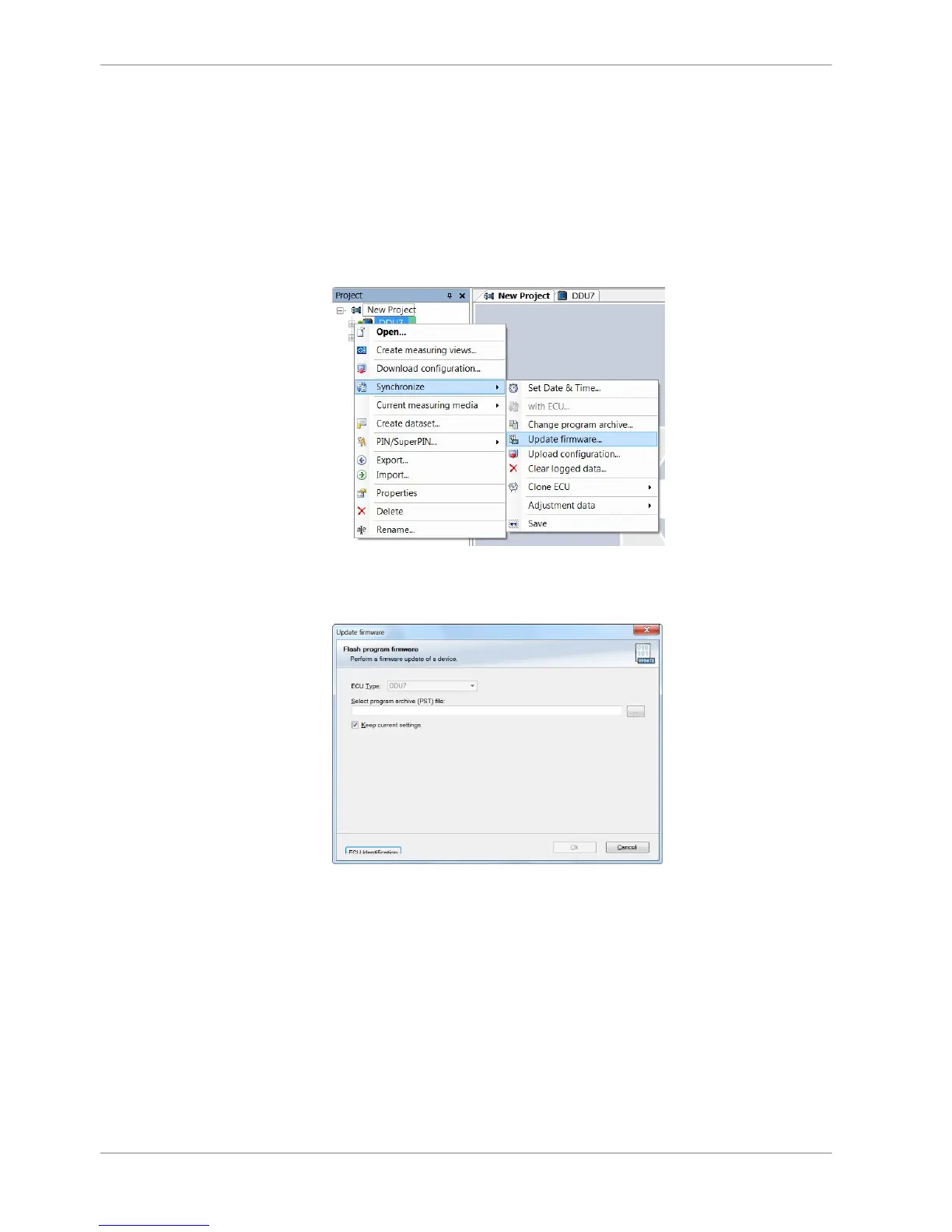
Performing the firmware update
Firmware update is only possible if the DDU 8 is connected to RaceCon.
The configuration of Input channels, CAN I/O, display, recording + telemetry will
not be changed.
1. In the DDU 8 Project Tree, right‐click on ‘DDU 8’ and choose ‘Synchronize’
then ‘Update firmware’.
A pop‐up menu opens.
2. Select the destination of the firmware archive (PST).
3. Click ‘OK’ when done.
The firmware update starts. The DDU 8 displays the message ‘Updating firm‐
ware’. Do not switch off the car’s ignition or interrupt the power supply of the
DDU 8!
13.2.1
13 | Firmware
122 / 136 DDU S2 PLUS Manual Bosch Motorsport














 To Next Page