Latency compensation – no filter delay in recorded data
▪ Filtering is (smart) averaging over several samples
▪ Filtered signal is delayed with respect to real time signal
▪ DDU 8 filters have constant, frequency independent delay
▪ Delay (e.g. 22 samples at 10 ms) is corrected during recording
▪ No delay filtered vs. unfiltered in recorded data
▪ Correction is (of course) not possible for real time data (display, online, PWM
out)
▪ Use filtered data for recording, use unfiltered data for real‐time
Configuring a frequency input
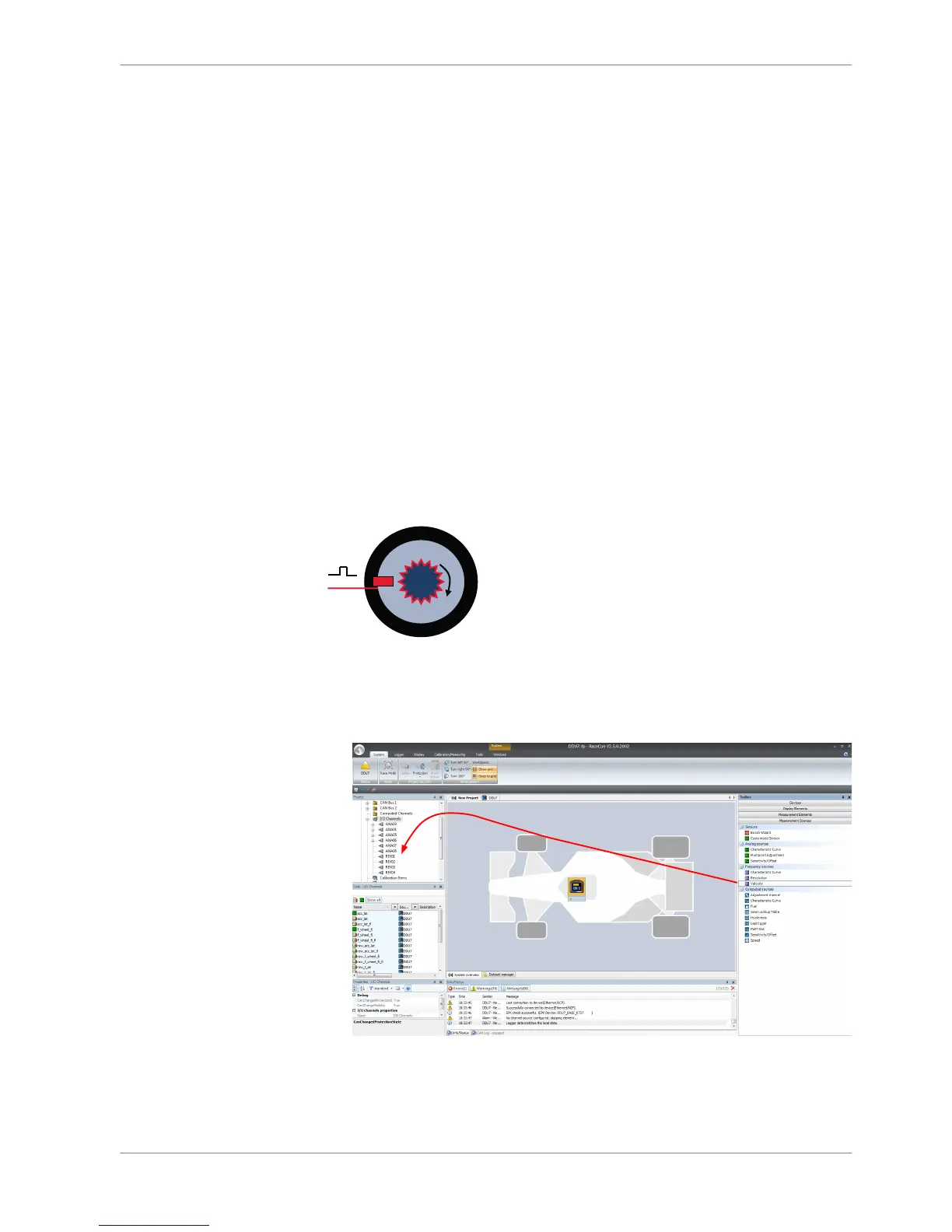
Example: measurement of wheel speed
▪ Pulse wheel attached to wheel
▪ Each passing tooth of pulse wheel triggers hall sensor
▪ Calculation of wheel speed with wheel circumference
1. Click ‘Measurement Sources’ in the Toolbox.
2. Expand the list of ‘I/O Channels’ by clicking on ‘+’ in the DDU 8 Project Tree.
3. Drag the ‘Velocity’ digital signal source from the Toolbox and drop it on the
desired ‘REV’ input channel in the DDU 8 Project Tree.
The ‘Velocity Wizard’ opens.
10.3.6
Analog and Frequency Inputs | 10
Bosch Motorsport DDU S2 PLUS Manual 91 / 136














 To Next Page