Going online
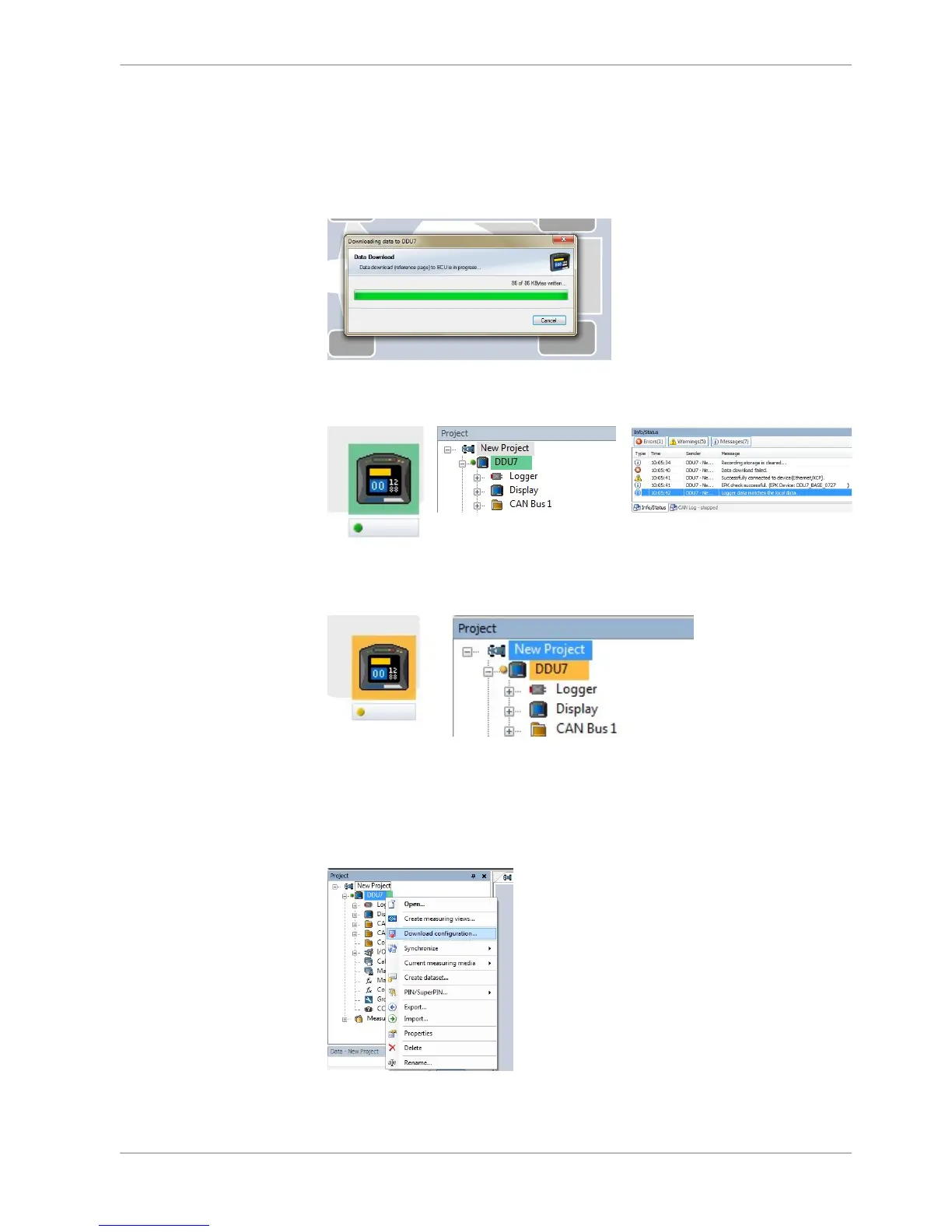
Click ‘OK to download RaceCon configuration to DDU 8.
The download starts.
A green dot and background at the device in the project view and the DDU 8
Project Tree indicate a successful download and system consistency.
If the system’s configuration in RaceCon has been changed, the dot and back‐
ground becomes yellow and a configuration download is necessary.
Configuration download
1. Right‐click on DDU 8 in the DDU 8 Project Tree.
2. Select ‘Download configuration’.
The configuration download starts.
A Green dot and background indicate a successful download.
11.1.2
11.1.3
Online Measurement | 11
Bosch Motorsport DDU S2 PLUS Manual 99 / 136














 To Next Page