EasyManua.ls Logo

Bosch FHP560 - User Manual

Bosch FHP560
48 pages
Print Icon
To Next Page IconTo Next Page
Loading...
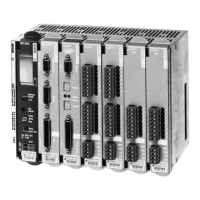
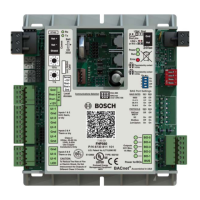
FHP560 Multi-Protocol Heat Pump Controller
For integration with systems running industry standard protocols
Applications Manual

Questions and Answers

  • C
    Christian SmithAug 3, 2025
    How to fix Bosch FHP560 Controller sensor hardware that is not set up to read RH or CO values?
    • M
      Mary HolmesAug 3, 2025
      To resolve Bosch Controller sensor hardware not reading RH or CO values, connect the sensor to the controller R-net port before applying 24Vac power to the controller. Allow approximately 45 seconds for the configuration to complete. If the issue persists, remove the 24Vac power from the controller for about 5 seconds, then reconnect it.
  • S
    santiagojenniferAug 12, 2025
    How to fix memory problem on Bosch FHP560 Controller sensor?
    • L
      lisaschultzAug 12, 2025
      To fix a memory problem on the Bosch Controller sensor, format the sensor following the instructions provided on page 38 of this document.
  • A
    allenkatherineNov 21, 2025
    What to do if Bosch FHP560 display shows jumbled characters?
    • M
      Manuel ParkerNov 22, 2025
      If the Bosch Controller display shows nothing, strange characters, or incorrect values for RH and/or CO, there are several potential causes. First, check that the sensor is receiving power by verifying the 24Vac power to the controller and the 12Vdc power to the sensor. Also, the sensor might not be communicating with the network; verify the addressing setup and DIP switch settings at the back of the sensor. Ensure the wiring is correct according to the manual's specifications on pages 38 and 39, and that all connections are secure. If the issue persists, the controller software may be corrupted, so verify the controller's operating status and perform a battery reset if necessary. Finally, confirm that the FHP560 controller software version is 7.05.XX (where XX is 03 for the standard versi...

Summary

1 Explanation Of Symbols

1.1 Key To Symbols

Provides a key to understanding symbols used in the document.

Warnings

Explains the meaning and usage of warning symbols and keywords.

2 FHP560 Controller

2 FHP560 Overview

Introduces the FHP560 controller and its purpose.

2.1 Key Features;Benefits

Lists the primary features and advantages of the FHP560 controller.

3 Specification

Details the technical specifications of the FHP560 controller.

5 Controller Components & Features

Describes the various components and features of the FHP560 controller.

6 Explanation Of DDC Options

Explains the different Direct Digital Control (DDC) options available for the FHP560.

7 I;O Port Assignments And Overview

Details the input/output ports and their assignments on the FHP560.

8 Wiring Termination Specs

Provides specifications for wiring terminations for the FHP560 controller.

11 Common Applications

11.1 HP Basic

Details the basic heat pump application sequence of operation.

11.2 HP + HGRH

Describes the heat pump application with Hot Gas Reheat (HGRH).

11.3 STRAIGHT COOL + EH

Details the straight cool application with Electric Heat (EH).

11.4 STRAIGHT HP + CWV

Describes the heat pump application with Condenser Water Valve (CWV).

11.5 HP + LP

Details the heat pump application with Loop Pump (LP).

14 ZS Combination Sensors

15 The BACview Interfaces

16 Troubleshooting

Bosch FHP560 Specifications

General IconGeneral
BrandBosch
ModelFHP560
CategoryController
LanguageEnglish

Related product manuals