MY22B01 - 12_1.0_26.08.2021
124
Operation
6.18.2 Securing the on-board computer
against removal
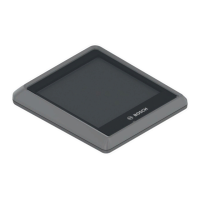
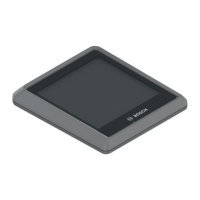
1 Detach the on-board computer mount from the
handlebars.
2 Place on-board computer in its mount.
3 Fasten the blocking screw (M3 thread, 8 mm in
length) into its designated thread in the mount
from below.
4 Fit the mount to the handlebars.
The on-board computer is secured against
removal.
6.18.3 Charging the on-board computer
battery
If the on-board computer battery is low when the
on-board computer is switched, ATTACH TO
PEDELEC appears on the text display for three
seconds. The on-board computer will then switch
back off.
There are two options for charging the battery.
6.18.3.1 Charging on the pedelec
1 Once a battery has been inserted into the
pedelec, place the on-board computer in the on-
board computer mount. Press the On-Off button
(battery).
2 Using the pedelec.
6.18.3.2 Charging using the USB port
1 Open the protective flap on the USB port.
2 Connect the USB port to a commercially
available USB charger or the USB port on a
computer (5 V charge voltage; max. 500 mA
charging current), using a suitable USB cable.
USB CONNECTED is displayed on the on-
board computer.
Notice
The on-board computer battery discharges when
it is not in use. This can cause irreparable
damage to the on-board computer battery.
Recharge the on-board computer battery for at
least 1 hour every 3 months.



 To Next Page
 Loading...