MY22B01 - 12_1.0_26.08.2021
42
Description
3.4.2 On-board computer
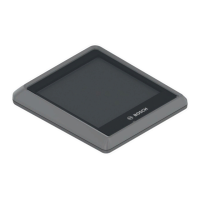
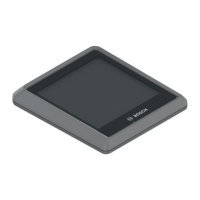
The on-board computer is operated using four
buttons on its casing and the buttons on the
control panel.
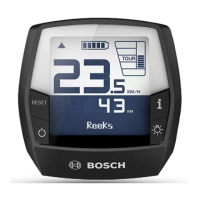
Figure 38: BOSCH Intuvia on-board computer layout
1 Riding light button
2 Info button (on-board computer)
3 RESET button
4 On-off button (on-board computer)
5 On-board computer mount
6 On-board computer
7USB port
8 USB port protective flap
The on-board computer has seven indicators:
Figure 39: Overview of on-board computer display screen
1 Riding light indicator, see Section 3.4.2.1
2 Level of assistance indicator, see Section
3.4.2.2
3 Motor power used indicator, see Section
3.4.2.4
4 Battery level indicator (on-board computer),
see Section 3.4.2.3
5 Gear recommendation indicator, see Section
3.4.2.5
6 Tachometer display, see Section 3.4.2.6
7 Function display, see Section 3.4.2.7
3.4.2.1 Riding light indicator
The riding light indicator lights up when the riding
light is activated.
3.4.2.2 Level of assistance indicator
The higher the selected level of assistance, the
more the electric drive system assists the rider
when pedalling. These levels of assistance are
available.
The eMTB MODE level of assistance is available
for Performance Line CX drives. In
eMTB MODE, the assistance factor and the
torque are adjusted dynamically, depending on
the pedalling force applied to the pedals. If the
pedelec has been configured with eMTB MODE,
eMTB MODEwill appear briefly when the SPORT
level of assistance is selected.
Level of assistance Use
TURBO
Maximum assistance up to high
pedalling frequencies for sport riding.
SPORT
Powerful assistance, for sport rides on
mountainous rides and on urban
roads.
TOUR
Constant assistance, for long-range
tours
ECO
Low assistance for maximum range
with maximum efficiency.
OFF
When the drive system is switched on,
the motor assistance is switched off.
The pedelec can be used like a
normal bicycle by simply pedalling.
Push assist is disabled.
Table 11: Overview of levels of assistance, standard
Level of assistance Use
TURBO
Maximum assistance up to high
pedalling frequencies, for sport riding
eMTB
Optimum assistance on any terrain,
sporty start-up, improved dynamics and
maximum performance.
TOUR
Constant assistance, for long-range
tours
ECO
Low assistance for maximum range
with maximum efficiency.
OFF
When the drive system is switched on,
the motor assistance is switched off.
The pedelec can be used like a normal
bicycle by simply pedalling. Push assist
is disabled.
Table 12: Overview of levels of assistance – eMTB mode


 To Next Page
 Loading...