MY22B01 - 12_1.0_26.08.2021
52
Description
3.4.7 Battery level indicator (battery)
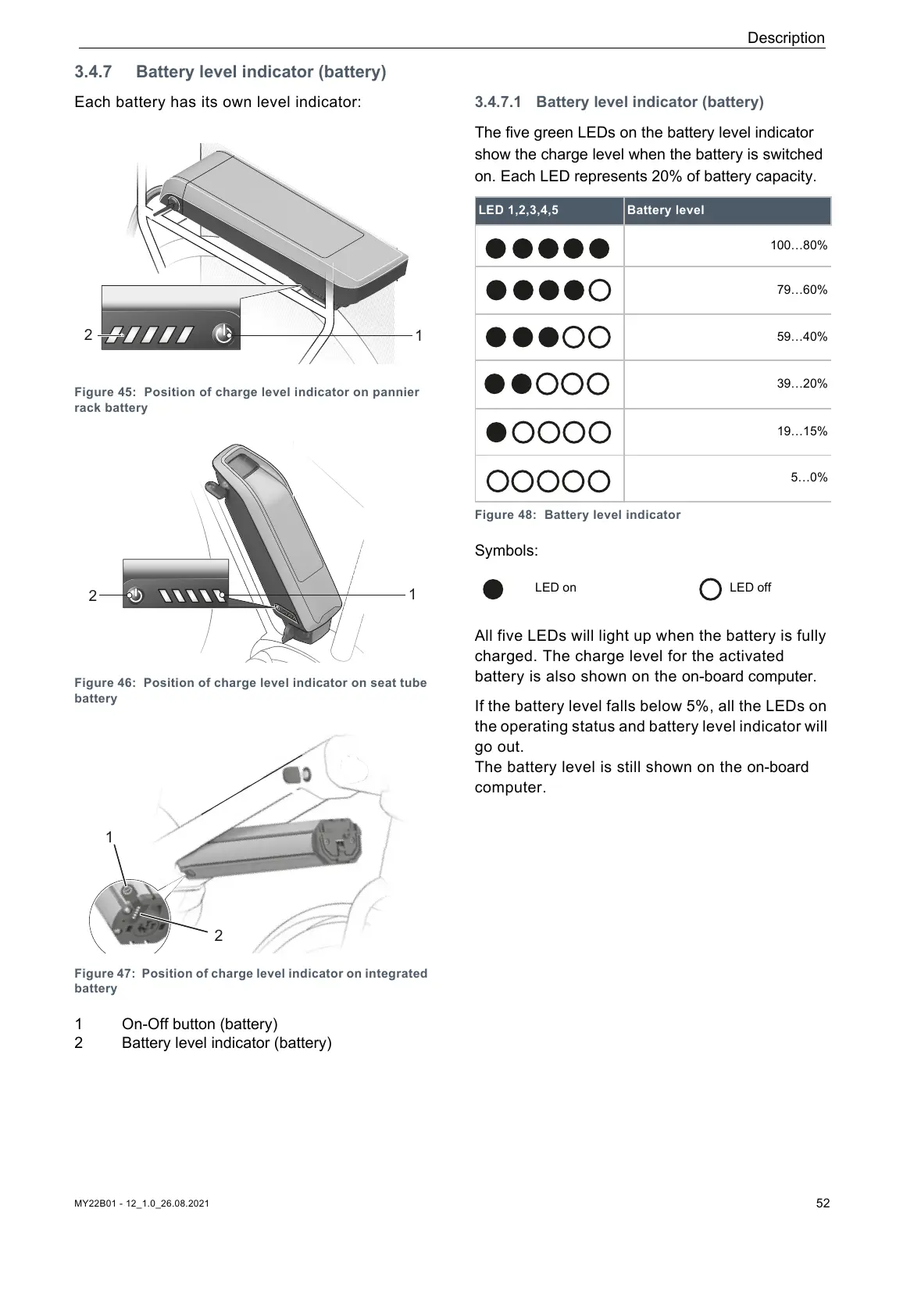
Each battery has its own level indicator:
Figure 45: Position of charge level indicator on pannier
rack battery
Figure 46: Position of charge level indicator on seat tube
battery
Figure 47: Position of charge level indicator on integrated
battery
1 On-Off button (battery)
2 Battery level indicator (battery)
3.4.7.1 Battery level indicator (battery)
The five green LEDs on the battery level indicator
show the charge level when the battery is switched
on. Each LED represents 20% of battery capacity.
Symbols:
All five LEDs will light up when the battery is fully
charged. The charge level for the activated
battery is also shown on the on-board computer.
If the battery level falls below 5%, all the LEDs on
the operating status and battery level indicator will
go out.
The battery level is still shown on the on-board
computer.
LED 1,2,3,4,5 Battery level
100…80%
79…60%
59…40%
39…20%
19…15%
5…0%
Figure 48: Battery level indicator
LED on LED off
















 To Next Page