System settings (Service menu – Settings)
Logamatic EMS – 6 720 801 387 (2011/05)
26
6
6 System settings (Service menu – Settings)
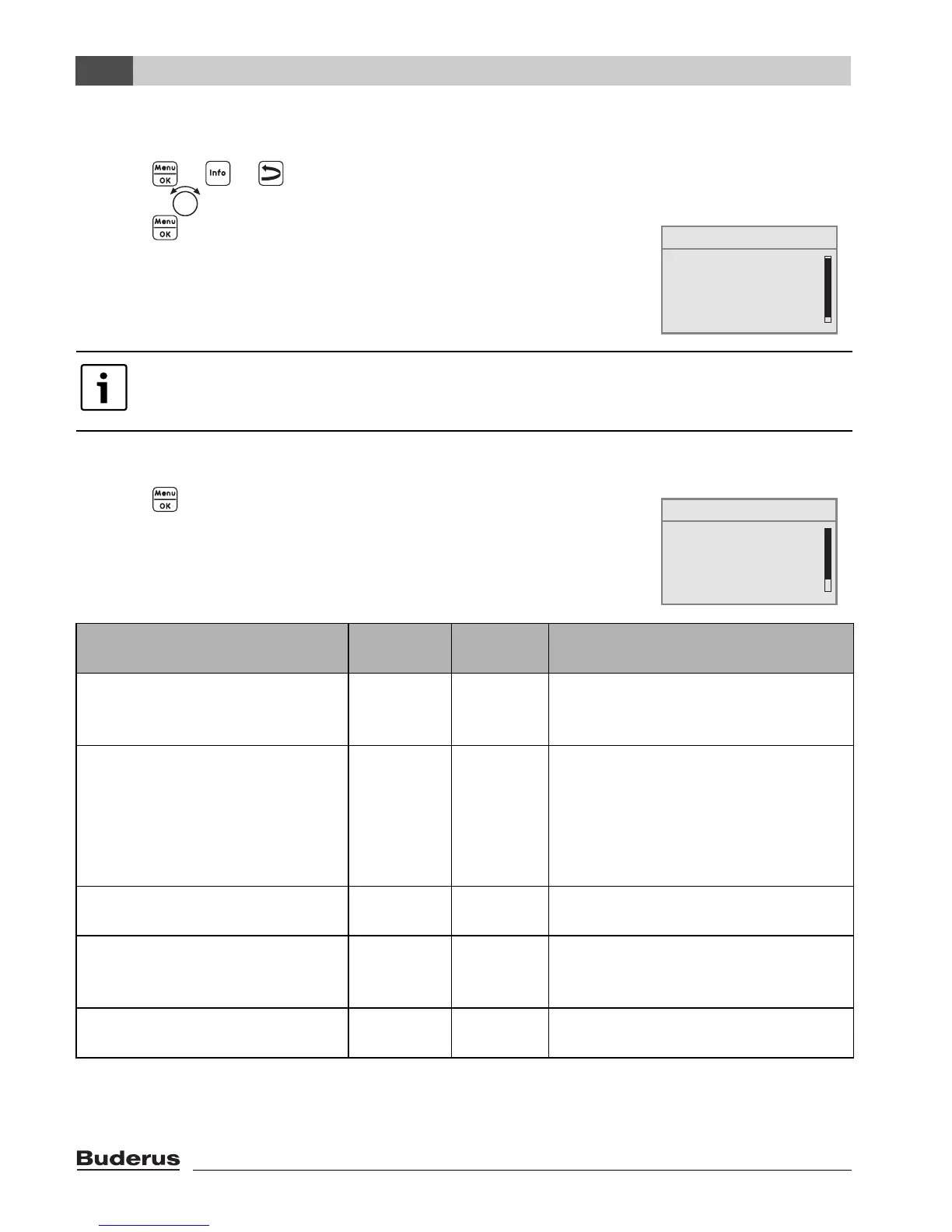
B Press + + simultaneously, to open the SERVICE MENU.
B Turn the rotary selector to the left until settings is selected.
B Press to open menu SERVICE\SETTINGS.
6.1 System data
B Press button to select plant data.
The menu SETTINGS\SYSTEM opens.
Note that the menu items shown will vary depending on the heating system.
Menu item
Input
range
Standard
setting
Other information
Have you installed a module for
the low loss header?
Yes, No No In association with MCM10 the
setting is automatically set to “Yes”;
screen is hidden.
1)2)
Is a sensor for a low loss header
connected?
No,
at the
boiler, at
the low loss
header
module
No If a low loss header module is used,
connect the temperature sensor to
the low loss header module.
3)
4)
Is heating circuit 1 installed
(unmixed heating circuit)?
Yes, No Yes
How many mixed heating circuits
are installed?
0 to 3 0 Setting the address on the rotary
coding selector of the mixer module
(basic setting HK2).
1)
Have you installed a solar
module?
Yes, No No
1)
Table 10 Navigator for service menu SETTINGS\SYSTEM
SERVICE MENU
quick operation
settings
diagnosis
servicing
B
SERVICE\SETTINGS
B
plant data
boiler data
domestic hot water
heating circuit 1




 To Next Page