Logamatic EMS – 6 720 801 387 (2011/05)
45
System settings (Service menu – Settings)
6
6.8 Contact details
Contact details are automatically displayed to the end user if a fault develops.
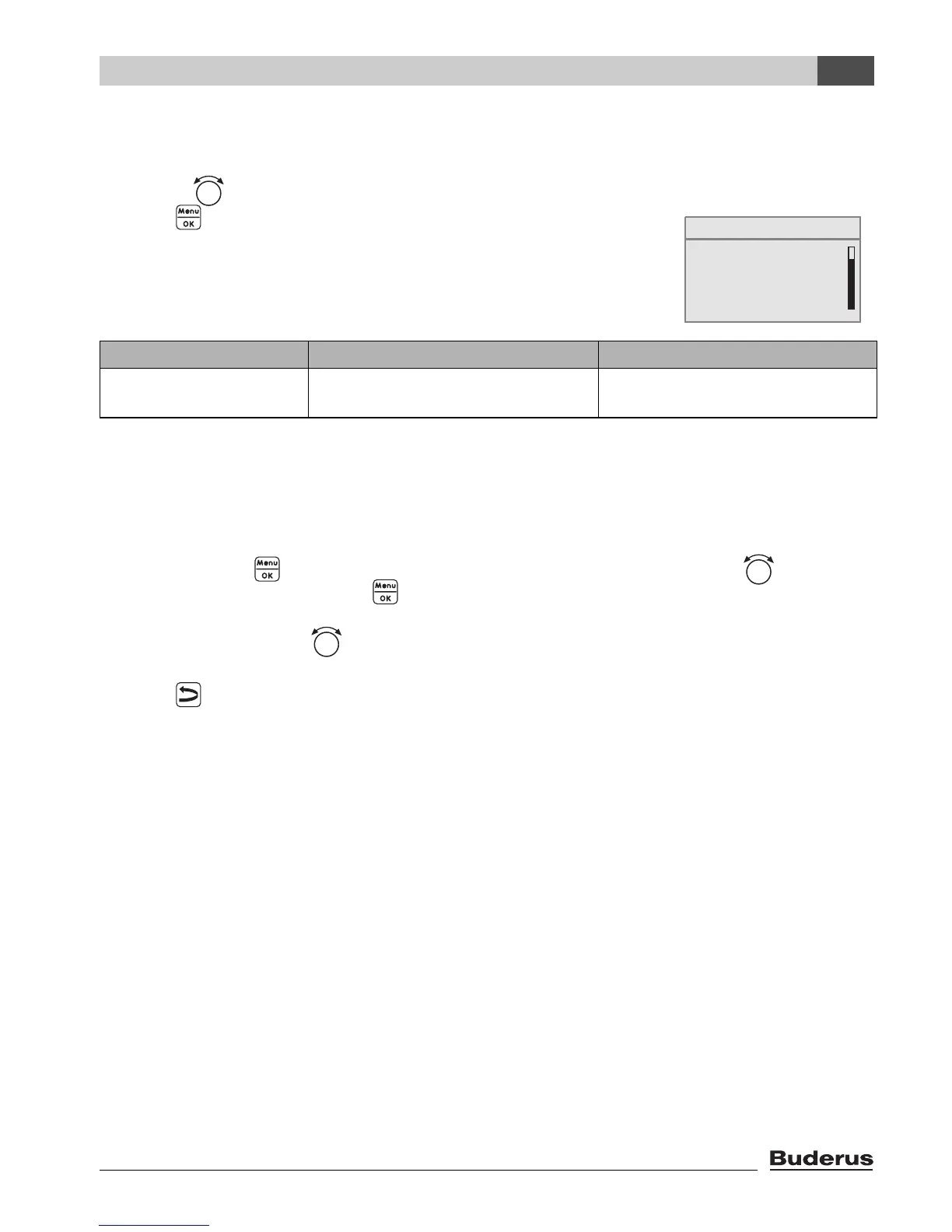
B Turn the rotary selector to the left until contact data is selected.
B Press to select contact data.
Menu SETTING\CONTACT opens.
Entering company name and telephone number
Two rows are available, each with 21 characters (capital letters, numbers and some other symbols).
The current cursor position will flash (marked by “_”).
1. Hold the button pressed down and simultaneously turn the rotary selector to select
another character. Release the button.
The modified character is saved.
2. Turn the rotary selector to the left or right to move the cursor position.
3. Enter a space to delete a character.
4. Press to save your entries and leave the menu.
Menu item Input range Other information
Name and tel. No. of
supplier:
_ _ _ _ _ _ _ _ _ _ _
_ _ _ _ _ _ _ _ _ _ _
Table 19 Navigator for service menu SETTINGS\CONTACT
heating circuit 1
SERVICE\SETTINGS
B
solar data
RC35 calibration
contact data




 To Next Page