M1 – M3 Display units
Page 87
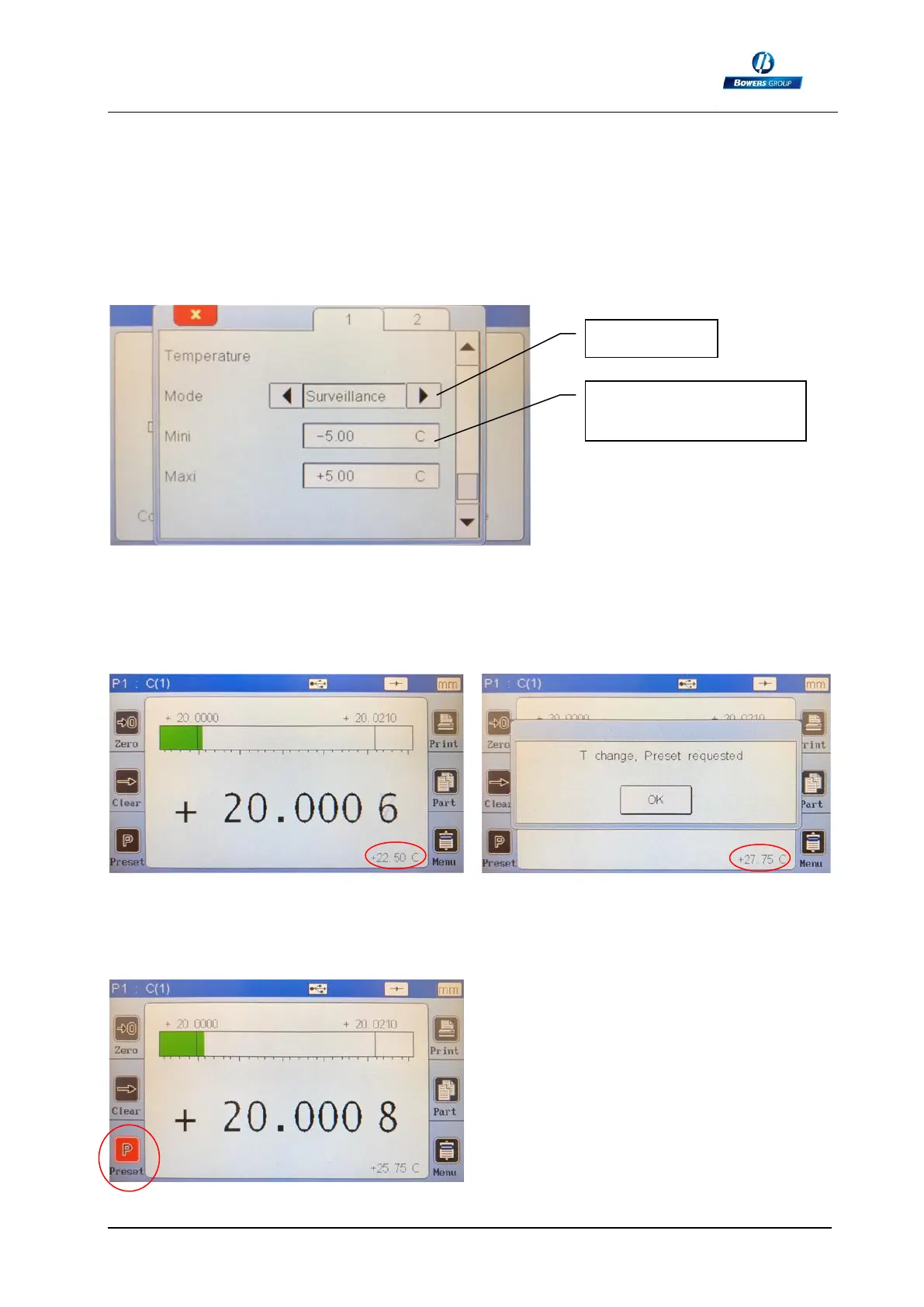
As a standard, the temperature mode is deactivated.
You can now choose between:
a – Alarm mode
When selecting the Alarm mode, it is required to define the temperature variation
acceptability, with a MIN and a MAX, in the chosen unit.
Here we selected +/- 5°C of allowed temperature variation.
Let’s come back to the measure screen:
After a PRESET, the actual temperature is recorded, and the monitoring starts.
Temperaure increased = alarm
After validation with the OK button, the Preset button becomes red until you made the
preset :
The PRESET button become black again
after preseting.
The new reference temperature has now
been moved to the actual temperature.
Min and Max limits of
temperature variation



 To Next Page