78
Technical Manual
GB
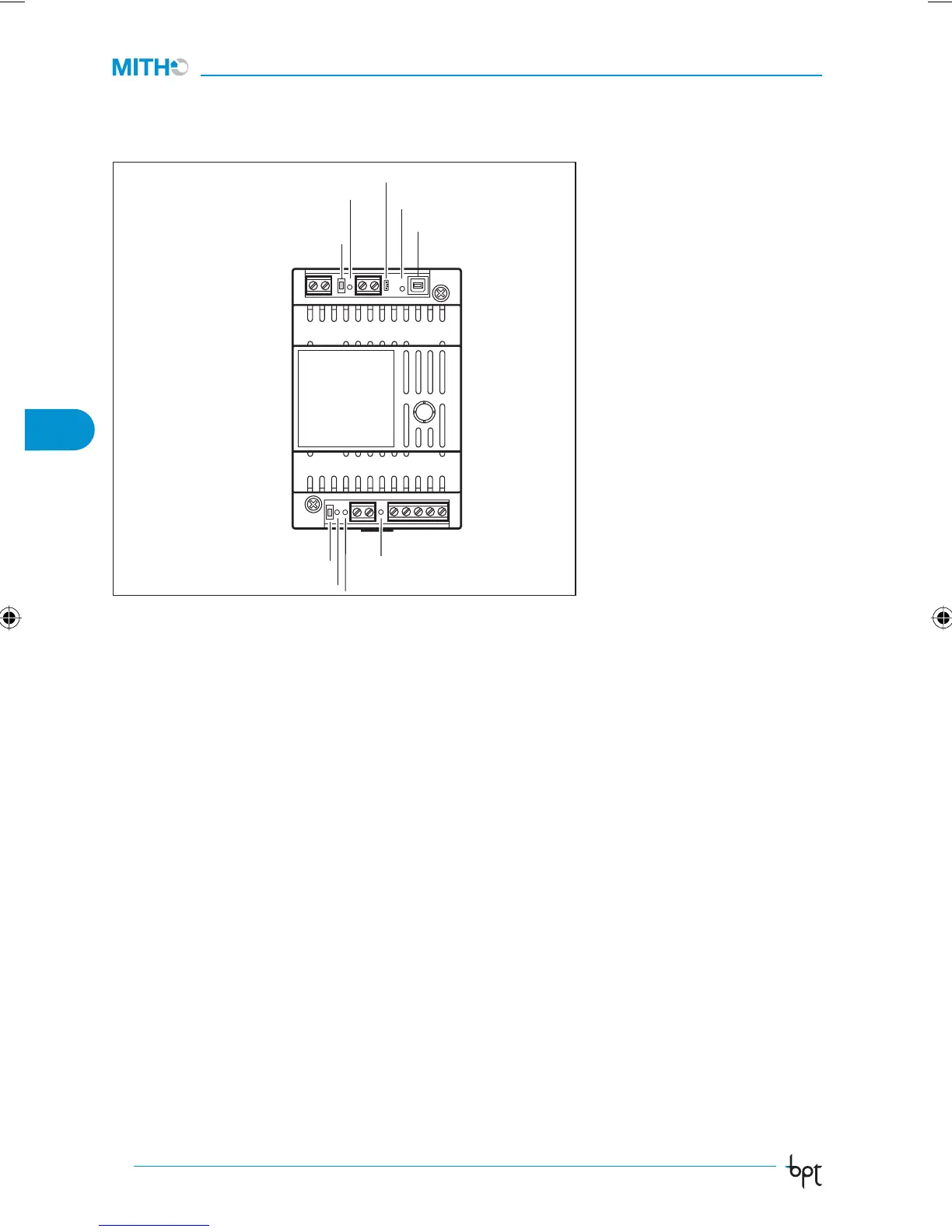
Function of the SERVICE
button.
Used to check for proper connec-
tion and operation of the unit, by
means of LED lighting after button
is pressed.
LED SERVICE function
(yellow)
Flashes each time the SERVICE
button is pressed.
It can also provide other informa-
tion:
- Always on: indicates that the
unit is faulty.
- Always off (even after pressing
button SERVICE): indicates the
unit is faulty, or BUS not con-
nected.
Function of the RESET
button.
Press this key in impulses any-
time the unit needs to be reset
3
CN1
TAMPER
LED USB
RESET
SERVICE
LED SERVICE
LED UBP
LED LA
LED MM
due to anomalies, servicing or
other reasons.
This operation does NOT delete
any programmes, which will be
restored, along with other data,
when the unit is restarted.
Function of TAMPER
jumper
Normally connected.
Remove the jumper and insert
the wiring provided to connect
the tamper switch of the panel.
Function of USB port CN1
(USB)
This USB output makes it pos-
sible to connect the device to a
PC for updating and/or installa-
tion of the MH-SW programming
software.
If the USB cable is connected
correctly the green USB LED
comes on to confirm.
Function of LED (green)
The LED’s near the terminal board
(MM LED, LA LED, UBP LED) ash
if there is activity in the Bus.
Connection with the
USB communication
port
Connect the interface to the
port of the USB of the PC using
the USB cable.
Windows (versions 200, XP and
VISTA) will automatically recog-
nize that a new device has been
connected and will ask for the
driver les.
Select the folder where the
programme of the MH-SW pro-
gramming software has been
installed. Then select the folder
DRIVER_USB and press OK to in-
stall the driver.
The interface status can be
checked under the USB de-
vices of the System icon in the
Control Panel folder.
Con guration of the
Gateway
For operation of the interface, it
is necessary to install the MH-SW
programming software using the
CN1 connector.
For programming, refer to the in-
structions of the MH-SW software.
BUTTON
BUTTON
ManTecnico_MithoPlus IT_GB 2484578 78ManTecnico_MithoPlus IT_GB 2484578 78 18-06-2008 11:50:2618-06-2008 11:50:26



 To Next Page