BBP
®
85 Label Printer
User’s Manual
B-5
Using the Input Method Editor (IME)
Chinese Simplified
Using the Input Method Editor (IME)
An Input Method Editor (IME) is a program that lets you add Asian text to your
labels. When your keystrokes are entered in the composition window, the IME
converts them into Asian characters and provides a list of candidates from which
you can choose. When you select a candidate, it is inserted in your label.
Chinese Simplified
To use the IME text editor:
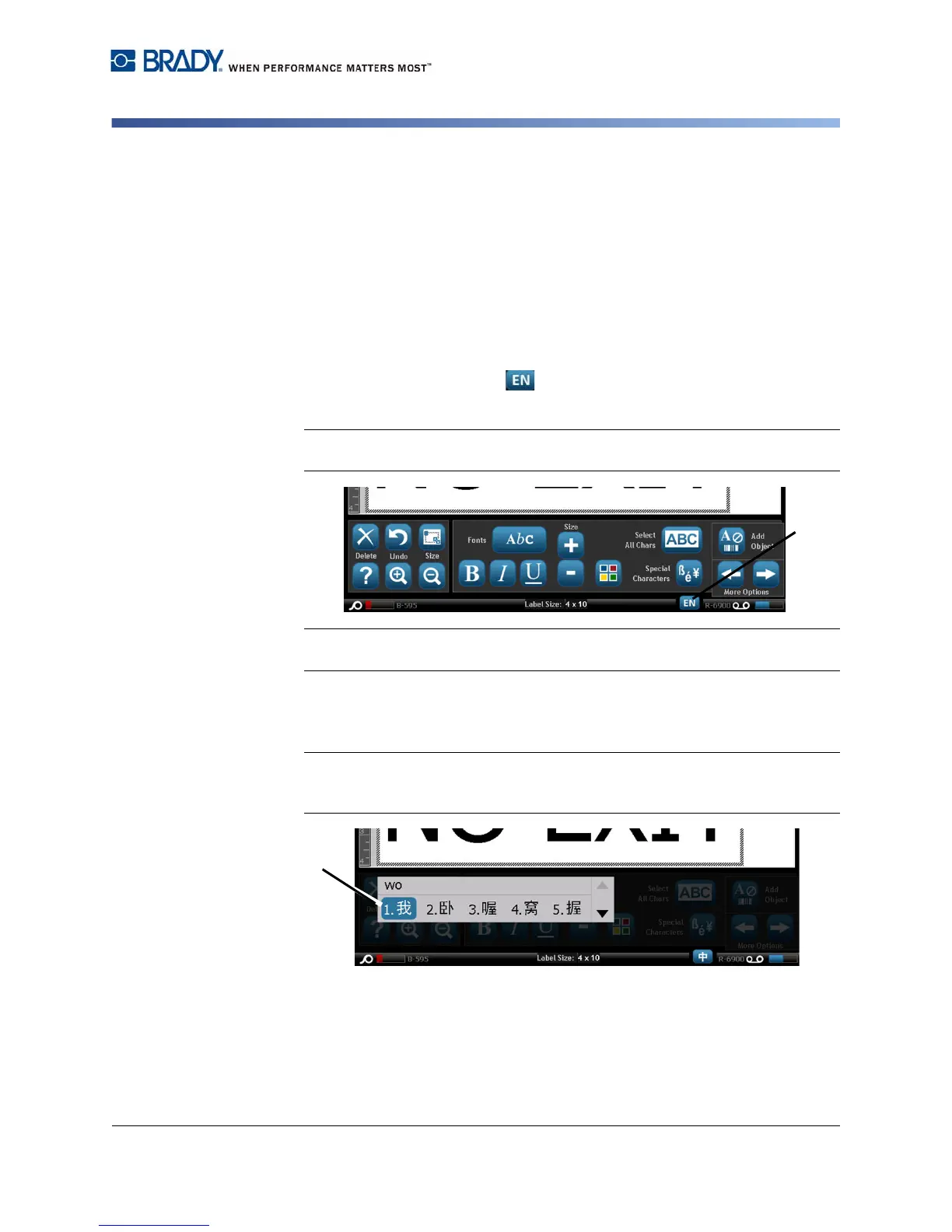
1. Touch the Language button [1] to toggle the language between the
current language of your system and Chinese mode.
Note: Touch the Language button at any time to toggle between the IME and
the standard input, or type Ctrl-Spacebar to toggle between languages.
Note: When you start typing, the control and tool panels fade and the Chinese
text editor displays.
2. Enter the words or keystroke(s) that you want converted. A list of candidates
is generated and displayed in the Chinese text editor window, with the first
candidate highlighted by default [2].
Note: For each letter typed, the IME predicts a set of characters based on the
entered text. For frequently selected characters, the printer "learns" the
characters and and moves them up the list of character options.



 To Next Page